Page 92
Chapter 4
Installation Instructions
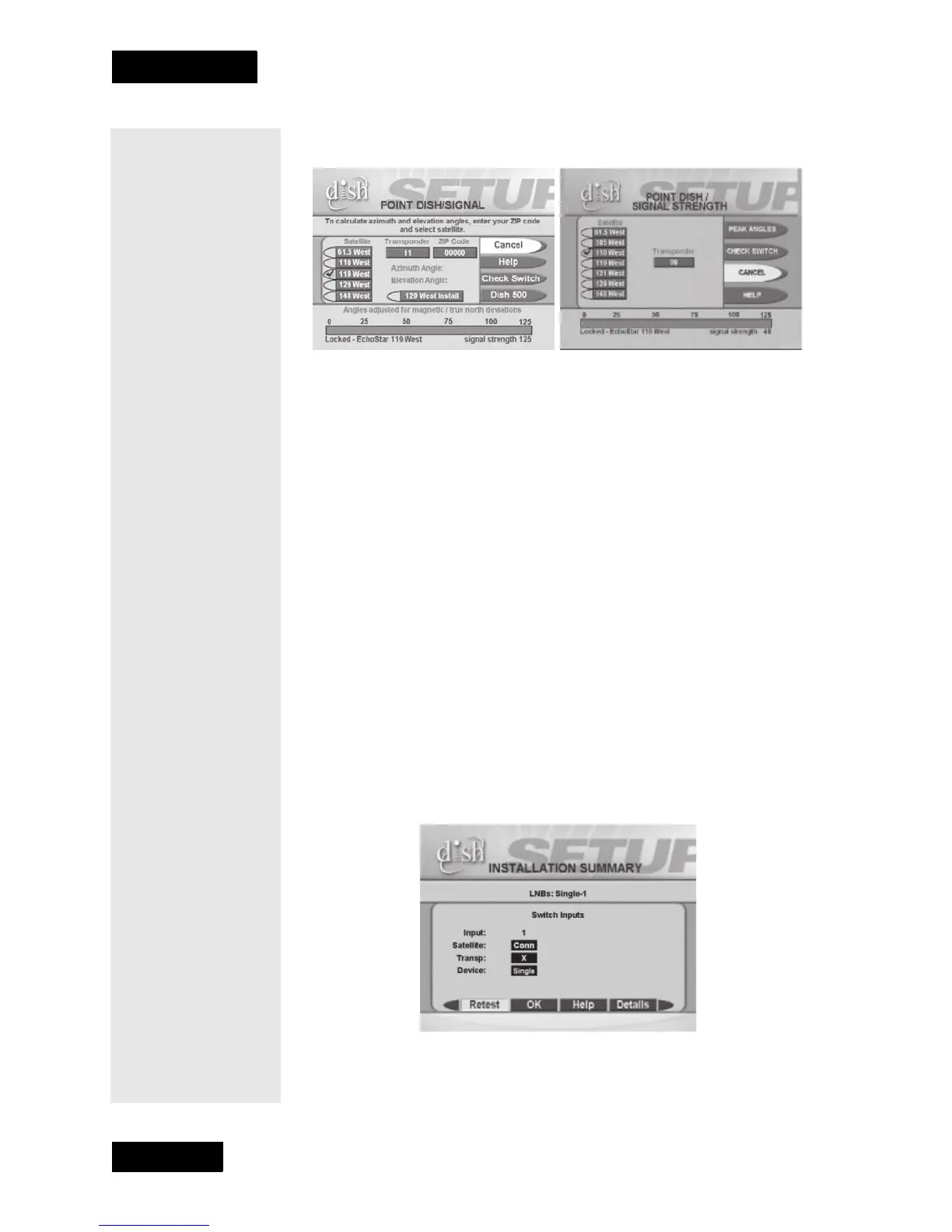
2. Make sure there is a check mark next to the satellite your dish will be
pointing at.
3. If your
Point Dish/Signal screen looks like the one on the left,
continue to the next step. If your
Point Dish/Signal screen looks like
the on eon the right, select
Peak Angles and the Dish 300 option.
4. Select
Peak Angles.
5. Use the number buttons on the remote to enter your ZIP code to get
the necessary azimuth and elevation. Write these numbers down in the
spaces provided in the margin.
6. Mount the dish following the mounting instructions that came with it.
7. Connect an RG-6 cable from the DishPro S
AT IN connection on the
receiver directly to the DishPro LNBF on the Dish 300. Make sure
there are no multi-dish switches between the LNBF and the DishPro
receiver.
8. Select
Check Switch from the Point Dish/Signal menu. When the
Check Switch screen opens, select Check.
9. When
Check Switch is complete, you will see an Installation
Summary
screen similar to the one shown next. It will show a
connection (“Conn” next to satellite) and
Single device under 1 (Dish
Input). It may also show an X on the Transponder line. This is okay
and does not mean there is a problem with the system.
Azimuth: _________
Elevation: ________











 To Next Page