Printed in U.S.A.
MAIN SCREEN
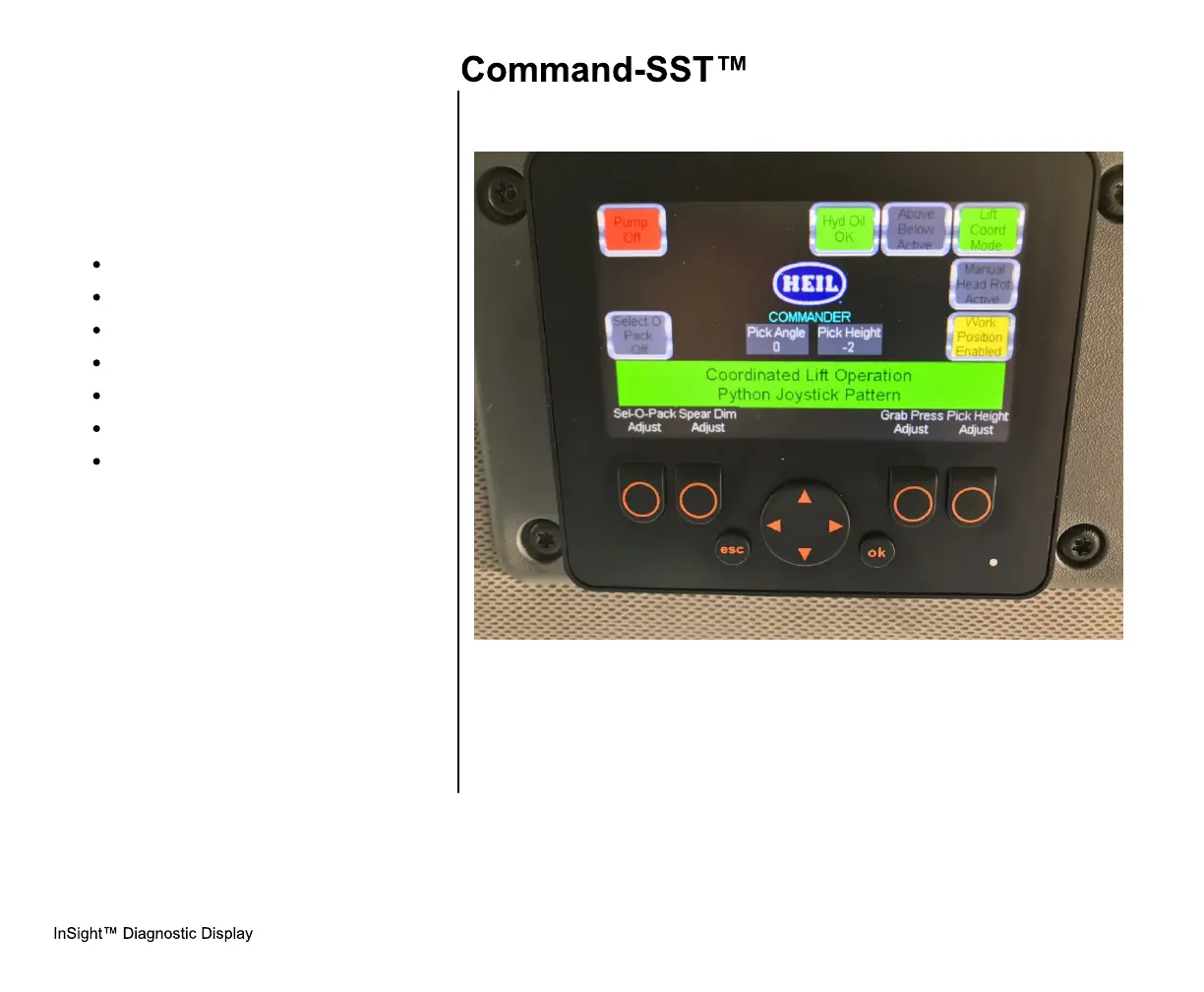
When the truck key switch is on, the home
screen below will be displayed. This screen
will show the operator various cab control
conditions, including if:
Pump is ON/OFF,
Side Door is CLOSED,
Tailgate is CLOSED,
Tailgate is LOCKED,
Select-O-Pack ON/OFF,
Hydraulic Oil LOW/OK,
Filter Pressure OK.
A.Main Screen Button Functions
1. SEL-O-PACK ADJUST - Accesses
the Select-O-Pack Adjust Screen
2. SPEAR DIM ADJUST - Accesses
the Spear Adjustment Screen (Only
shown when Spear Mode is active)
3. GRAB PRESS ADJUST - Accesses
the Grabber Pressure Adjustment
Screen
4. PICK HEIGHT ADJUST - Accesses
the Pick Height Adjustment Screen



 To Next Page