Printed in U.S.A.
MAIN PUSH BUTTON CONTROLS
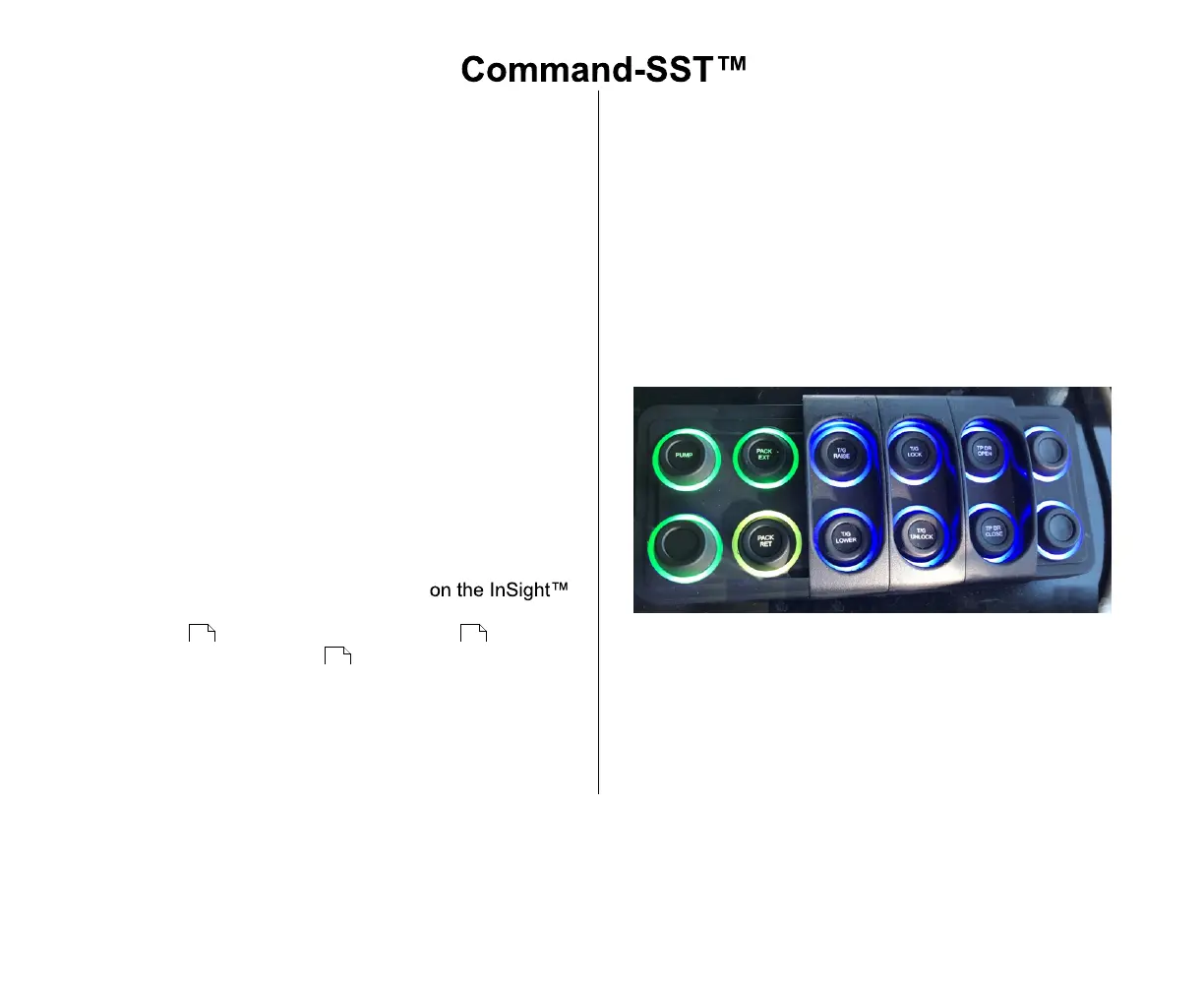
The Main Push Button Controls are located in the cab. This
key pad is water-resistant with a lighted ring around each
button.
A.Push Button Controls Functions
The Main Push Button Controls can vary with different
models of truck chassis. Individual buttons have
markings that identify each function and its operations.
Make sure you are familiar with the Main Push Button
Controls for your unit prior to operating the unit.
1. PUMP - Turns the Hot Shift PTO ON (Green) or OFF
(Red)
2. PACK EXT - Extends the Packer, command active
(Green flashing) or no command (Blue)
3. PACK RET - Retracts the Packer, command active
(Yellow flashing) or no command (Blue)
Toggle the control between Auto and Manual Pack
Modes by selecting Select-O-Pack
Diagnostic Display. Refer to Select-O-Pack Adjust
Screen , Operation Specifications and
Compacting the Load for more information.
4. T/G RAISE - Raises the Tailgate, command active
(Green) or no command (Blue)
5. T/G LOWER - Lowers the Tailgate, command active
(Green) or no command (Blue)
6. T/G LOCK - Locks the Tailgate, command active
(Green) or no command (Blue)
7. T/G UNLOCK - Unlocks the Tailgate, command
active (Green) or no command (Blue)
8. TP DR OPEN - Opens the Top Door, command
active (Green) or no command (Blue)
9. TP DR CLOSE - Closes the Top Door, command
active (Green) or no command (Blue)
10.SPARE BUTTONS - There may be spare buttons
that are unused.



 To Next Page