Printed in U.S.A.
SUPPORTING FUNCTIONS PUSH BUTTON
CONTROLS
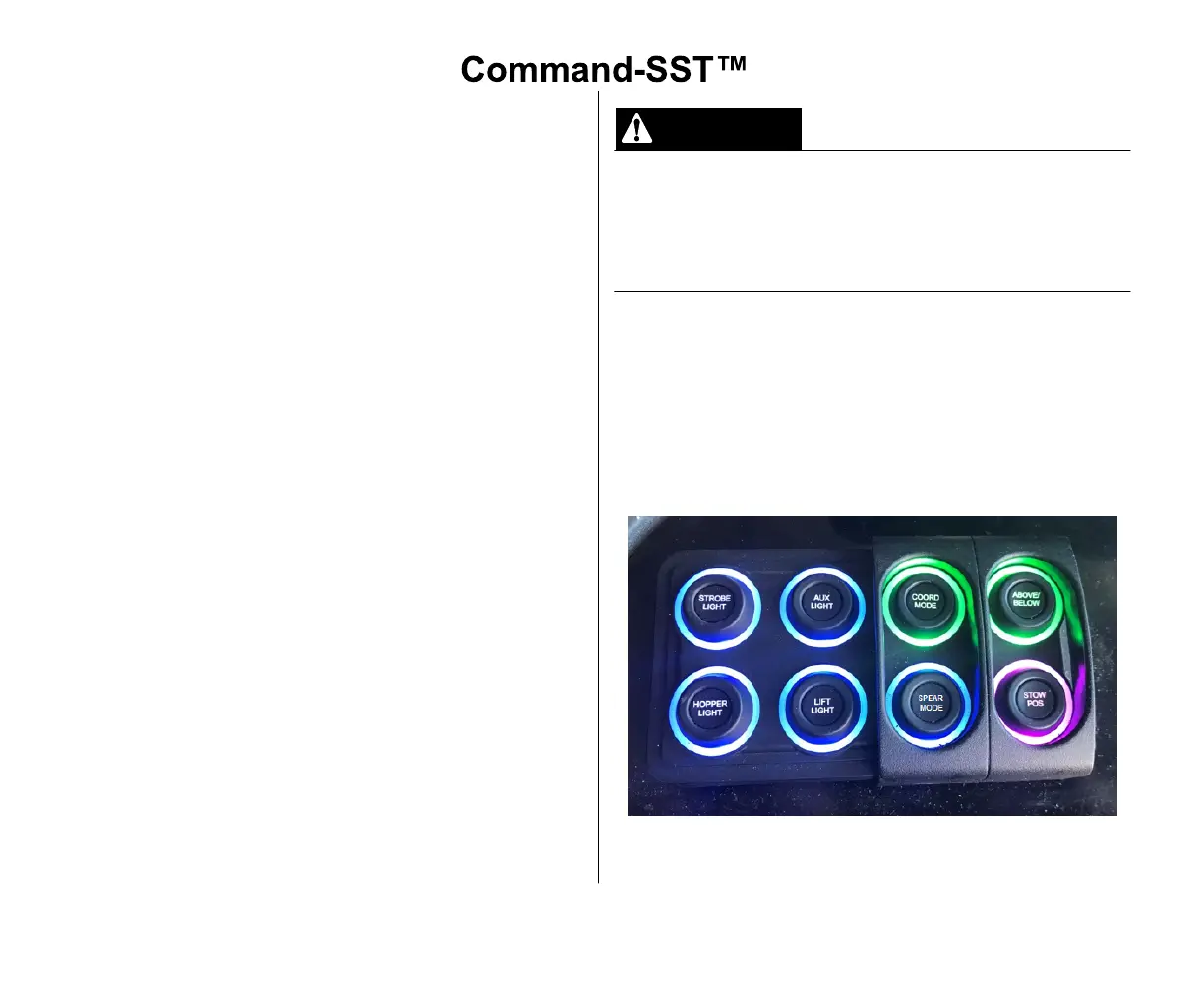
The Supporting Functions Push Button Controls are
located in the cab. This key pad is water-resistant with a
lighted ring around each button.
A.Push Button Controls Functions
The Supporting Push Button Controls can vary with
different models of truck chassis and configurations.
Individual buttons have markings that identify each
function and its operations. Make sure you are familiar
with the Supporting Functions Push Button Controls for
your unit prior to operating the unit.
1. STROBE LIGHT - Turns the Strobe Lights ON
(Green) or OFF (Blue). The Strobe Lights also turn
ON automatically with the PTO.
2. HOPPER LIGHT - Turns the Hopper Light ON
(Green) or OFF (Blue).
3. AUX LIGHT - Turns the Auxiliary Work Lights ON
(Green) or OFF (Blue). The Auxiliary Work Lights
also turn ON automatically when the truck is in
reverse.
4. LIFT LIGHT - Turns the Lift Light ON (Green) or OFF
(Blue).
5. COORD MODE - Turns the Coordinated Mode ON
(Green) or OFF (Blue). Coordinated Mode allows
joystick operations only when ON and must be OFF
for manual functions.
6. SPEAR MODE - Turns the Spear Mode ON (Green)
or OFF (Blue).
In Above/Below Grade Mode, there are NO interlocks to
prevent the lift arm from striking the body or ground.
Extreme caution must be used when operating the unit in
this mode. Due to reduced visibility of the lift arm by the
operator, street side controls do not allow ABOVE /
BELOW grade mode functionality.
7. ABOVE / BELOW - Turns the Above / Below Grade
Mode ON (Red), OFF (Green), OFF and Manual
Head Rotate (Yellow), ON and Manual Head Rotate
(Flashing Red).
8. STOW POS - Turns the Stow Position ON (Green) or
Work Position ON (Magenta).
9. SPARE BUTTONS - There may be spare buttons
that are unused.



 To Next Page