Printed in U.S.A.
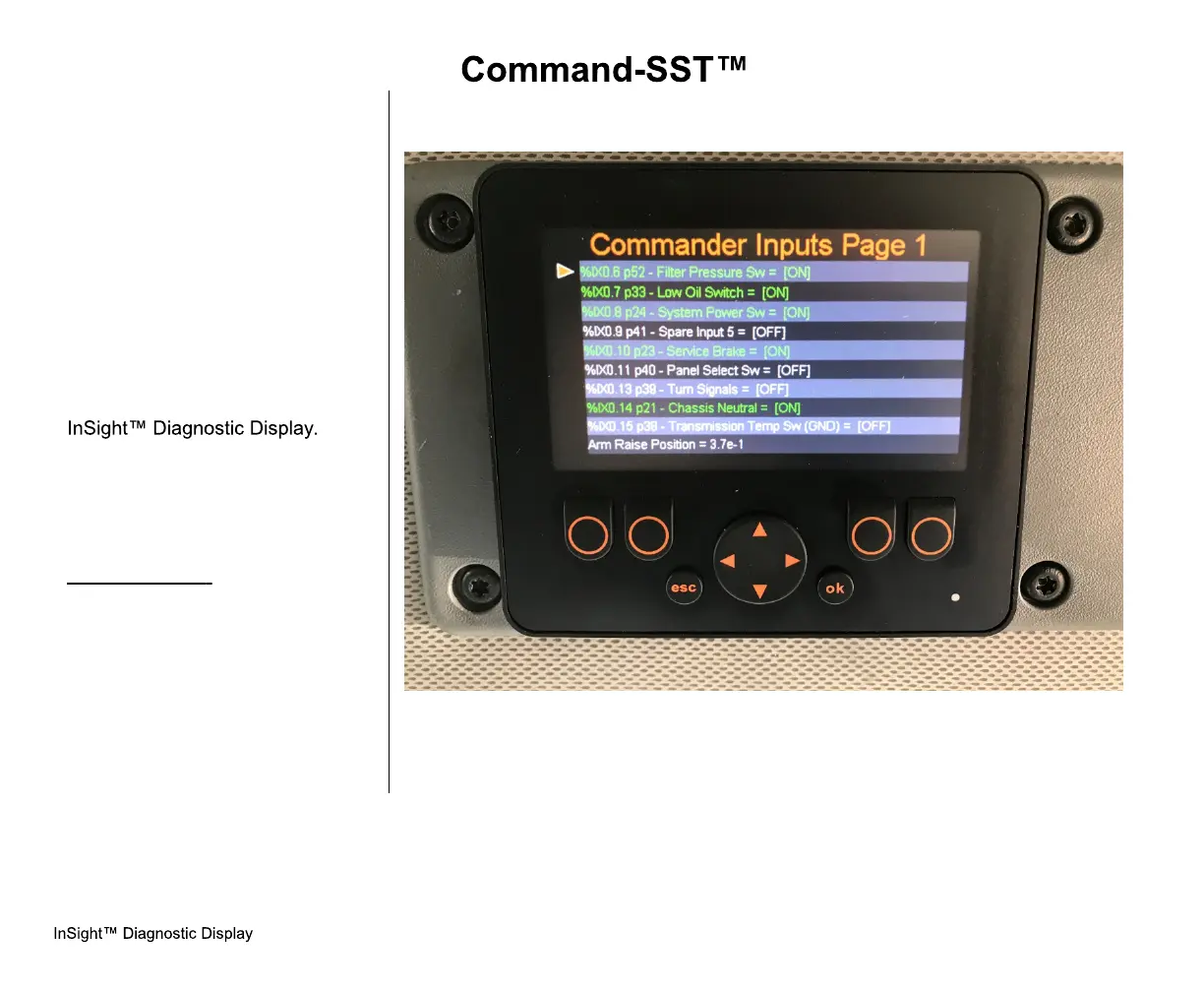
INPUTS SCREENS
Inputs are signals the controller
receives from sensors or switches.
Examples being: Prox switch
signals, lift raise cylinder sensor, lift
extend cylinder sensors, packer
position sensor, pump on/off push
button, system power button,
packer extend or retract push
buttons and so on. Any switch or
sensor that sends signals to the
controller are called INPUTS. All
inputs can be viewed on the
These screens will show the state
of all inputs. Once you are on an
input screen, you may need to
scroll down to see all inputs on that
screen.
Example Input:
Side Door Proximity Switch is
CLOSED: the signal from the Side
Door Proximity Switch will travel to
the Cortex Controller. When this
happens, the InSight Diagnostic
Display will show the Input to be
ON. See the figures to the right
and on the next pages.



 To Next Page