40 Instructions for use Babyleo TN500 SW 1.0n
Product description
3.2.8 Family
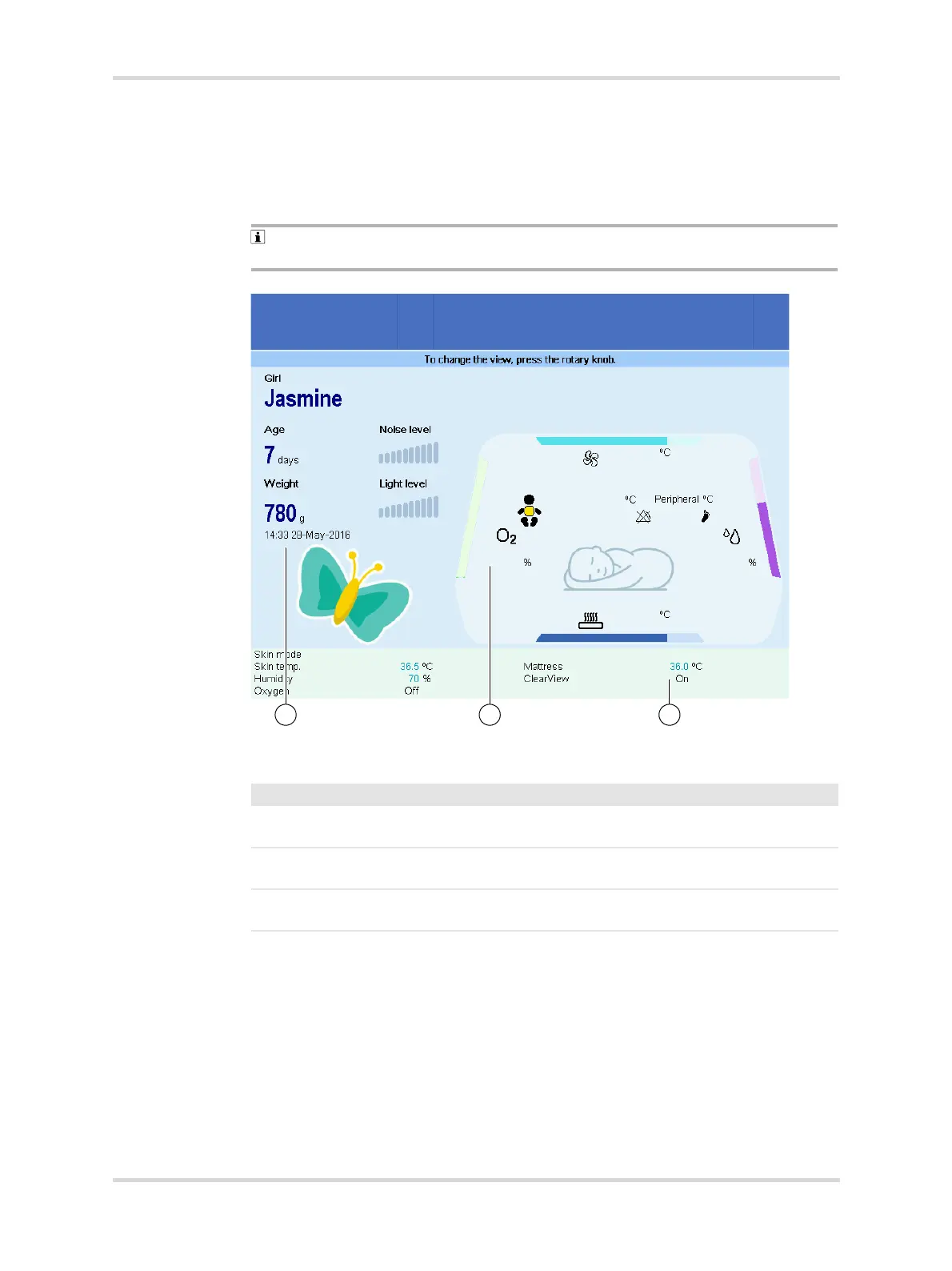
If the patient's parents are present at the device, the Family screen view can be
selected. Only the most important therapy settings are displayed in this screen
view.
The therapy values and settings cannot be changed in this screen view. To
change the screen view, press the rotary knob.
Fig. 17 Family screen view
27250
No. Designation Description
1 Therapy settings Show the current therapy settings (green
background).
2 Therapy values Show the current therapy value measurements
in the patient compartment.
3 Patient data Show, e.g., the patient's name, age, and
weight.














 To Next Page