Instructions for use Babyleo TN500 SW 1.0n 65
Operation
6.2.1 Start dialog
This chapter describes the start dialog and how to adjust the therapy settings.
6.2.1.1 Overview of the start dialog
If the device was switched off for more than 2 hours, all existing patient data are
deleted. The device starts up as follows, depending on the operating mode:
Incubator operation
If the hood is closed, the device starts up in air temperature mode with the user-
specific settings.
Radiant warmer operation
If the hood is open, the device starts automatically in pre-warm mode.
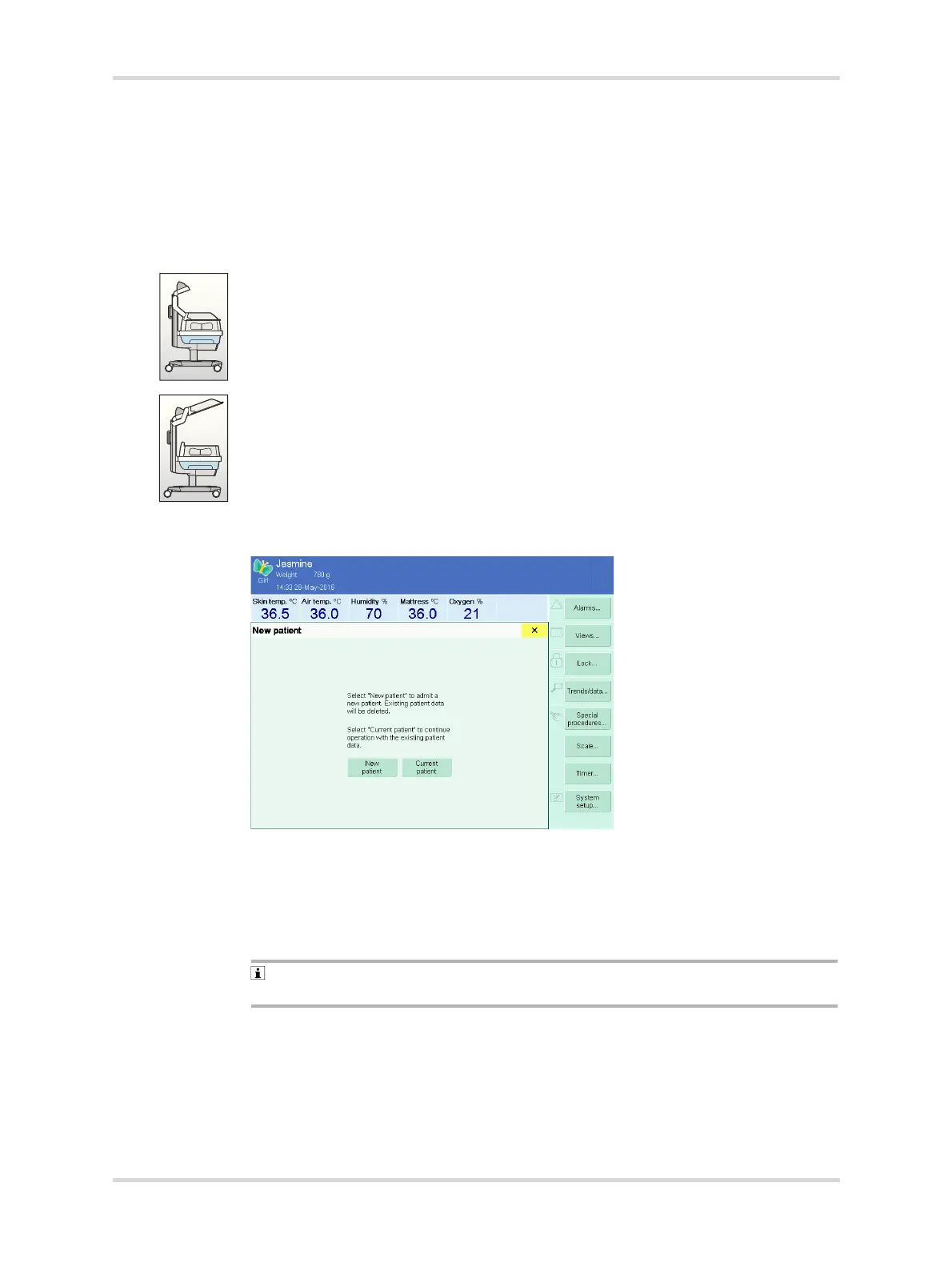
If the device was switched off for less than 2 hours, the following dialog window is
displayed:
Fig. 33 New patient dialog window
– By touching the New patient New patient button, all existing patient data are
deleted.
– By touching the Current patient button, the device continues operation with all
existing patient data and the most recent settings.
Skin temperature mode is not suitable for warming up the device during
incubator and radiant warmer operation.
28478














 To Next Page