DTG M Series Maintenance Manual Initial Setup & Basic Operations
3.6.8.2 Accessing the Bi-D Adjustment Menu
The Bi-D adjustment options can only be accessed through a “hidden” menu called the Self-
Diagnosis menu.
Note that the Self-Diagnosis menu contains several menu options which are intended for use ONLY
by a trained & authorized DTG technician. It is very important that you do not execute any other of
the menu options available in the Self-Diagnosis menu – incorrect settings or the execution of some
menu items may result in damage to your printer.
3.6.8.3 Accessing the Self-Diagnosis Menu
To access the Adjustment menu , select the self-diagnosis menu on the operation panel, and
simultaneously put the bed operation into diagnostic mode.
The self-diagnosis menu is completely independent of the normal operation mode and self-
diagnosis display mode. To call up the self-diagnosis menu, follow the steps below.
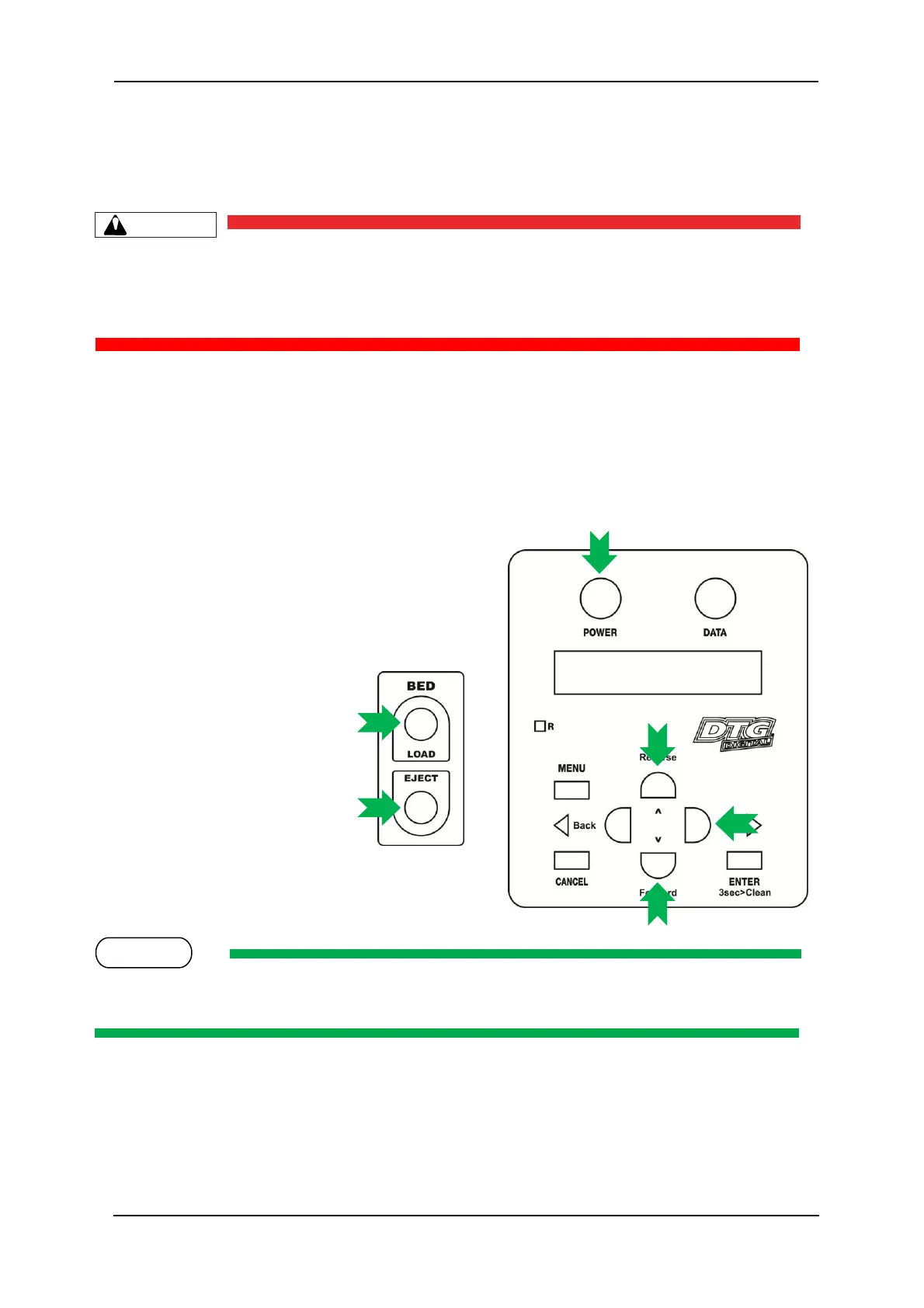
1. If the system is in the operation mode or the self-
diagnosis menu mode, press [Power] key to turn
the printer off.
2. While holding down [Reverse]
key, [Forward] key and [Next >]
key in the operation panel AND
the [LOAD] and [EJECT] buttons
simultaneously, press [POWER]
key.
The system will enter the self-
diagnosis mode and display the
self-diagnosis menu.
Be sure to continue to depress the [Reverse] key, [Forward] key and [Next >] key in the operation
panel until the printer emits a series of “beeps”.



 To Next Page