Initial Setup & Basic Operations DTG M Series Maintenance Manual
The system will enter the self-diagnosis mode and display the self-diagnosis menu:
After a short delay the screen will display Initializing
Shortly thereafter, the printer will emit a series of “beeps”
After another short delay, the screen will display Check : Test – this is the first menu
item in the Self-Diagnosis Menu
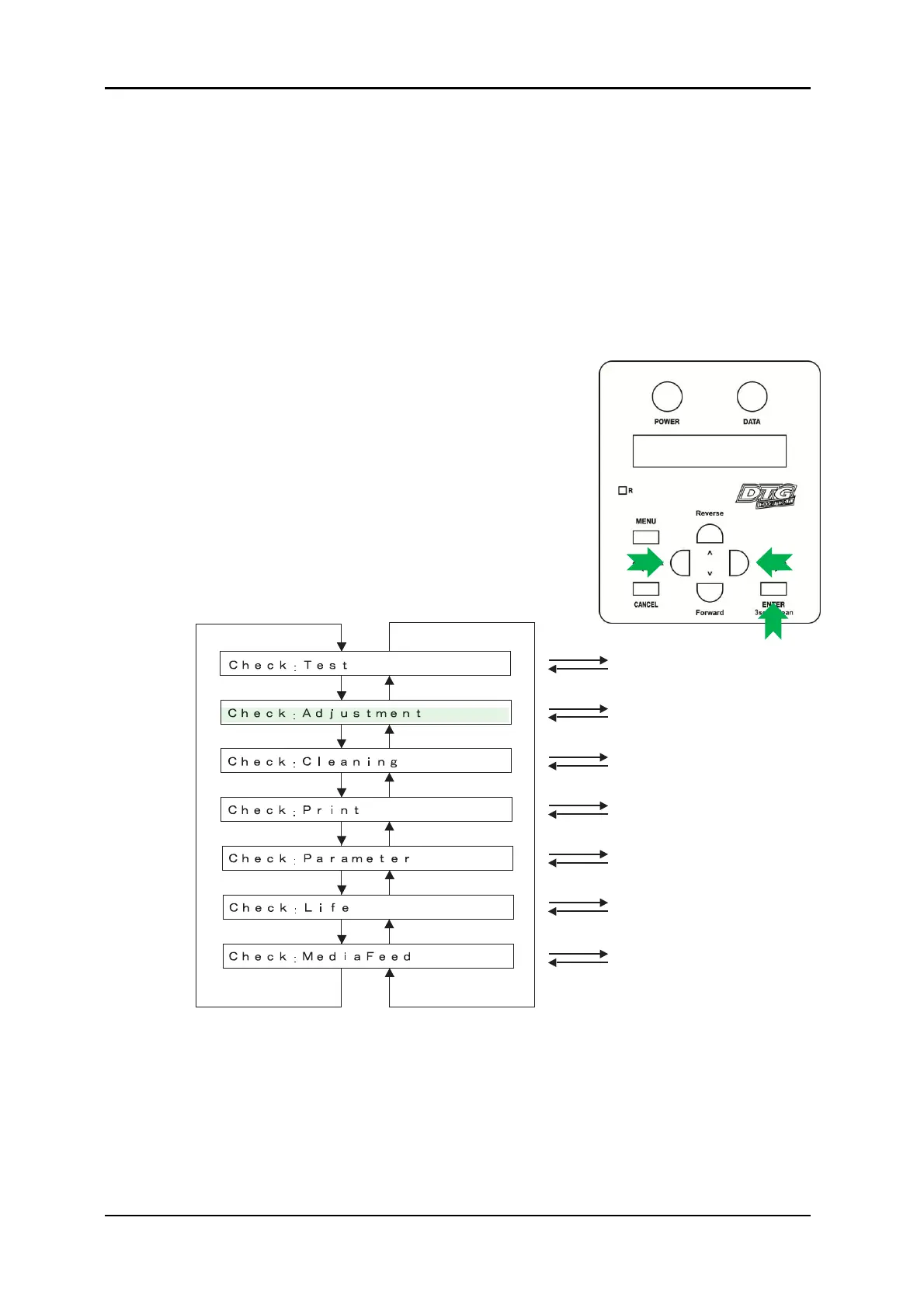
3.6.8.4 Navigating to the Adjustment Menu
Follow the operation flow shown below to operate the self-diagnosis Menu and access the
Adjustment Menu.
1. Press [Next] key or [Back] key in the operation panel to scroll
through the menu. Then, press [Enter] key to confirm the menu
option displayed.
The button presses required to enter the Adjustment Menu
from the start of the self-diagnosis menu are:
[Next] [Enter]
Next menu
Next menu
Next menu
Next menu
Next menu
Next menu
Next menu
Previous menu
Previous menu
Previous menu
Previous menu
Previous menu
Previous menu
Previous menu
Previous menu
[Enter] key
[Cancel] key
[Enter] key
[Cancel] key
[Enter] key
[Cancel] key
[Enter] key
[Cancel] key
[Enter] key
[Cancel] key
[Enter] key
[Cancel] key
[Enter] key
[Cancel] key
Test Menu
Adjustment Menu
Cleaning Menu
Print Menu
Parameter Menu
Life Menu
Media Feed Menu



 To Next Page