DTG M Series Maintenance Manual Initial Setup & Basic Operations
2. When the [Enter] key is pressed to confirm / select the Check:Adjustment menu option, the
Print Head will release from the Capping Station and make small movements & some noise for
15-20 seconds or so before settling back into the Capping Station. This is normal. Then the first
item of the Adjustment Menu will display – Adj:CheckScew.
3.6.8.5 Navigating to the Bi-D Adjustment options
The available Bi-Directional Adjustment items are shown in the tables below.
Bi-D adjustment for high head height, PG 2 value, using 3-peak
waveform
Bi-D adjustment for high head height, PG 2 value, using 6-peak
waveform
TABLE 3-3 BI-D ITEMS
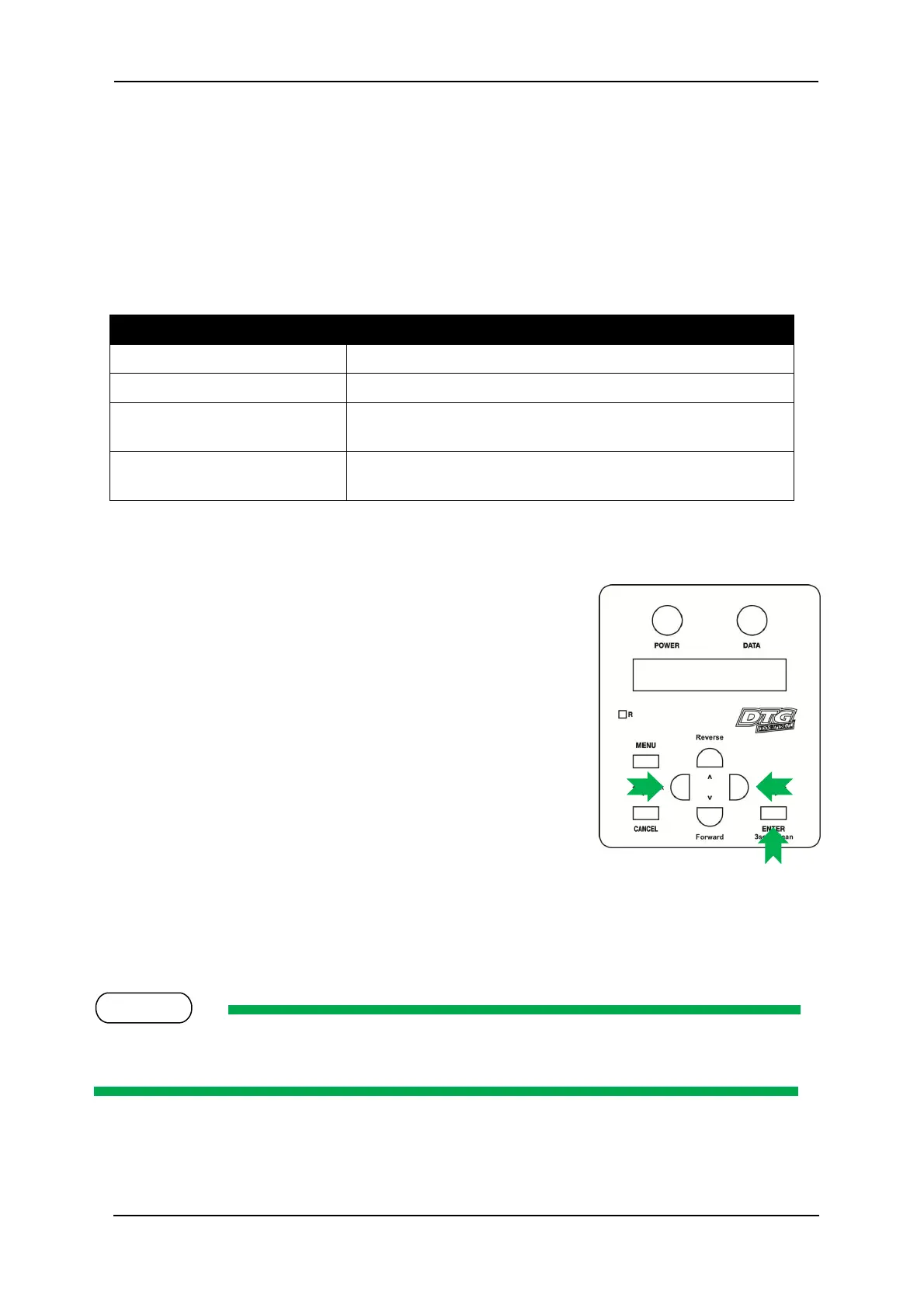
Follow the operation flow shown below to operate the Adjustment Menu and access the Bi-
Directional Adjustment options.
1. Press [Next] key or [Back] key in the operation panel to scroll
through the menu. Then, press [Enter] key to confirm the menu
option displayed.
The button presses required to select the first Bi-Directional
option (Bi-D High1) from the start of the Adjustment menu are:
[Next](x 11) [Enter]
If the [Cancel] key, [Forward] or [Reverse] key is pressed after changing a setting, without pressing
[Enter] key, that setting will not be saved.



 To Next Page