Initial Setup & Basic Operations DTG M Series Maintenance Manual
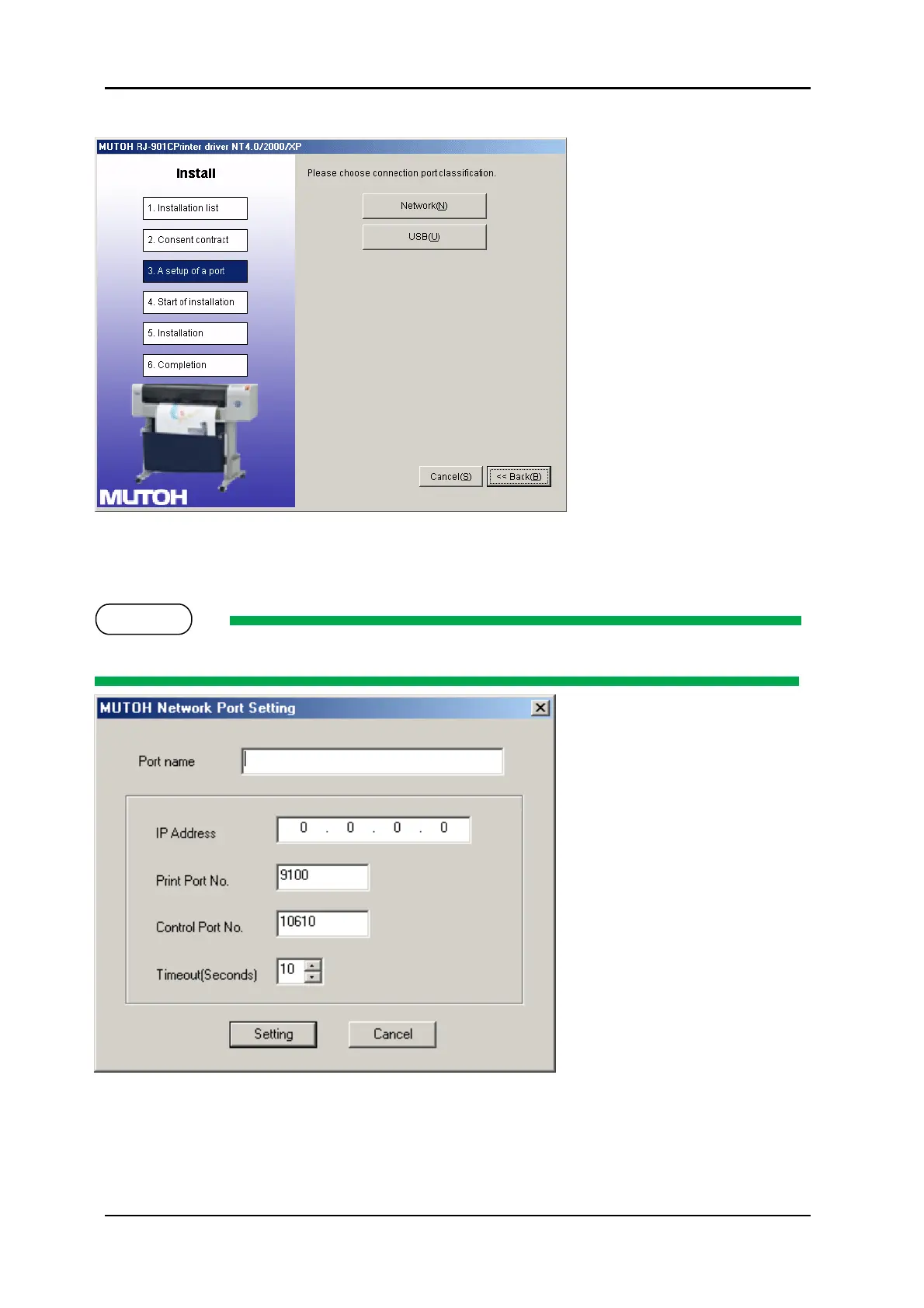
8. Click “Network”
a. If this is the first installation of the printer driver on your PC, proceed to step 9
b. If the printer driver has previously been installed, proceed to step 10
9. Set the Port name and IP Address and click “Setting”
Refer to “Network setup menu” for the IP address setting for the printer.
Proceed to step 11.
10. If the driver has previously been installed to the computer, the output ports that have
already been configured are displayed in the output port list.
a. When using the previously configured port, select the output port from the output port
list and click “OK”



 To Next Page