Printing on Textiles DTG M Series Maintenance Manual
(2) Bitmaps
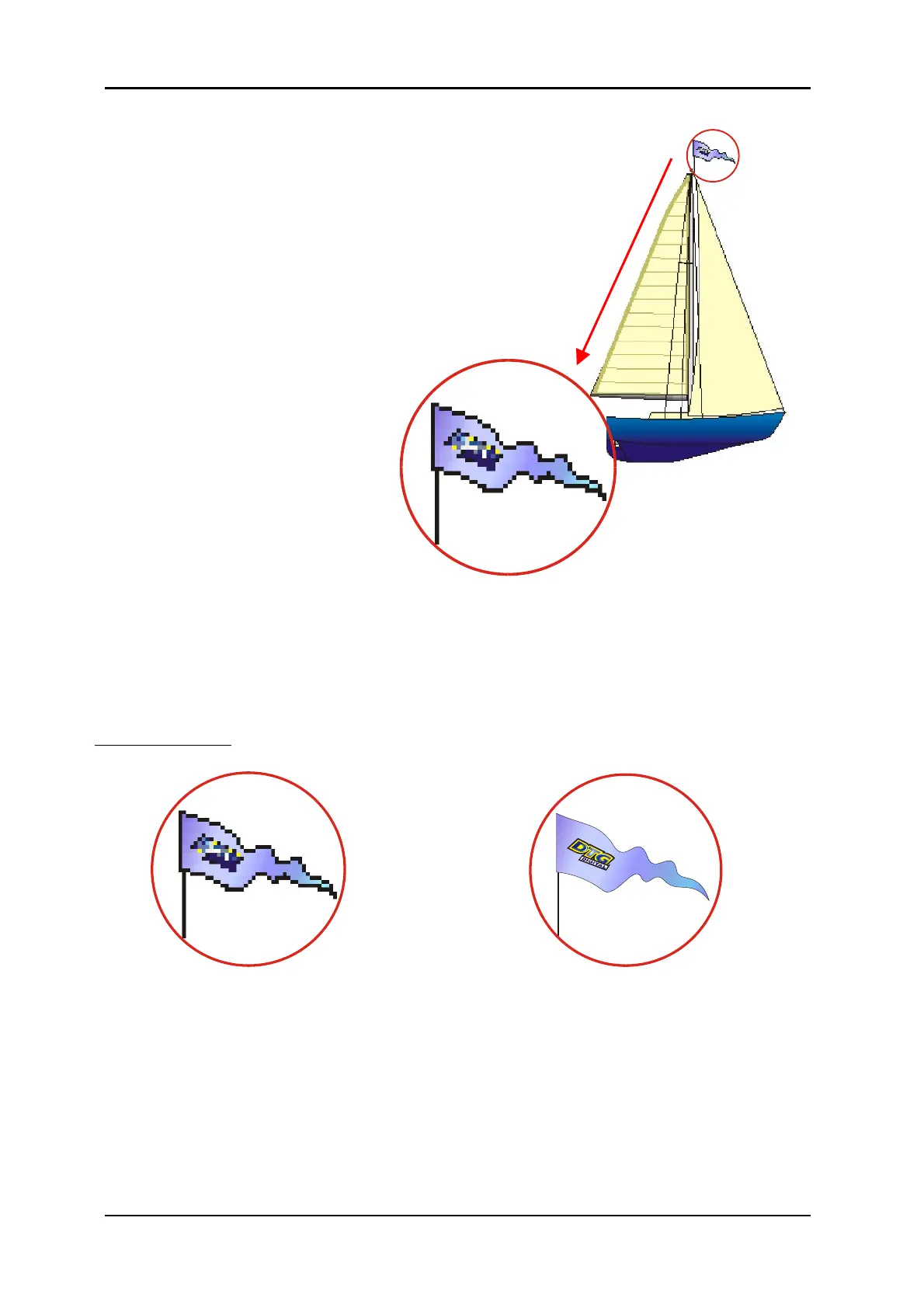
Bitmaps are images made up of pixels. This is a grid of small
squares of appropriate colours that when viewed at a
distance make a graphic image such as a digital photograph
or digital art. Bitmaps are technically known as Raster
Images. Since these images are made up of a finite number
of bits generated at the time of the creation of the image,
there are limits as to how much you can enlarge the image.
Imagine a small solid red square, say 1 inch x 1 inch.
This square was digitally created at 300dpi, meaning (in the
simplest terms) there are actually 300 red dots making up
the red square. If you now want to enlarge that red
square to 2 inches x 2 inches, it is possible,
however you still only have 300 red dots to
fill that square.
The most common file formats for
Raster Images are Bitmaps (.bmp),
Jpegs (.jpg), Tiffs (.tif), and Gifs (.gif).
(3) Resolution
Because a Raster or bitmap is made up of little square dots of colour, the images can often have a
jagged look. The greater the number of pixel dots per inch the less jagged the image will look. It
will also increase the data size of the file considerably. Dots per inch or DPI is the measurement of
the pixel density. One example of low DPI images are web graphics. Web graphics are low to
minimize the amount of data bites it takes to load a web page. Web graphics are usually 72dpi or
96dpi. In printing on fabric, it is best to use a DPI of at least 200dpi, preferably 300dpi or greater –
at the printing size.
Programs such as Photoshop can be used to “upsample” a small, low resolution image to an image
of suitable size & resolution, however you must be aware that these programs will make
assumptions & calculations as to where to place the extra pixels & what colour to make them.
Images that have been upsampled in this way will often have softer edges, but will be less pixilated.
Unless you are proficient in graphics programs, it is always best to ask your client for a higher
resolution file in the first place.
Also ensure that there is not excessive “blank” space around the edges of the image – even blank
space counts towards image size and may cause the actual “picture” to print small in order to fit the
entire image on to the platen. Trim unnecessary blank space from the top, bottom & sides of the
image.



 To Next Page