DTG M Series Maintenance Manual Printing on Textiles
(4) Image Sharpness & Saturation
Images printed to fabric often tend to be softer & darker than what the image appears on screen.
You may need to adjust images to give them a colour boost using a saturation adjustment in the
graphics program, and/or sharpen the image using suitable sharpening tools within the graphics
program.
(5) Transparent Backgrounds
As we have already discussed, regular bitmap images are made up of coloured pixels; this includes
the background (even a plain white background!). In a digital photograph, the rectangle is filled
entirely with colour. Graphic images are not usually just a rectangle. They are shapes and text.
The background area is usually filled with white pixels. To print on a media other than white, it is
almost impossible to match the digital colour with the colour of the media.
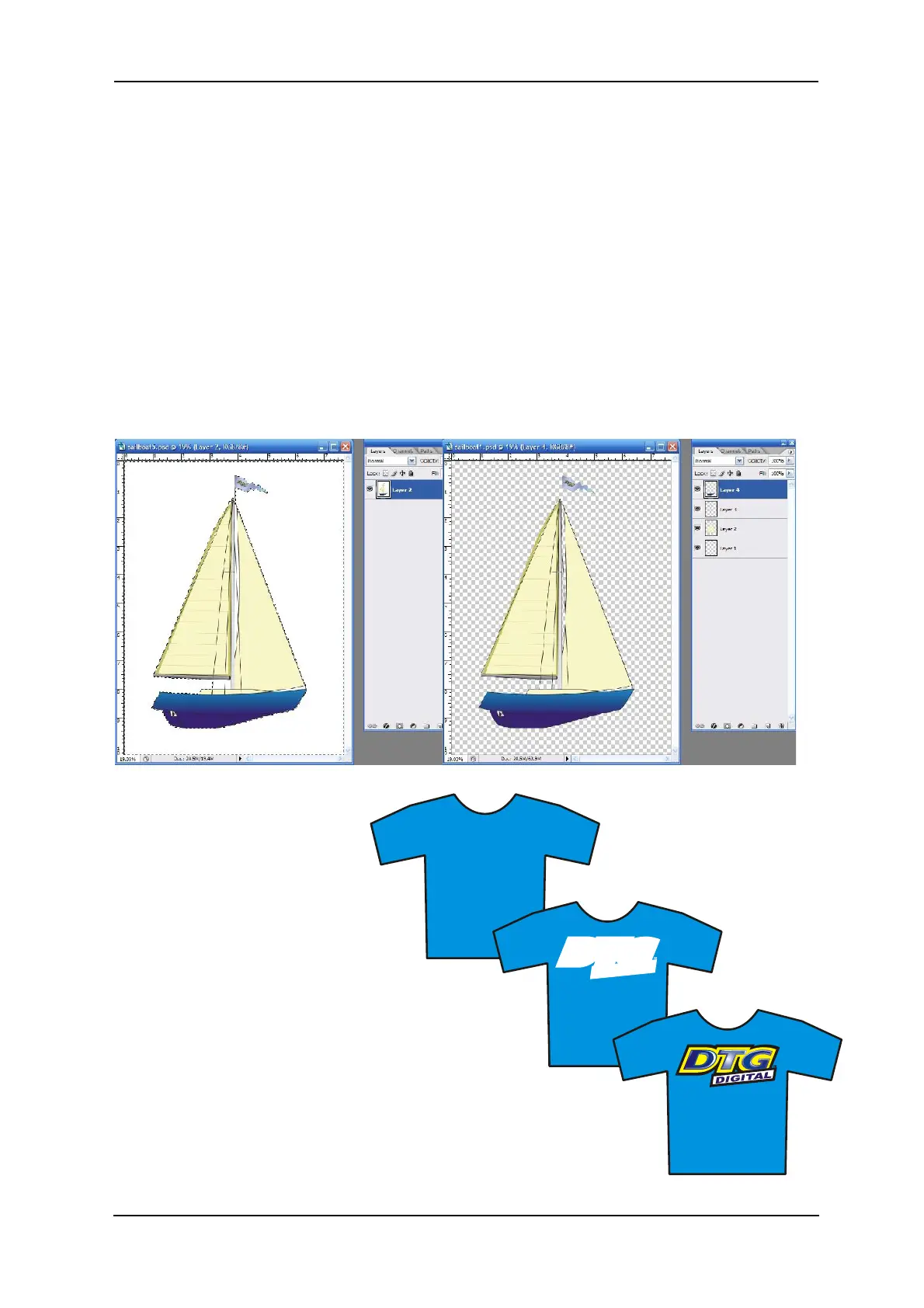
In programs such as Photoshop, the file data includes transparent pixels as a background colour of
choice. If the file is set to have a transparent background, then a removed or erased pixel will be
virtually removed. Transparent backgrounds are often represented by a grey and white checker
board pattern.
WHITE PIXELS IN BACKGROUND TRANSPARENT PIXELS IN BACKGROUND
The standard printer driver was
designed to print on a white surface using
colour ink. Inherently, it ignores white
pixels in an image when printing, and only
prints the colour pixels.
The RIP supplied by your authorized DTG
Distributor, however, is designed to print all non-
transparent pixels, and particularly, to print white pixels
with white ink.
It will separate the image into a white ink “underbase”
layer (made up of all pixels in the image) and a colour layer
with very little additional effort on your part.



 To Next Page