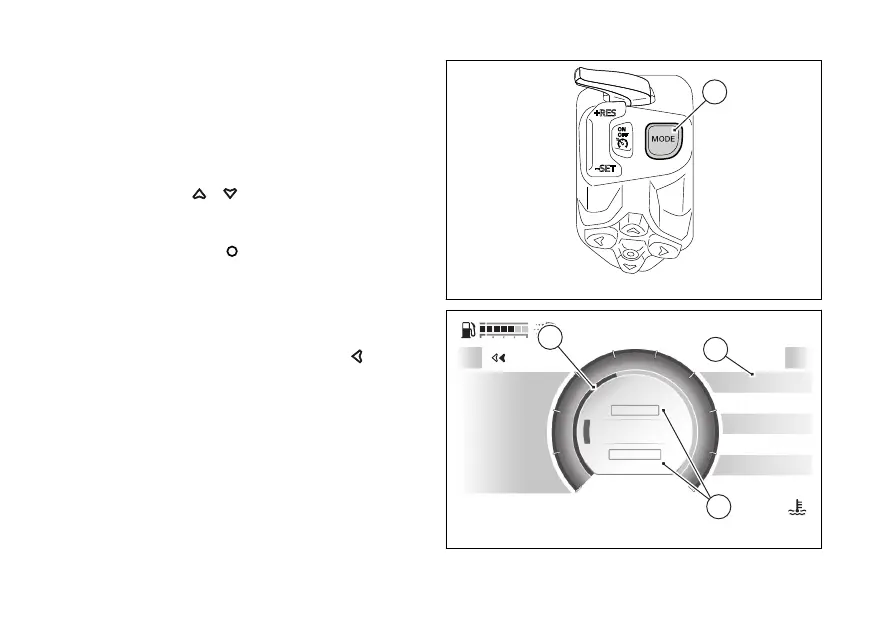
Changing the Riding Mode
●
Press the MODE (1).
The display shows the page from which it is
possible to scroll the available Riding Modes and
view their parameters together with the relevant
●
Use
or briefly press MODE
(1) to scroll and select the desired Riding
Mode.
●
to confirm, press
or press and hold MODE
(1): in this case, the progress of
confirmation is indicated by the grey circle
gradually filling in (C).
To exit the Riding Mode change function without
making any changes, press the
.
If no action is taken for a few seconds, the
instrument panel quits Riding Mode change
function.
If the change of Riding Mode is made when the
motorbike at a standstill, the corresponding
“SETUP” item is displayed below the name of each
Riding Mode to directly access the of the
selected Riding Mode (D): in this case select the item
with the name of the Riding Mode and the indication
Fig 90
Of-road
Power
DTC 4
4DWC
1EBC
3ABS
N
Gear
km/h
0
Exit
SPORT
SPORT SETUP
SPORT
WET SETUP
A
27
°CAir
120
°C
09:09
am
D
C
E
Fig 91
128










 To Next Page