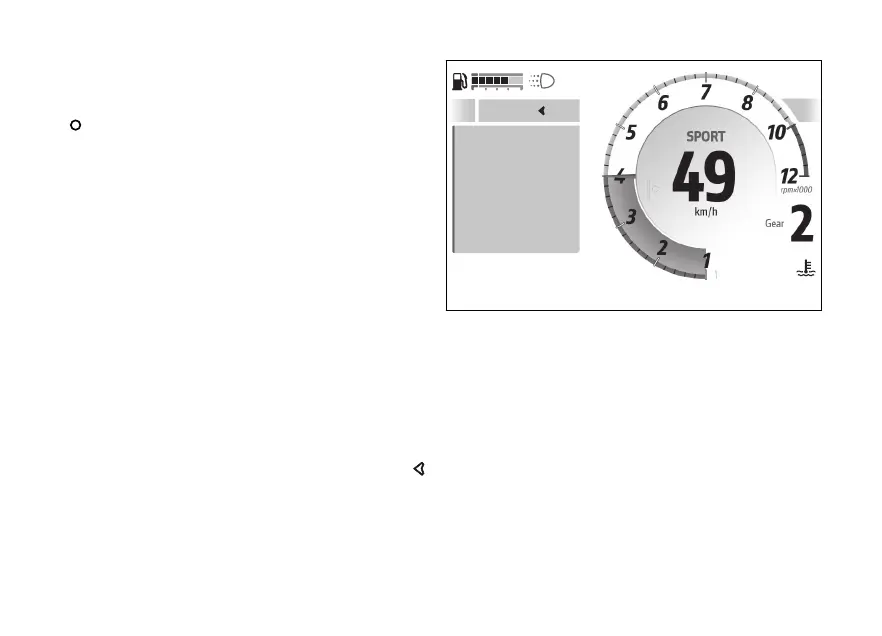
Tyre calibration - calibration
When entering the function, by pressing the
with calibration” selected, the instrument
panel shows the screen to proceed with calibration.
This screen shows the message “Ready” and the
indication to maintain a constant speed within 49
km/h (30 mph) and 51 km/h (32 mph), with second
gear engaged. The right of the screen shows the
current speed and gear.
When the rider complies with the required
conditions of speed and gear indicated, the
instrument panel system calibration: all
previous information will be displayed showing “In
progress” instead of “Ready”.
Calibration is by keeping speed and gear
within the indicated range for 5 seconds.
If the teach-in procedure is completed correctly, the
instrument panel shows “Completed” followed by
the previous menu a few seconds.
The procedure can be by holding
long pressed: in this case the instrument panel
displays all previous information, replacing message
"In progress” with message followed by
the previous menu a few seconds.
If during the calibration procedure the required
speed and riding conditions are not maintained, or
an error or malfunction occurs, the instrument panel
displays the message “Failed” and returns to the
previous menu a few seconds.
Ready
Keep speed
49 - 51 km/h
and 2nd gear
Exit
120
°C
09:09
am
Fig 142
179










 To Next Page