3.9 SET THE FLOW CALIBRATION FACTOR
E15h SPRAYER- Sprayer Setup Operation
• Press MENU
• Press ENTER to select SETUP
• Press ENTER to select SPRAYER SETUP
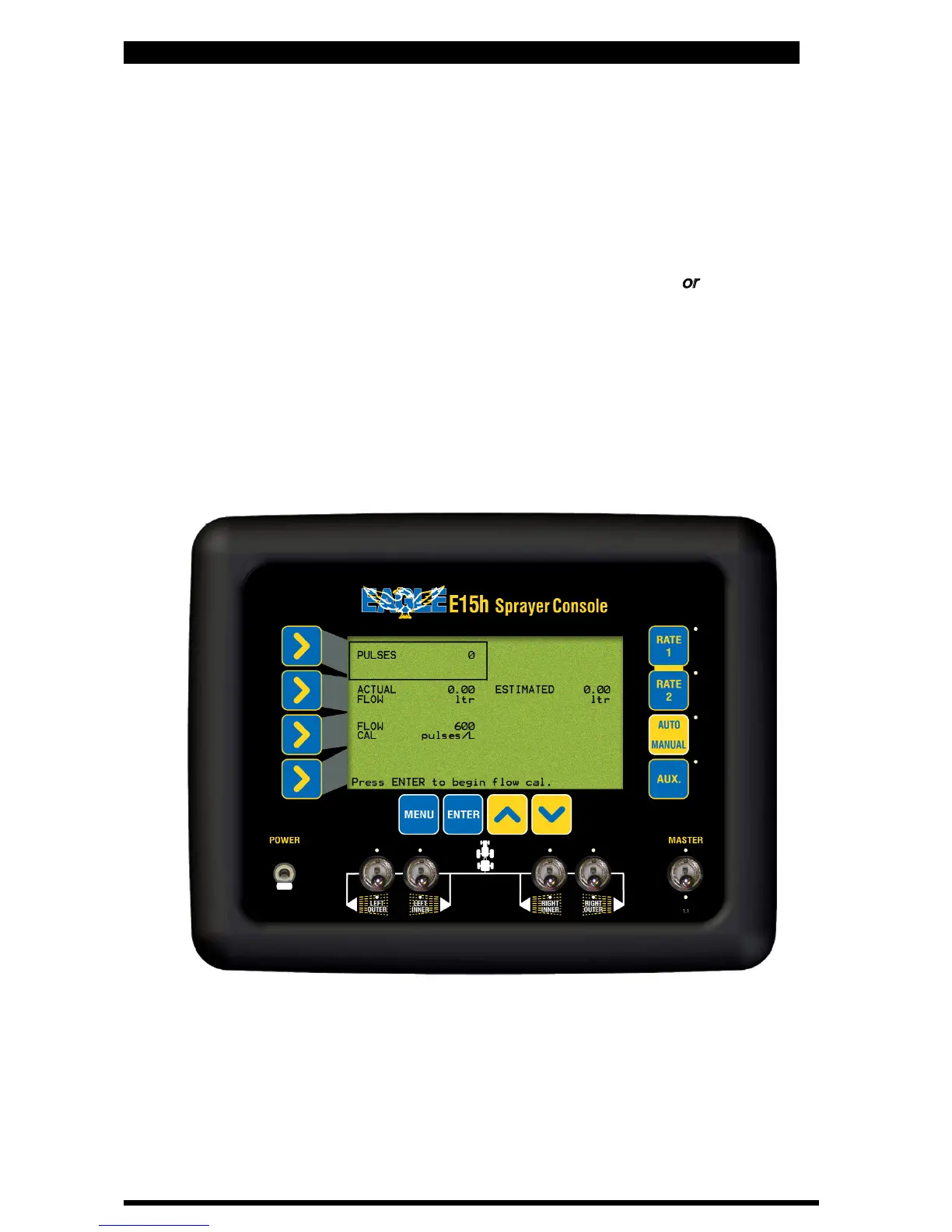
• Press LINE 4 twice until the focus is on FLOW CAL.
The focus window will
display the current FLOW CAL factor in pulses/volume
• Press ENTER.
Screen will advance to FLOW CAL SETUP screen. Go to Section
3.9.1 to continue setup using Automatic Flow Calibration method
or
go to
Section 3.9.2 to manually enter the Flow Calibration which is located on the
Flow Meter body, on the sprayer. The number located on the Flow Meter must
be in “pulses per volume” for the number to be entered in manually. The
number used must reflect the units selected in the console. For example if the
number is in ‘pulses per litre’ then ‘Metric’ must be selected in console units.
See Section 3.25 to select ‘Console Units’.
Flow Cal Screen
26
V 1.0 11/05



 To Next Page