E15h SPRAYER- Sprayer Setup Operation
3.4 SET THE PRESET ROW WIDTH and SECTION WIDTHS
Note: This sets the Section widths of each row. 4 Preset Widths can be set.
• Press MENU
• Press ENTER to select SETUP
• Press ENTER to select SPRAYER SETUP
• Press LINE 2 when the focus is on PRESET WIDTH.
This window shows
the current width of the sprayer. The number in the bracket displays which
Preset Width (1,2,3 or 4) the Total Width is representing.
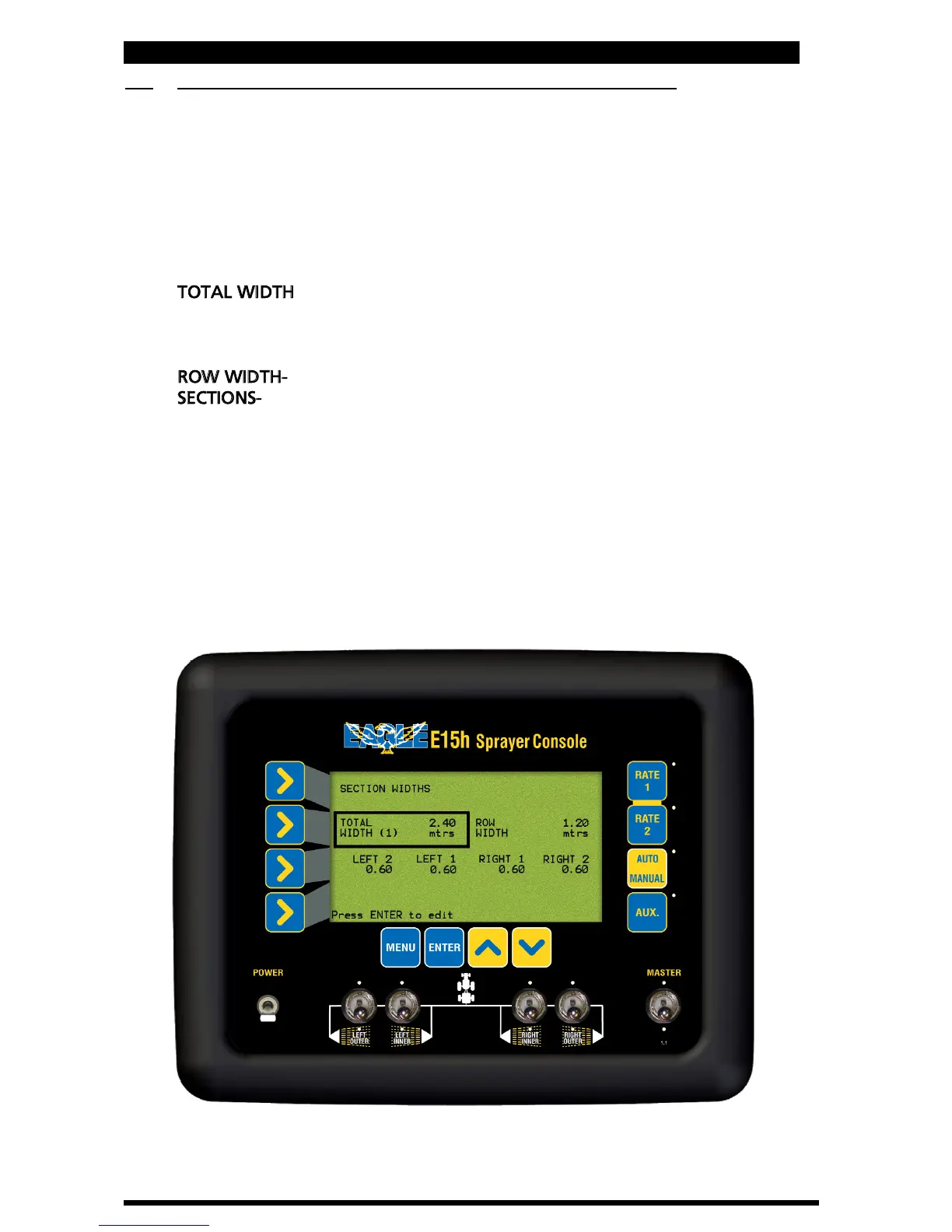
• Press ENTER to advance to the next screen (Section Widths Setup), as
shown below.
TOTAL WIDTH
- window displays the current Preset Width selected, the
number in the bracket indicates which Preset Width is displayed.
4 Preset Widths can be stored,(1,2,3 or 4). The TOTAL WIDTH window
selects which Preset Width is to be edited.
ROW WIDTH-
Displays the current Row Width.
SECTIONS-
Displays the number of sections and section configurations,
these are set in Section 3.13. The section widths for each section are
displayed under each section. The Sections widths can be edited, as the
Sections are edited the TOTAL WIDTH and ROW WIDTHS will reflect the
changes made.
LEFT 2 represents LEFT OUTER on the console section switch.
LEFT 1 represents LEFT INNER on the console section switch.
RIGHT 1 represents RIGHT INNER on the console section switch.
RIGHT 2 represents RIGHT OUTER on the console section switch.
Section Widths Setup Screen
21
V 1.0 11/05



 To Next Page