E15h SPRAYER- Diagnostics Mode
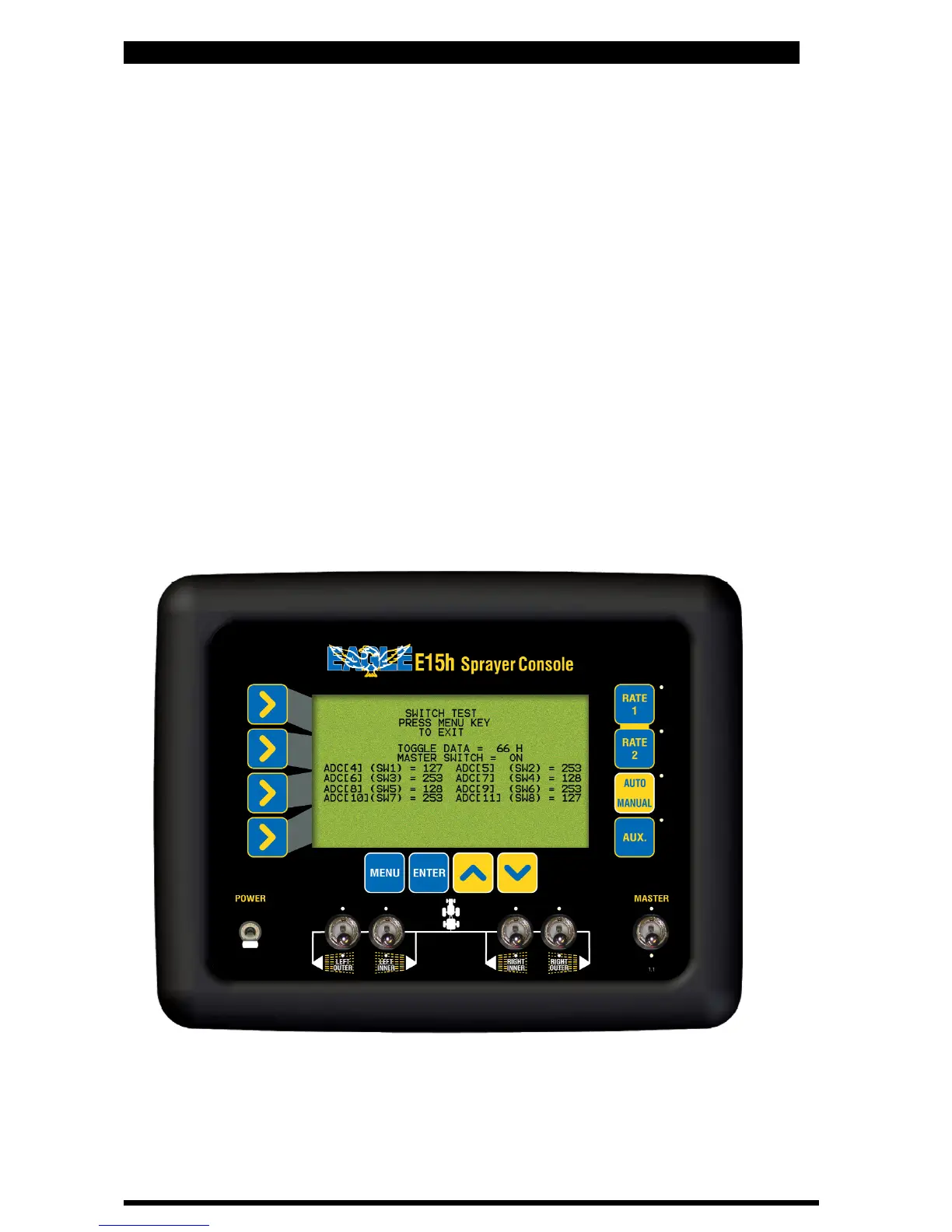
9.2 SWITCH TEST
• Select this to check the operation of the switches
• If operating correctly:
• The MASTER switch when in the OFF position;
“MASTER SWITCH = OFF will be displayed on the console screen
• The MASTER switch when in the ON position;
“MASTER SWITCH = ON will be displayed on the console screen
• Status of the Section switches:
‘Left Outer’ section switch corresponds to SW2
‘Left Inner’ section switch corresponds to SW3
‘Right Inner’ section switch corresponds to SW6
‘Right Outer’ section switch corresponds to SW7
• The number “2” next to the corresponding SW# will indicate the switch
is in the OFF position.
•The number “253” next to the corresponding SW# will indicate the switch
is in the ON position.
• Press MENU to exit
Switch Diagnostics Screen
87
V 1.0 11/05



 To Next Page