Full details of programming are provided in later sections of this manual.
1.20 CAL Mode
WARNING !
Installation, configuration and maintenance of this annunciator must only
be performed by competent service personnel
WARNING !
Hazardous voltages may be present when pushbutton panel is removed.
Take care not to touch any exposed parts on pushbutton panel or
annunciator beyond those specified in the instructions below.
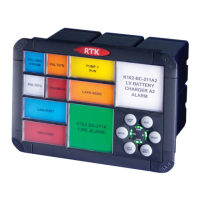
The RTK 725B unit can be placed into CAL mode which allows the user to view the dynamic
status of the associated plant inputs or the user can use the pushbutton module to set the non
alarm state of each alarm (N/O or N/C).
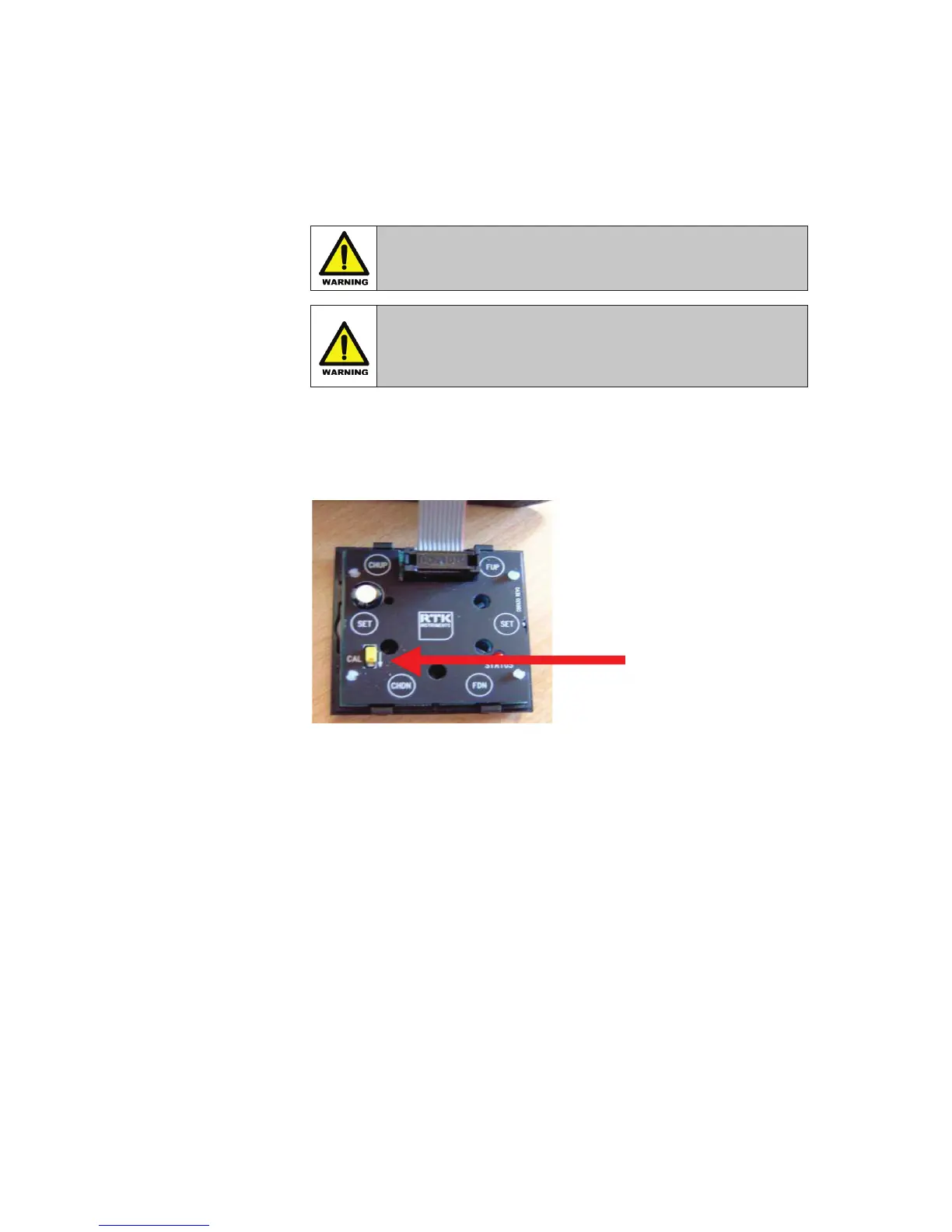
To place the unit into CAL mode the CAL switch needs to be pushed down in the direction of
the arrow as indicated above.
Whilst in CAL mode the PWR / COM LED bars flash followed by the WD / FC LED bars and this
sequence cycles until the cal switch is turned off.
Please note whilst in CAL mode the pushbuttons have alternative functions and the CAL switch
must be in the OFF mode for the normal pushbutton functions to operate correctly.
If an alarm occurs whilst in CAL mode the audible will sound and once the user places the
switch back to normal the alarm will be displayed in the normal way.
Push Down
for CAL Mode


 To Next Page