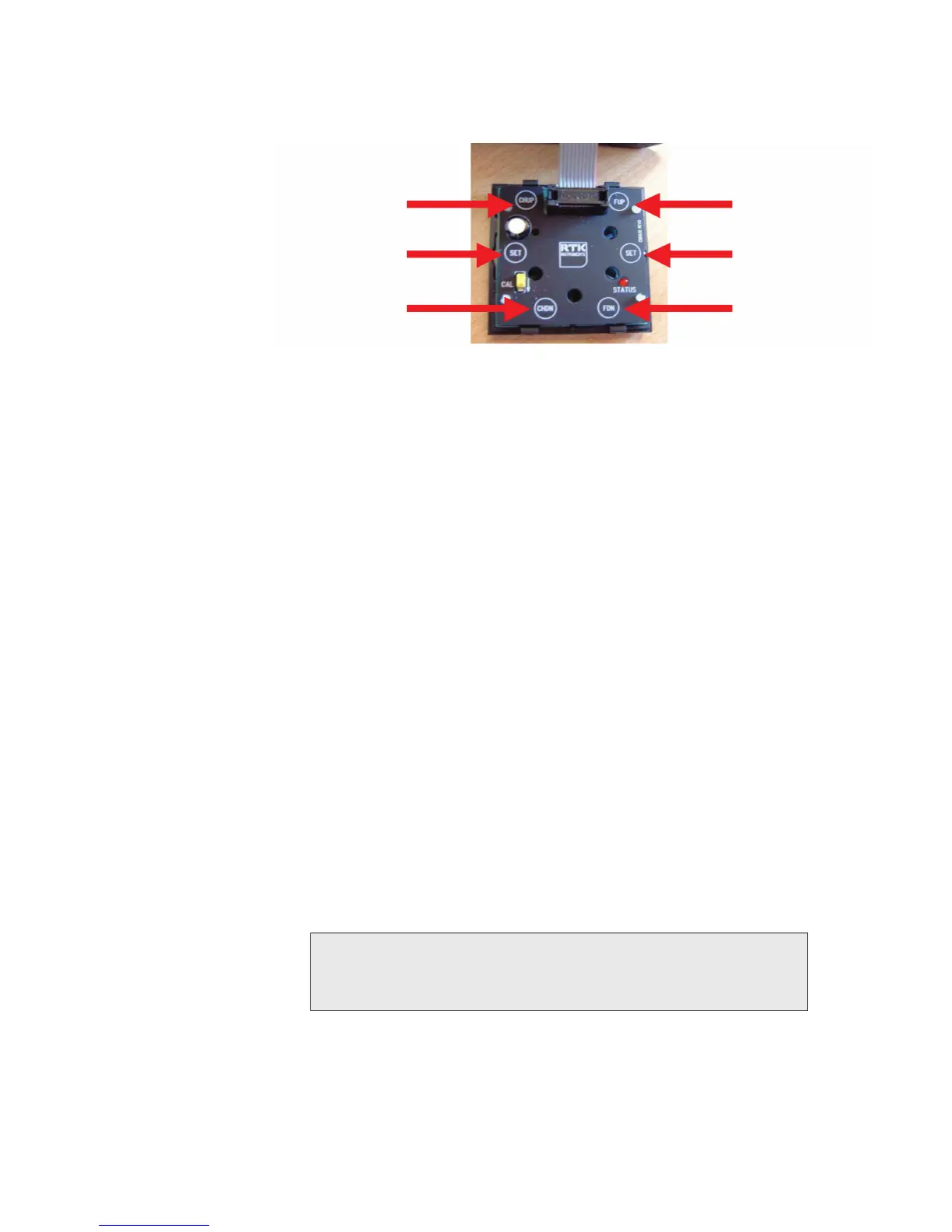
1.23 Function Up / Down
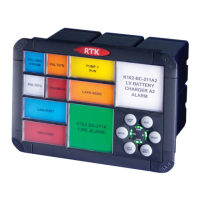
The integral pushbutton module has two functions.
1. It can be used to dynamically view the status of all signal inputs to determine
which inputs are open or closed.
2. It can be used to set the non alarm state of each alarm channel to N/O or N/C.
When the unit is first switched to CAL mode it defaults to the contact monitoring state. If the
user wishes to change the non alarm contact state of any inputs the Function Up (First Reset
Pushbutton) must be pressed.
Once the Function Up has been selected the top left hand window flashes to indicate that
the 1st channel is in programming mode and the user can set of navigate to each channel
as required.
1.24 Channel Up / Down
The user is able to navigate to the required channel by pressing the System Test (channel up) to
navigate to channel 1 to 2 to 3 etc and Lamp Test Pushbutton (channel down) to navigate from
channel 3 to 2 to 1 etc.
1.25 Setting the Non Alarm Input State
Once the user has navigated to the required channel each time the Mute, or Reset, pushbutton
is pressed the input state is inverted from N/O to N/C.
• If the status LED is OFF the channel is suitable for use with N/O contacts.
• If the status LED is ON the channel is suitable for use with N/C contacts.
CAUTION
This information is only saved when the user navigates to another channel (up or
down). If the user places the CAL switch to the OFF position without navigating to an
adjacent channel the information will not be stored.
Function Up
Set
Function Down
Channel Up
Set
Channel Down


 To Next Page