Important Information
8 EchoNous Bladder & Vein User Guide
• A USB Flash device containing:
— EchoNous Bladder and Vein User Guide
— Training materials including a generic ALARA education program (see enclosed ISBN 1-93004 7-71-1,
Medical Ultrasound Safety)
• Terms and conditions of Warranty
• Quick Reference and Setup Guides
The EchoNous Display carton contains the following:
• A tablet (or hand-held display) preconfigured with the EchoNous System software
• A Setup Guide
System features
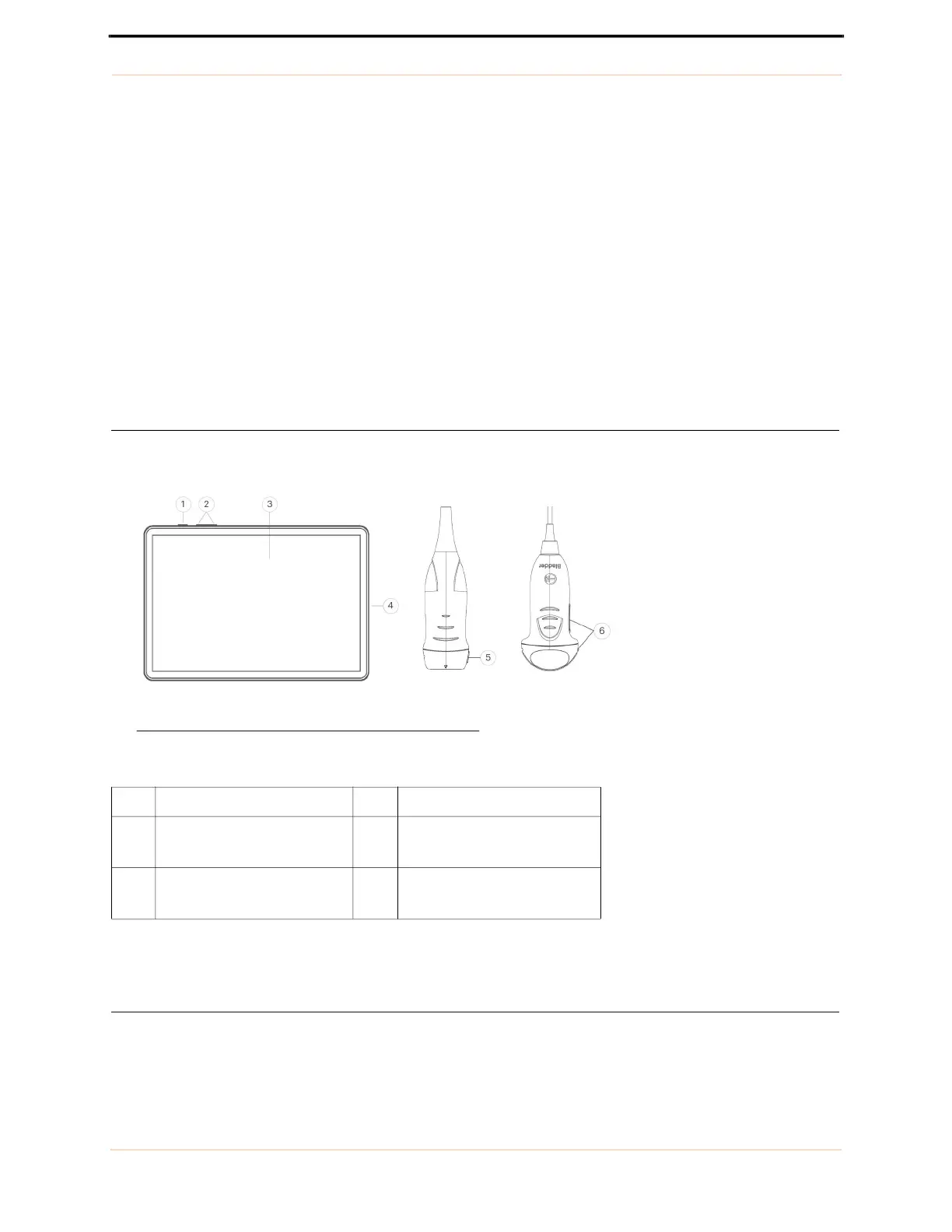
The front of the EchoNous Samsung tablet display and probes are shown below.
FIGURE 2. System features
The camera for barcode scanning is on the rear of the display.
Classifications
• The System is internally battery powered during scanning.
• The EchoNous Type C Power Supply P005179 classification for Protection against electric shock: Class II
equipment.
TABLE 4. System features
1 Power on/off 4 USB port
2 Volume up/down 5 EchoNous Vein probe
orientation marker
3 Touch screen 6 EchoNous Bladder probe
orientation marker



 To Next Page