EchoNous Bladder & Vein User Guide 55
Export
Bluetooth printing only prints the current image.
Export
Images, movie clips, and PDF reports can be exported to the display’s internal storage for later download to a
computer via USB.
1. Tap the menu icon to display the Exam menu.
2. Select Export from the drop-down list box.
3. Select Image/Video or PDF Report from the drop down list.
4. Tap EXPORT ALL to export all scans or EXPORT SELECTION to export only selected scans.
The images, videos, and PDF reports are saved to the display’s internal storage in a subfolder of “EchoNous
Export.” The subfolder is named using the patient name, date, and time of the exam (PatientName -
YYYYMMDD_HHMMSS).
Scan review
Scan review is available when local storage is enabled.
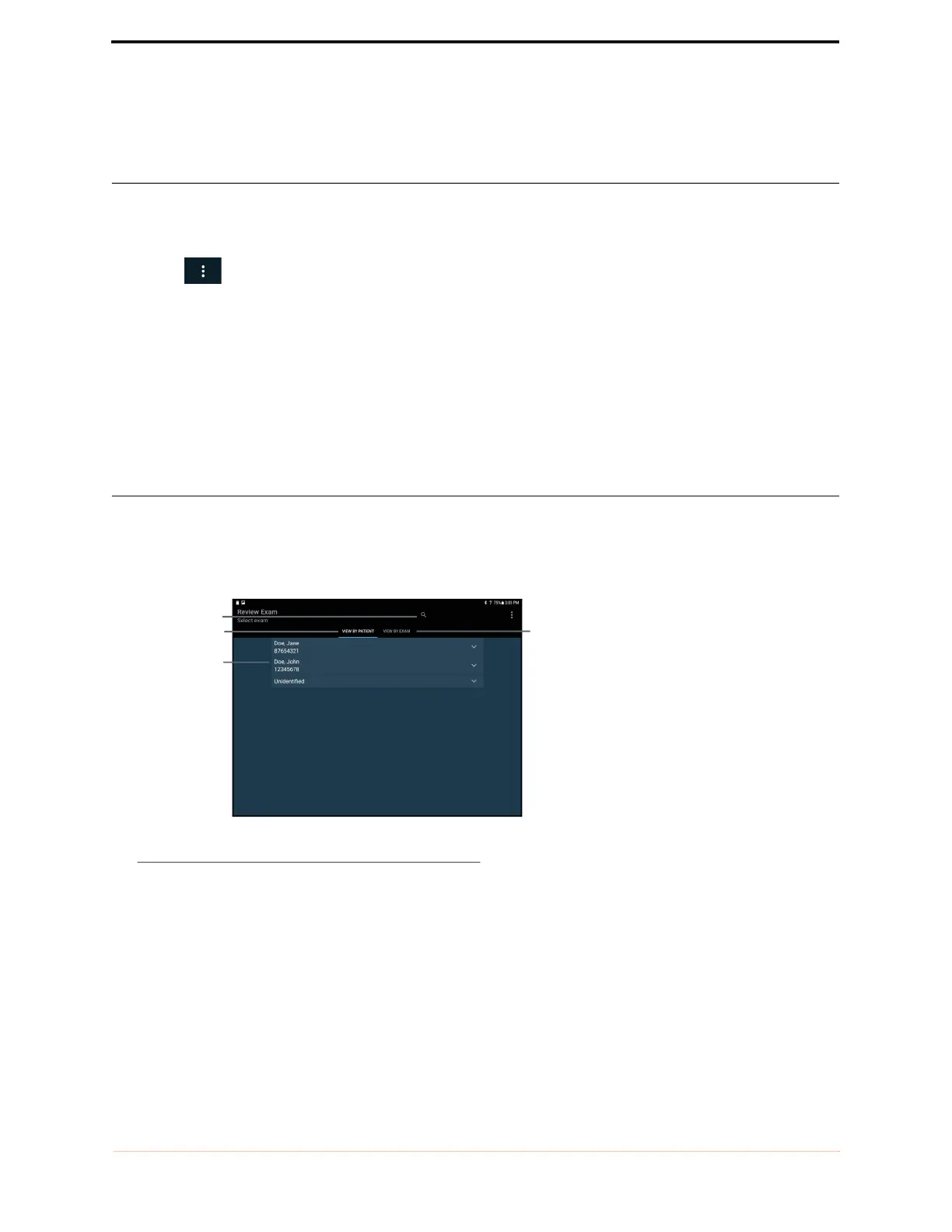
Tap the Scan Review icon on the Home screen to review saved examinations in local storage.
FIGURE 42. Scan Review
The data is arranged under patients, with each patient being able to link one or more examinations and each
examination containing one or more images and/or movies (an image/movie may be a bladder volume
measurement or an ultrasound scan of another organ).
A list of patients will be displayed. Tap the patient to display the list of exams attached to that patient. To view all
exams, tap the View by Exam tab.
Exam tab
Search for patient
Patient tab
Patient list



 To Next Page