Connectivity and Accessories
70 EchoNous Bladder & Vein User Guide
When adjusting the mobile stand dock downward, ensure that enough power cord is available to reach the new
height before moving. Remove the cord from the storage track and pull gently on the cord as it exits the top of
the column. If the cord does not move freely, you may need to remove the plastic cap at the top of the column.
After moving the dock to its new position, replace the cord in the column storage track. Push any extra cord back
into the column via the top. You may need to remove the cap to push the extra cord back in.
EchoNous AI Station 2 setup
For information on setting up AI Station 2, please reference the EchoNous AI Station 2 User Guide (P006275-001,
Rev A).
EchoNous AI Station power management
Charging
The EchoNous AI Stations can be fully charged using the AI Station stand power cord. To charge the system, first
ensure that the tablet display is turned on, then connect the power cord to an AC source.
Sleep mode
In order to conserve The battery, the AI Station hub and attached probes go into sleep mode when the tablet
display goes to sleep. The AI Station hub sleep mode is controlled by a motion sensor and will wake up when the
stand is moved.
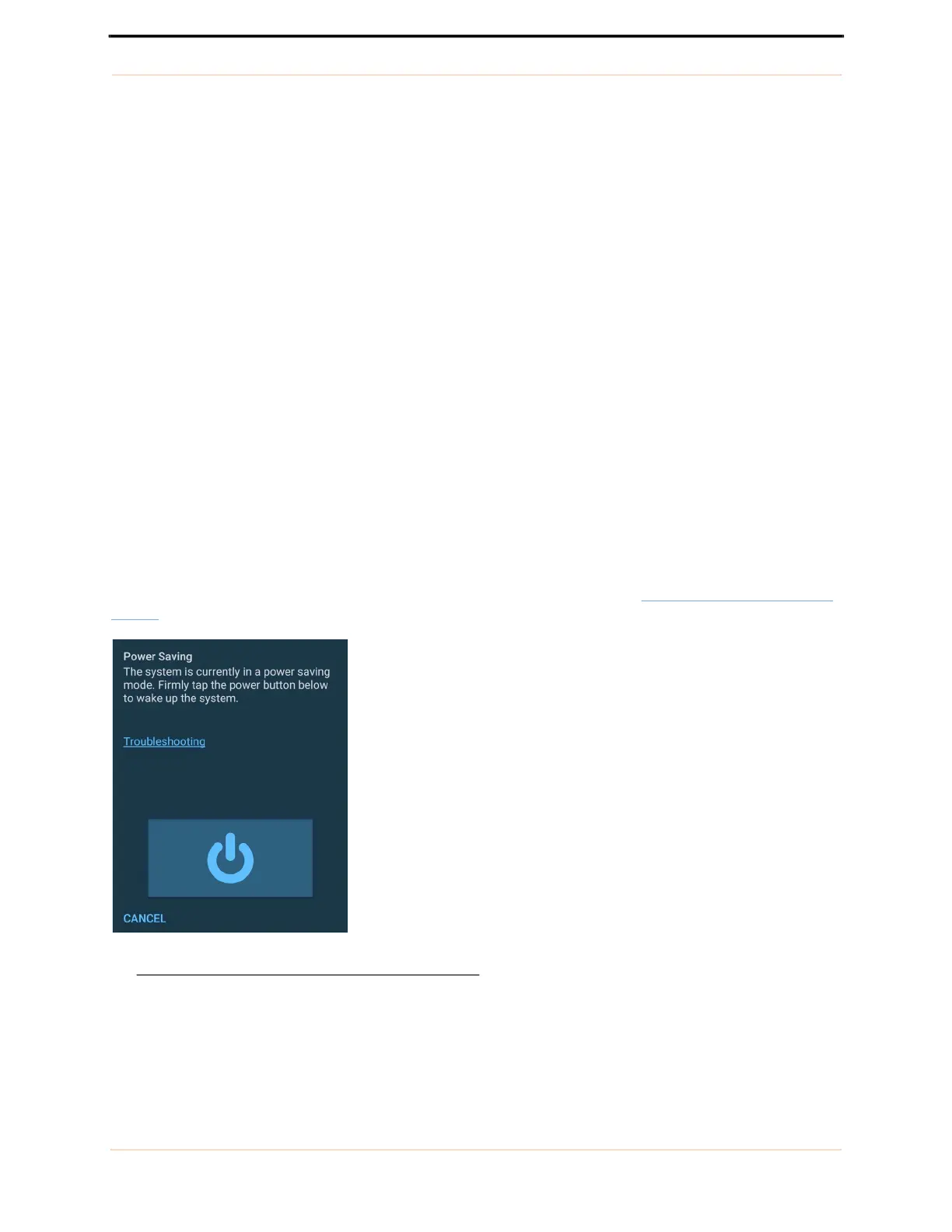
If the tablet display is turned on without moving the stand, the message shown in FIGURE 46.
AI Stand Power
Saving will be displayed.
FIGURE 46. AI Stand Power Saving
To wake up the System, follow the instructions and firmly tap the power button displayed on the screen.



 To Next Page