EchoNous Bladder & Vein User Guide 31
Imaging screens
• Done – tap to end and save the exam.
• Scan / Stop – tap to start (unfreeze) and stop (freeze) scans.
• Exam Icons – are displayed depending on the context of the exam. Icons include help, print, measure, movie,
delete, and a menu to access other functions, such as annotations and notes). Tap to activate the function
associated with the icon.
• Scan Preset Menu – tap to change to a different scan preset.
• Measurement Area – area for displaying caliper and volume measurements.
• Ultrasound Image – area for displaying ultrasound images.
• Image Thumbnails – will be displayed for multiple images in an exam. Tap a thumbnail to view an image.
Bladder volume screens
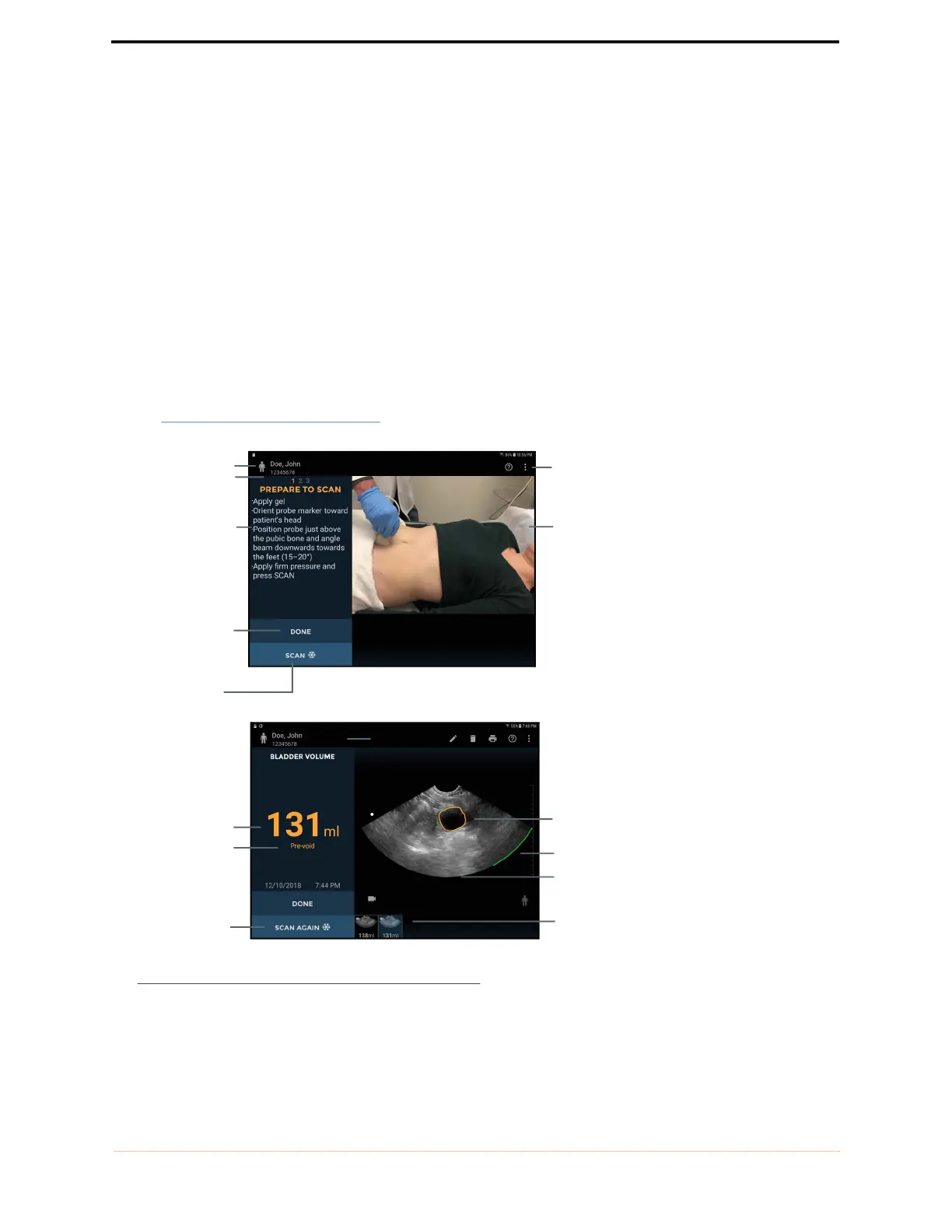
Tap Bladder Volume on the Home screen to start a bladder measurement.
See FIGURE 9. Bladder scan screens for bladder screen layouts.
FIGURE 9. Bladder scan screens
Patient type
Patient details
Instructions
Image text
annotation
Image date and
time
Measured volume
Exam icons
Bladder outline
Ultrasound
image
Image
thumbnails
Instructional
video
Scan again
Done (end exam)
Start scan/stop
scan
Pubic bone
indicator



 To Next Page