EchoNous Bladder & Vein User Guide 39
Bladder scanning
Bladder Measurement Correction
Correct errors outlining the bladder as follows:
• Tap the Pencil icon to start outline editing.
• Tap the Pencil Redraw icon to delete the existing outline and redraw.
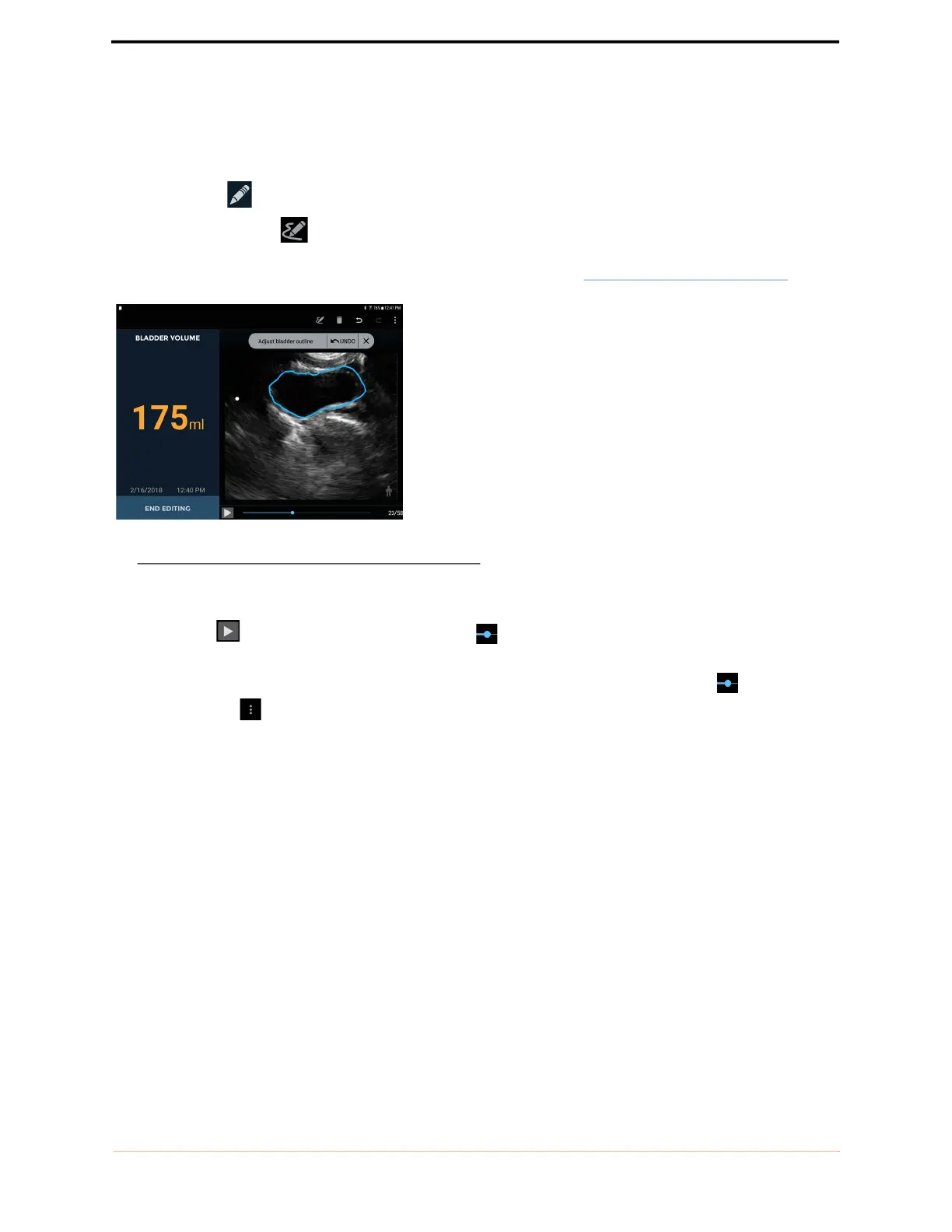
• Touch the bladder outline to adjust the existing outline. A drag circle will appear. Drag the outline to align
with the bladder wall. The adjusted outlines change color to blue (see FIGURE 21.
Adjusting outline).
FIGURE 21. Adjusting outline
• For fine adjustments, zoom in to enlarge the image before adjusting the outline.
• Tap the Play button or drag the progress marker to check other images. Every image in a
measurement can be adjusted, if required.
• If a bladder has been outlined where no bladder is present, then drag the progress marker to the end of
the bladder, tap and select Mark Bladder End.
• Tap End Editing to finish.
Audio feedback
The System provides audio feedback during bladder measurement as follows:
• A short double beep sounds when the System has detected a bladder, and you can start the fan of the probe.
• A short single beep sounds when the System has detected that more gel is required or that you should move
the probe to find the bladder.
• A buzzer sounds if you start fanning the probe before the System has found the bladder. You should stop
fanning, locate the bladder, and start fanning again when prompted by the System.
• A chime sounds when the System expects you to change direction of the fan and when the fanning has been
completed.
• A beep sounds at the completion of a successful scan.



 To Next Page