Switching
the
sound
adjustment
mode
II
Press
the
~/MENU]
button
for
more
than
one
second.
The Menu selection mode is activated.
II
Press
the
[SELECT] (Up/Down)
button
to
select
SOUND.
II
Press
the
[ENTER]
button.
The sound selection mode is
activated.
II
Press
the
[SELECT] (Up/Down)
A
button
to
select
a
setting
item.
Each time the button is pressed, the
setting item changes.
PEa
B Position Sel B X-Over B Non-
F Phase
B
PEa
...
EI
Press
the
[ENTER]
button.
The adjustment mode is switched.
Parametric
equalizer
adjustment
(PEQ)
II
Press
the
[SELECT] (Up/Down)
button
to
select
PEQ.
I Press
the
[ENTER]
button.
The PEO setting mode is activated.
How
to
operate
the
Sound
Adjustment
Mode
Setting
preset
EQ
II
Press a
button
from
[2]
to
[6]
while
the
PEQ
setting
mode
is
activated.
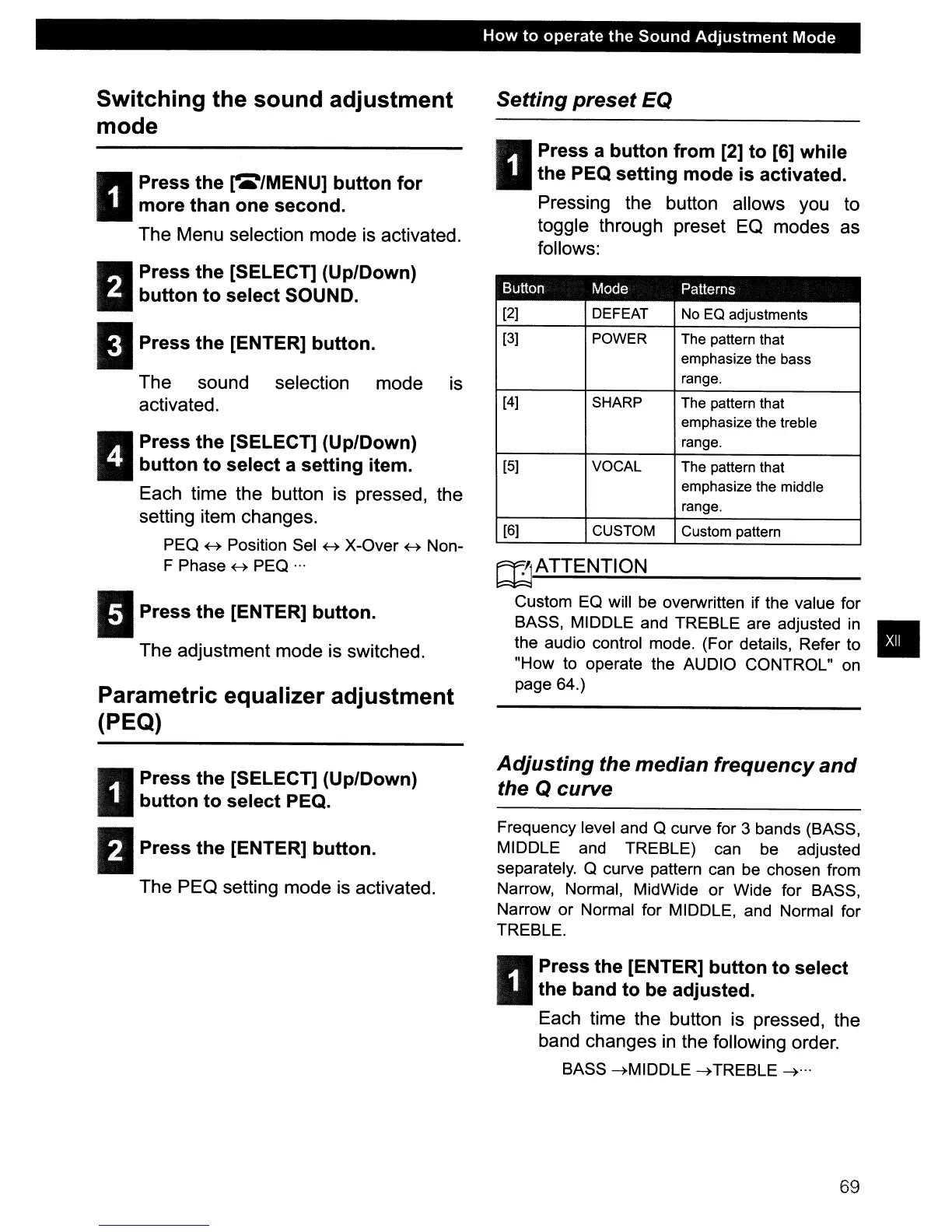
Pressing the button allows you to
toggle through preset
EO
modes as
follows:
Button Mode Patterns
[2] DEFEAT No EO adjustments
[3]
POWER The pattern that
emphasize the bass
range.
[4]
SHARP The pattern that
emphasize the treble
range.
[5] VOCAL The pattern that
emphasize the middle
range.
[6]
CUSTOM Custom pattern
rnATTENTION
Custom
Ea
will be overwritten if the value for
BASS, MIDDLE and TREBLE are adjusted
in
•
the audio control mode. (For details, Refer to
"How to operate the AUDIO CONTROL" on
page 64.)
Adjusting
the
median
frequency
and
the Q
curve
Frequency level and a curve for 3 bands (BASS,
MIDDLE and TREBLE) can
be
adjusted
separately. a curve pattern can be chosen from
Narrow, Normal, MidWide
or
Wide for BASS,
Narrow
or
Normal for MIDDLE, and Normal for
TREBLE.
II
Press
the
[ENTER]
button
to
select
the
band
to
be adjusted.
Each time the button is pressed, the
band changes
in
the following order.
BASS
---+MIDDLE
---+
TREBLE
---+
...
69



 To Next Page