Operation
How to use the remote control
Precautions
in
use
of
the remote control
• Be careful when handling the control, especially because it is small and light. Dropping or striking it
hard may damage
it,
wear out the battery or cause a malfunction.
• Keep the remote control free
of
moisture, dust and water. Do not subject it to shock.
• Do not place the remote control unit in places where it could be exposed to high temperatures, such
as on the dashboard or near a heater vent. Allowing the remote control unit to overheat may warp its
case or cause other problems.
• Do not operate the remote control unit while driving because doing so could cause an accident.
• When using the remote control, point it toward the remote control light receptor.
• The light receptor may not operate correctly if it is exposed to bright light such as direct sunlight.
• Remove the batteries from the remote control unit whenever it is not to be used for a long time.
Cleaning the remote control
• Use a dry cloth to keep the remote control clean. If the remote control unit gets extremely dirty, clean
it with a cloth lightly moistened with diluted liquid detergent.
•
In
no event should alcohol, benzine or thinner be used. These substances will damage the case or
finish.
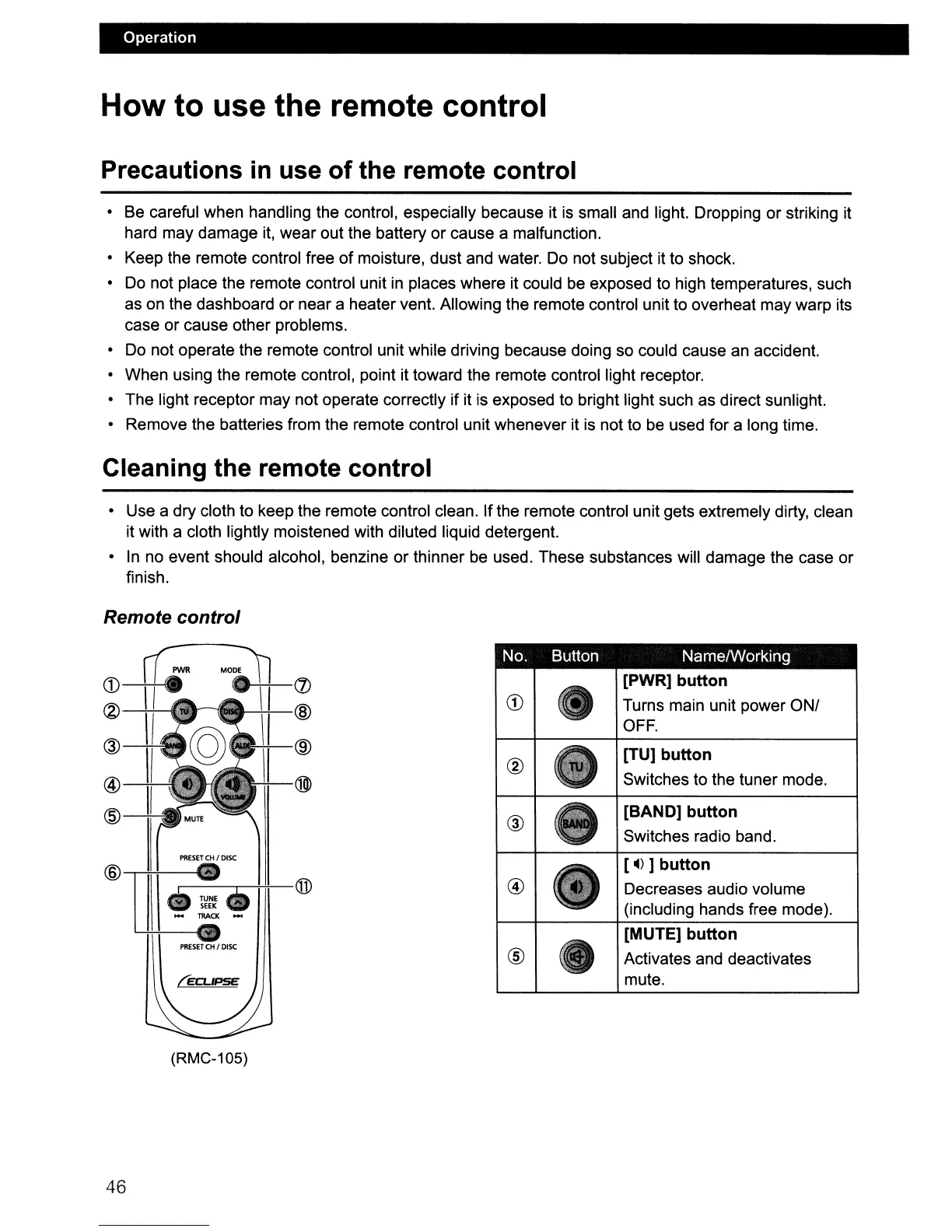
Remote control
No. Button Name/Working
(J)
[PWR] button
@
CD
Turns main unit power ON/
OFF.
@
[TU] button
®
@
®>
Switches to the tuner mode.
@
®
[BAND] button
Switches radio band.
PRESET
CH
I
DiSC
[4)]
button
@
@
@
•
TUNE.
Decreases audio volume
SEEK
(including hands free mode).
...
TllACX
...
[MUTE] button
PRESET
CH
I
DISC
®
Activates and deactivates
mute.
(RMC-105)
46



 To Next Page