Various
Settings
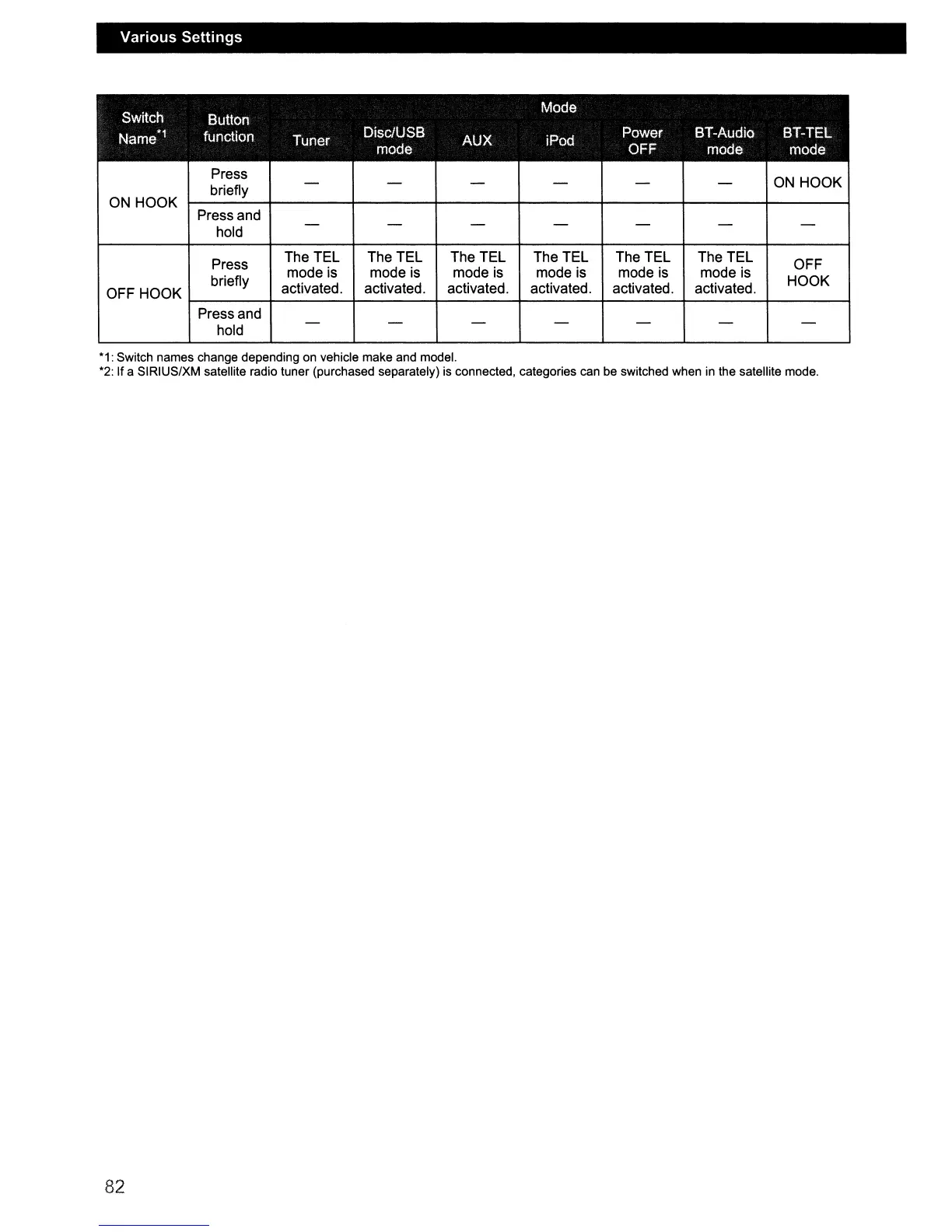
Switch
Mode
Button
Name*1
function
Tuner
Disc/USB
AUX iPod
Power BT-Audio BT-TEL
mode OFF
mode mode
Press
ON
HOOK
briefly
- - - - -
-
ON
HOOK
Press and
hold
- - - - - - -
Press
The TEL The TEL The TEL The TEL The TEL The TEL
OFF
briefly
mode is mode is mode is mode is mode is mode is
HOOK
OFF HOOK
activated. activated. activated. activated. activated. activated.
Press and
hold
- - - - - - -
*1:
Switch names change depending on vehicle make and model.
*2: If a SIRIUS/XM satellite radio tuner (purchased separately) is connected, categories can be switched when in the satellite mode.
82



 To Next Page