Operation
How to operate the CD/MP3IWMA player
About compact discs
• The signal recorded on a compact disc is read by a laser beam, so nothing touches the disc surface.
A scratch on the recorded surface or a badly warped disc may cause deteriorated sound quality
or intermittent playback. Observe the following precautions to ensure high quality sound perfor-
mance:
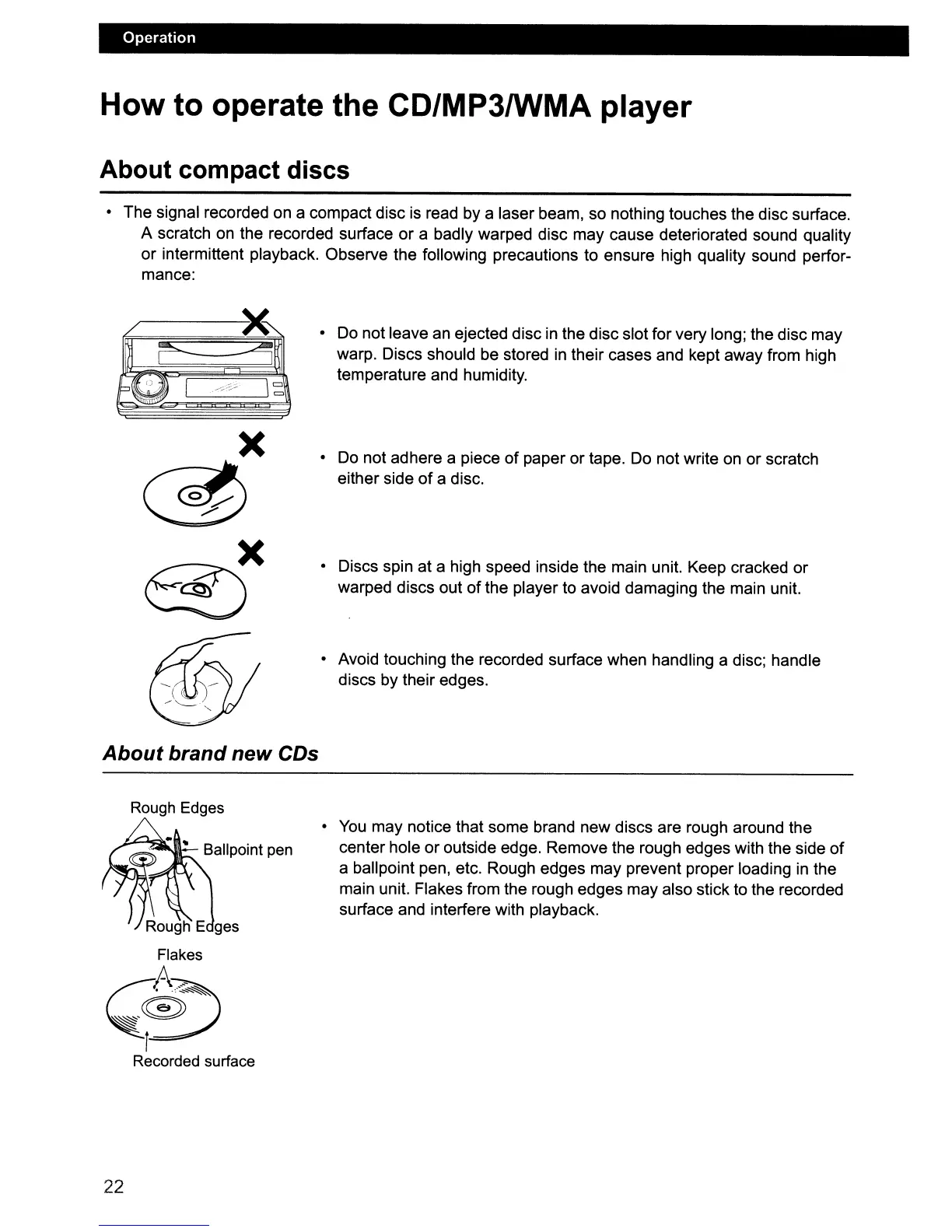
• Do not leave an ejected disc in the disc slot for very long; the disc may
warp. Discs should be stored
in
their cases and kept away from high
temperature and humidity.
• Do not adhere a piece
of
paper or tape. Do not write on or scratch
either side
of
a disc.
• Discs spin at a high speed inside the main unit. Keep cracked or
warped discs out
of
the player to avoid damaging the main unit.
• Avoid touching the recorded surface when handling a disc; handle
discs by their edges.
About
brand new CDs
Rough Edges
•
You
may notice that some brand new discs are rough around the
center hole or outside edge. Remove the rough edges with the side
of
a ballpoint pen, etc. Rough edges may prevent proper loading
in
the
main unit. Flakes from the rough edges may also stick to the recorded
surface and interfere with playback.
22



 To Next Page