160
Technical Publication Document NO: SYSTEM-007-ENG (Ver.1.1)
HF-525Plus Installation, Operation and Service Manual
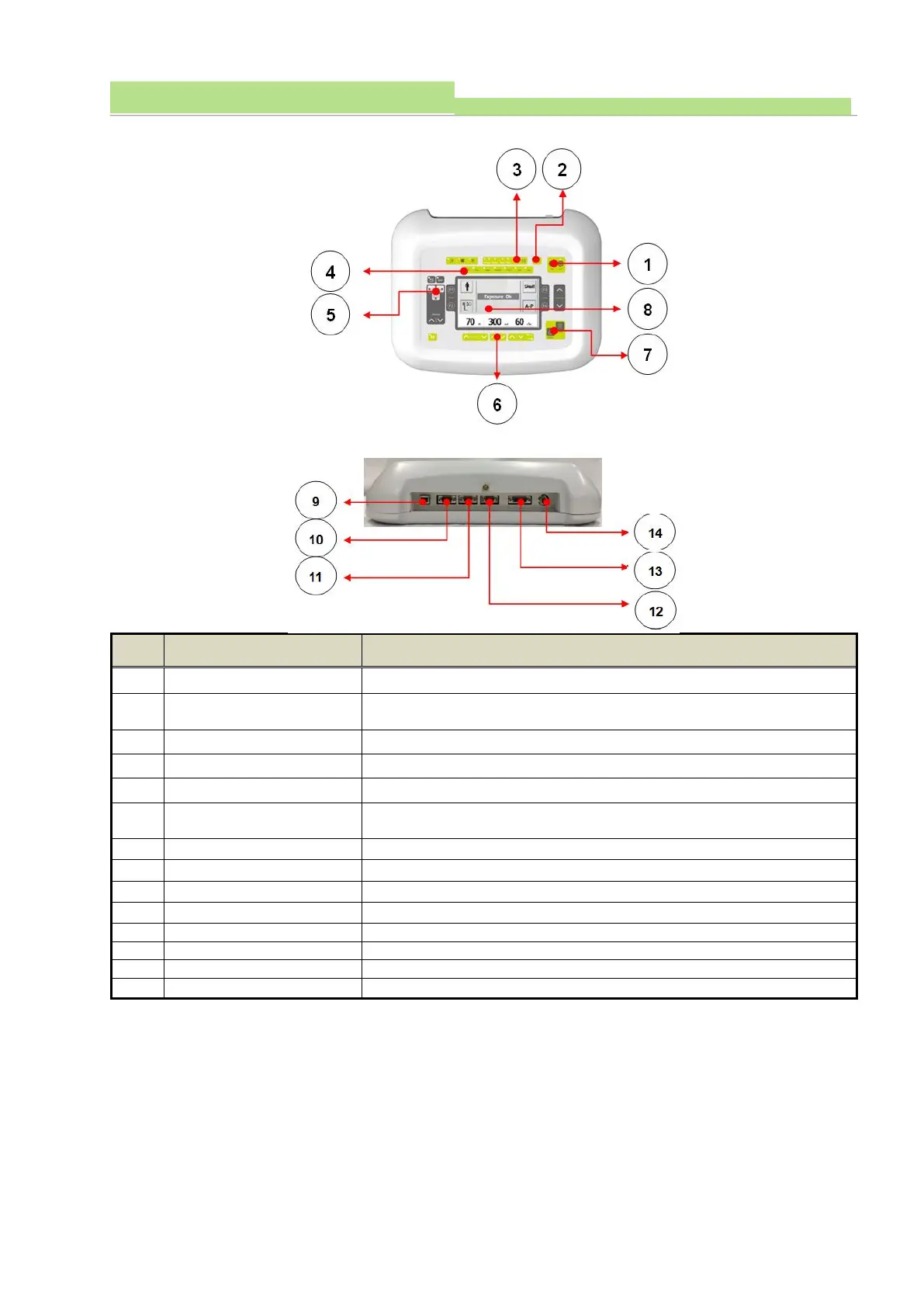
■ Rear view
Resets error condition when it appears. (the errors come from main
CPU)
Shows Tube Rotation condition (Low or High Speed)
Patient body part selection to recall saved data of X-ray dose.
AEC ON/Off and chamber selection / density control
X-ray exposure amount
control
Adjust KV, mA, mAs, Time (Up/Down)
Displays X-ray exposure amount and generator status.
Provides trigger signal from this port – to detectors
Connecting port to HandleBar PCB
Connecting port to Generator Mio board
Connect Hand switch here.
7.2.2 Main Power connection
■ Main power connection
● Connect main power cables to room circuit breaker.
● Main input to Generator is single phase 230VAC 50/60Hz.



 To Next Page