172
Technical Publication Document NO: SYSTEM-007-ENG (Ver.1.1)
HF-525Plus Installation, Operation and Service Manual
● AEC Chamber (Optional)
(1) AEC chamber is in the bucky device – for Automatic Exposure Control.
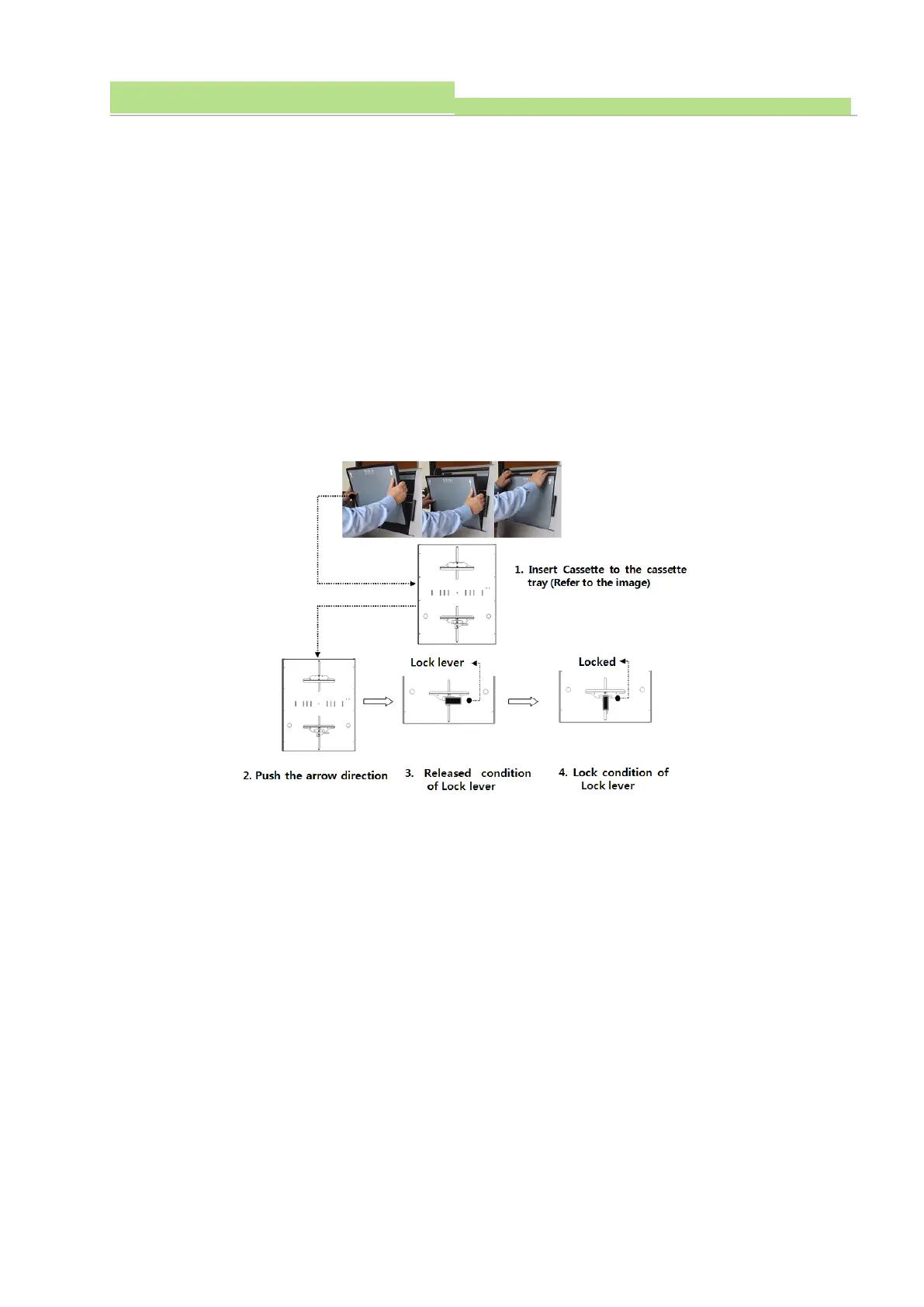
● Cassette tray
(1) Bucky device is locked by EMB (electromagnetic breaker) when the system is power ON. You can
release it by a button beside of bucky handle. (press it for release)
(2) Put a cassette into the tray and it accepts cassettes as big as 8 x 10” ~ 17 x 17”.
(3) Lock the lever to join the cassette into the tray hard.
(4) Release the switch on Table bucky handle to move the entire bucky device from right to left (or from
left to right).
(4) When you take out the cassette, open the tray out and release the lever to make the cassette free.
NOTE▶
Console Setup tells how to activate Bucky device.
See Chapter 5 for Generator Setup.



 To Next Page