175
Technical Publication Document NO: SYSTEM-007-ENG (Ver.1.1)
HF-525Plus Installation, Operation and Service Manual
NOTE▶
DAP setup is available in Setup mode (Eng mode) that Chap.5 introduces .
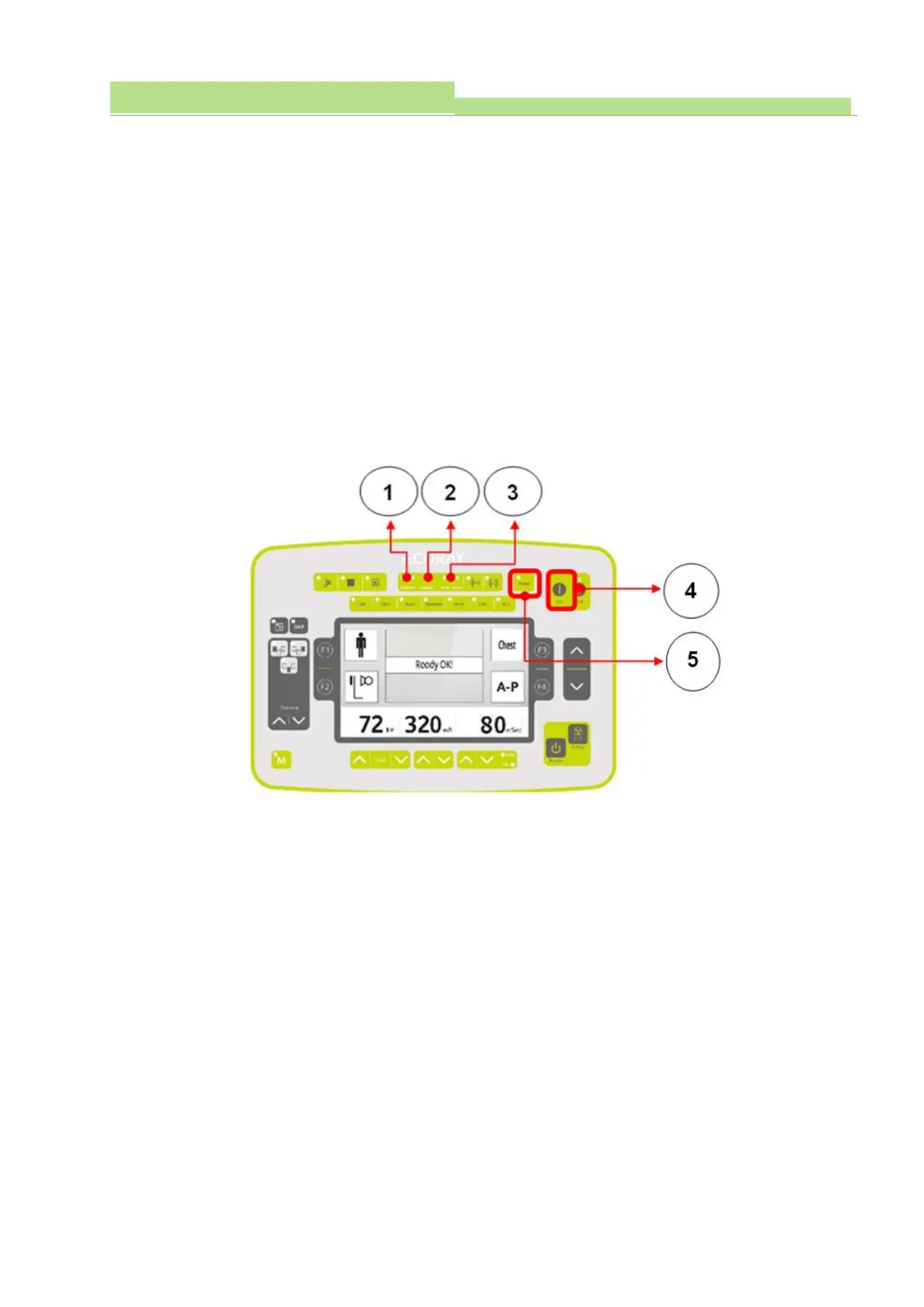
● No.1
(1) DAP ON or OFF button, LED is ON when activated. (another press will deactivate it)
● No.2
(1) Dose value will appear when DAP is activated (the value is not appearing if there is no DAP sensor
is installed)
(2) The value of DAP appears as uGy, cGy, dGy, Gy. (selectable in Setup mode)
7.2.10 System condition display
Users can find generator condition where it stays and console shows tube limits, power status and
operation status through LED lamps.
■ Buttons
● No.1
(1) Shows setup condition of console.
(2) If X-ray set is over the limitation, Over Load LED will light ON (red) and the generator does not
produce.
(3) When Over Load is activated and users should change X-ray parameters lower till the LED light
goes off.
● No.2
(1) Shows Power status of Generator.
(2) When power is engaged normally, Standby LED shows orange color light ON.
NOTE▶
If Standby LED is off, check main input power of the room.
And when the power is confirmed and stable, Standby LED will come back then turn of generator ON
again
During power ON, Standby LED will flicker till the booting is completed.
(3) When Generator is ready use, Standby LED turns Green..



 To Next Page