61
Technical Publication Document NO: SYSTEM-007-ENG (Ver.1.1)
HF-525Plus Installation, Operation and Service Manual
5.9.7.2 System Setting
System Setting Function is for Tube model, Tube rotor, ㎾ Limit, ㎸ Limit, mA Limit, mAs Limit, Bucky
type, Over load parameter, Ready time, Focal, AEC, Exposure type’s set up, Data can be changed
with necessity.
■ Tube model and Rotor set
(1) Set up Generator’s Tube model.
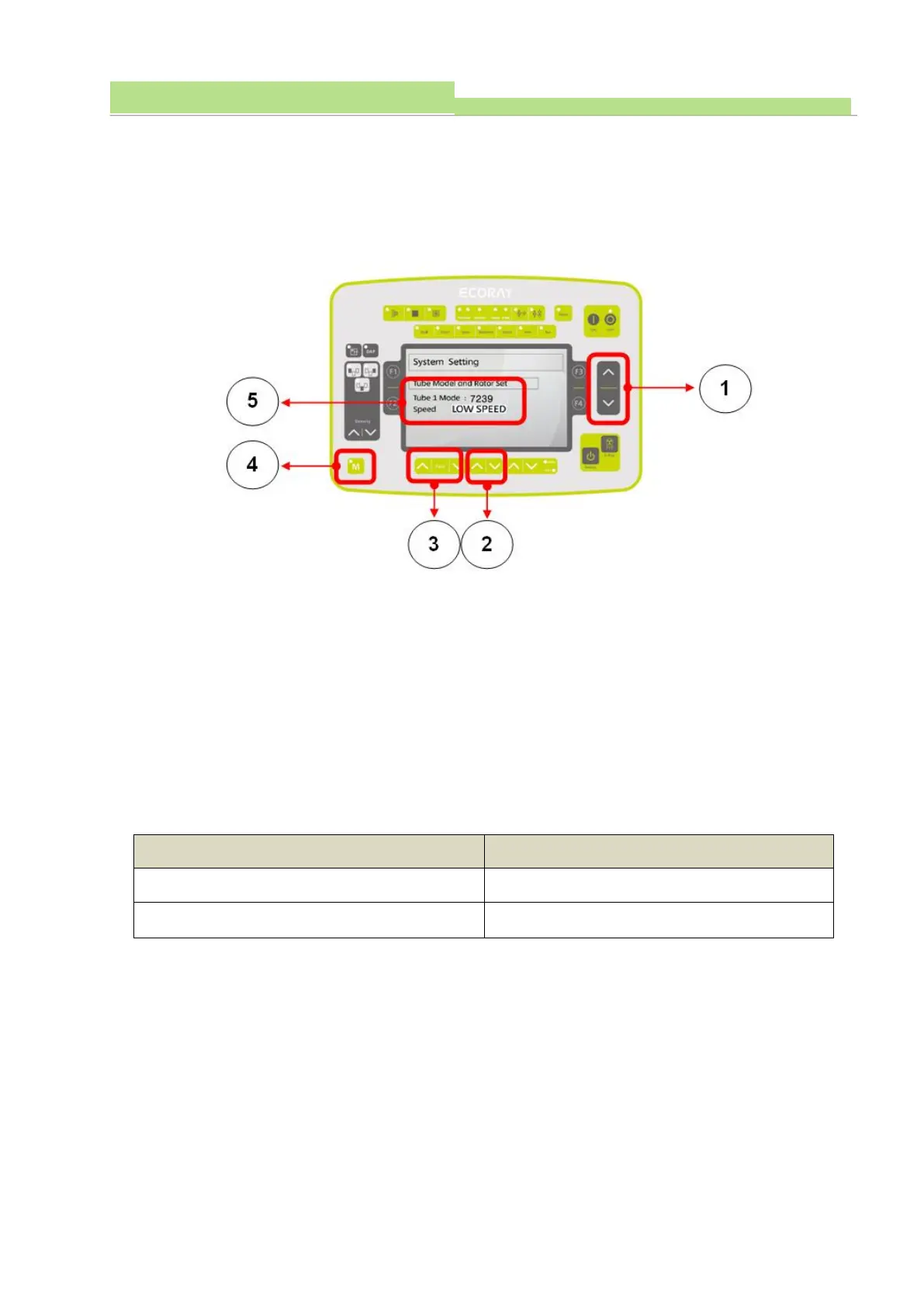
● Entering by System setting mode, and pushing “Changing Data Switch” (Picture 1), and entering by
“Tube model and Rotor set” mode (Picture 5).
● Entering by Mode, the Screen shows Tube 1 as Default.
● HF-525Plus is for Tube 1 Device, and Tube 1 cannot be changed.
● Pushing “KV Up & Down Switch” (Picture 3), and set up to entering by Tube1 mode and make a
selection of Tube model (Picture 5).
(2) Set up Tube Rotor Speed
● Pushing “mA Up & Down Switch” (Picture 2), and according to Tube, and set up Rotor Speed
(Picture 5).
● Set up Data is saved by pushing “Memory Switch” (Picture 3), and pushed until “Beep” ends. (Buzzer
occurs 10 seconds).
● At Delivery from a factory, the Default Data is shown below.



 To Next Page