71
Technical Publication Document NO: SYSTEM-007-ENG (Ver.1.1)
HF-525Plus Installation, Operation and Service Manual
■ 1
ST
Ready Expo set
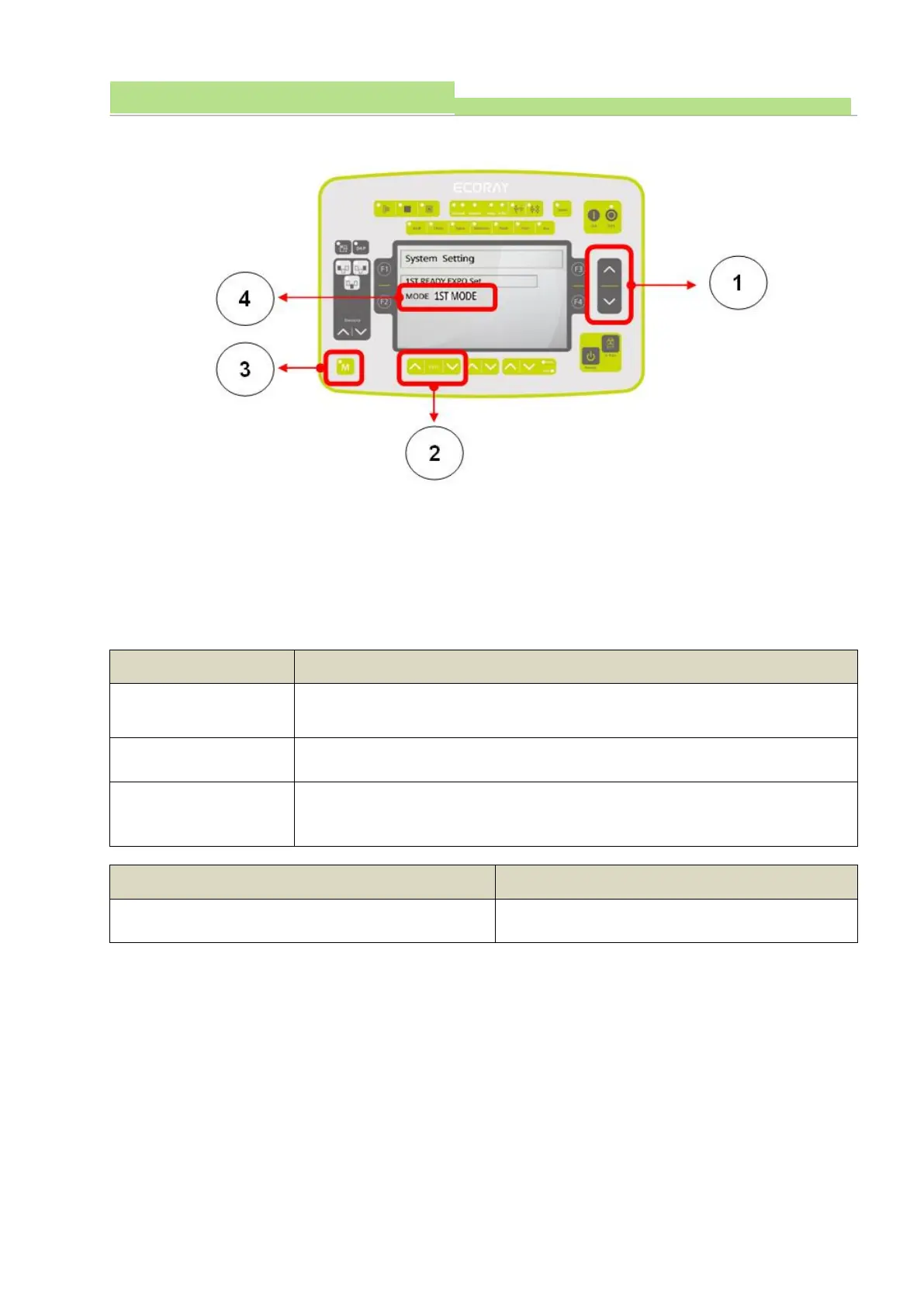
● Entering by System setting mode, and pushing “Changing Data Switch” (Picture 1), and entering by
“AEC and ABC set” mode (Picture 4)
● Pushing “mA Up & Down Switch” (Picture2) to select Exposure Type (Picture 4).
● Buzzer occurs 10 seconds).
● Ready and Exposure Switch Operation is shown below.
● At Delivery from a factory, the Default Data is shown below.
Operating Ready Switch, and then Operating X-Ray Switch, Exposure Type
Operating Ready and Exposure Switch at the same time, and shot X-Ray
Type.
Pushing Switch once and “ON” (Ready), and pushing the Switch one more
time and “On” and X-ray exposure type



 To Next Page