Chapter 3 Description of the Machine
3-8
E1 Semi-automatic screen printer
System Manual
EKRA / Doku Eisermann 03_SYSTEM_PDF.FM
30.8.02
Control desk
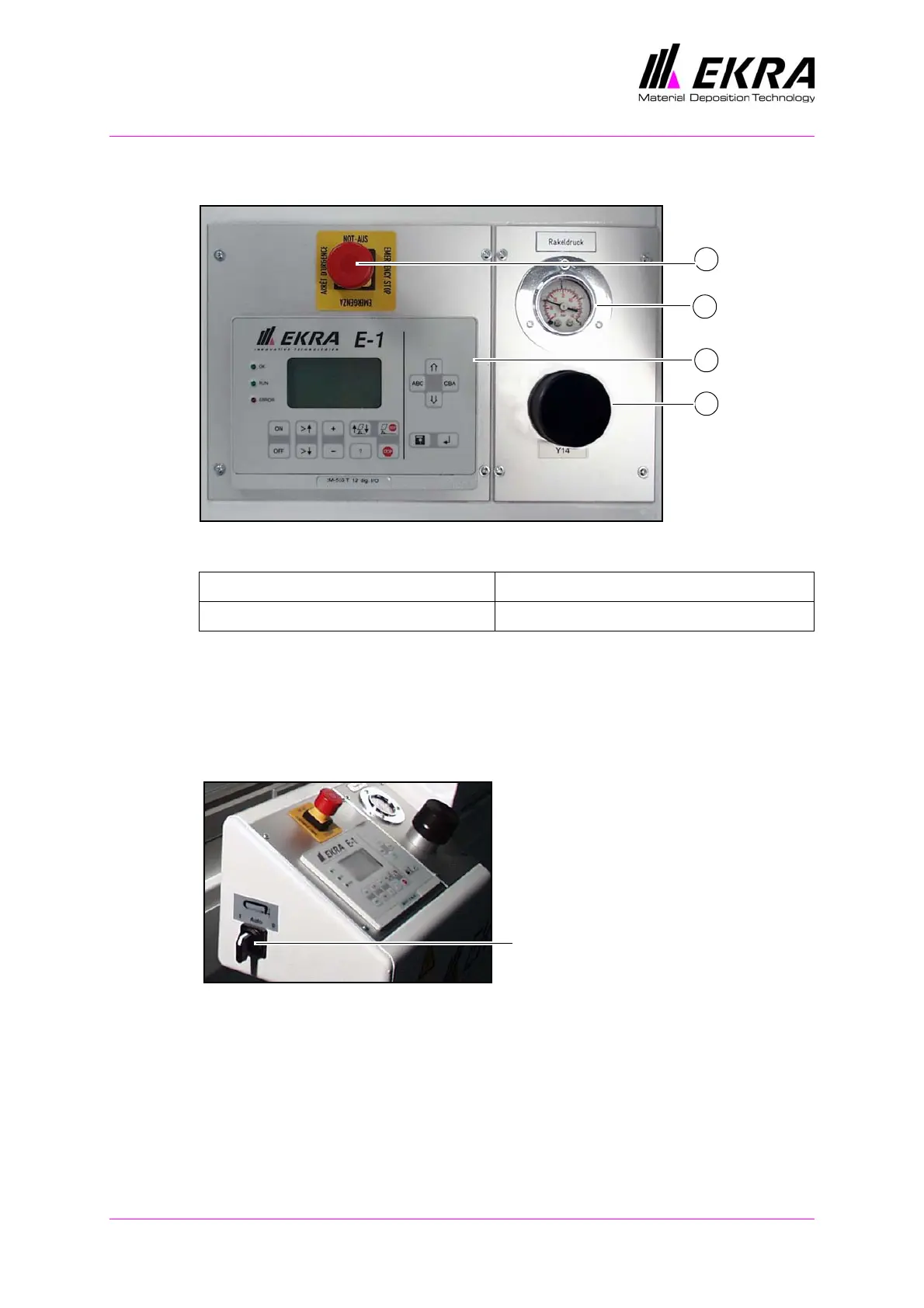
Fig. 11. Machine control
The squeegee pressure is set at the control desk with the aid of a pressure
reducer. The pressure range extends from 0 to 5 bar. 1 bar is equivalent to
80 newtons.
On the control panel you can select the main menu and the file menu, enter
the program parameters and execute functions.
Fig. 12. PCB clamping
The switch for PCB clamping has three positions: "O", AUTO and "I".
AUTO: In this position the foot switch is used for clamping the PCB. When
the foot switch is released, the printing table moves to the printing position.
The printing cycle is executed, and the printing table moves away from the
printing position again. The PCB clamping is released automatically.
"I": Set the switch to the "I" position to switch on screen clamping manu-
ally, and to the "0" position to switch it off again.
1 Pressure reducer, squeegee pressure 3 Squeegee pressure indicator
2 Control panel 4 Emergency-stop switch
1
3
4
2
PCB clamping switch
ON - AUTO - OFF
with three positions:



 To Next Page