Chapter 3 Description of the Machine
3-9
E1 Semi-automatic screen printer
System Manual
EKRA / Doku Eisermann 03_SYSTEM_PDF.FM
30.8.02
Functional description of the operating elements
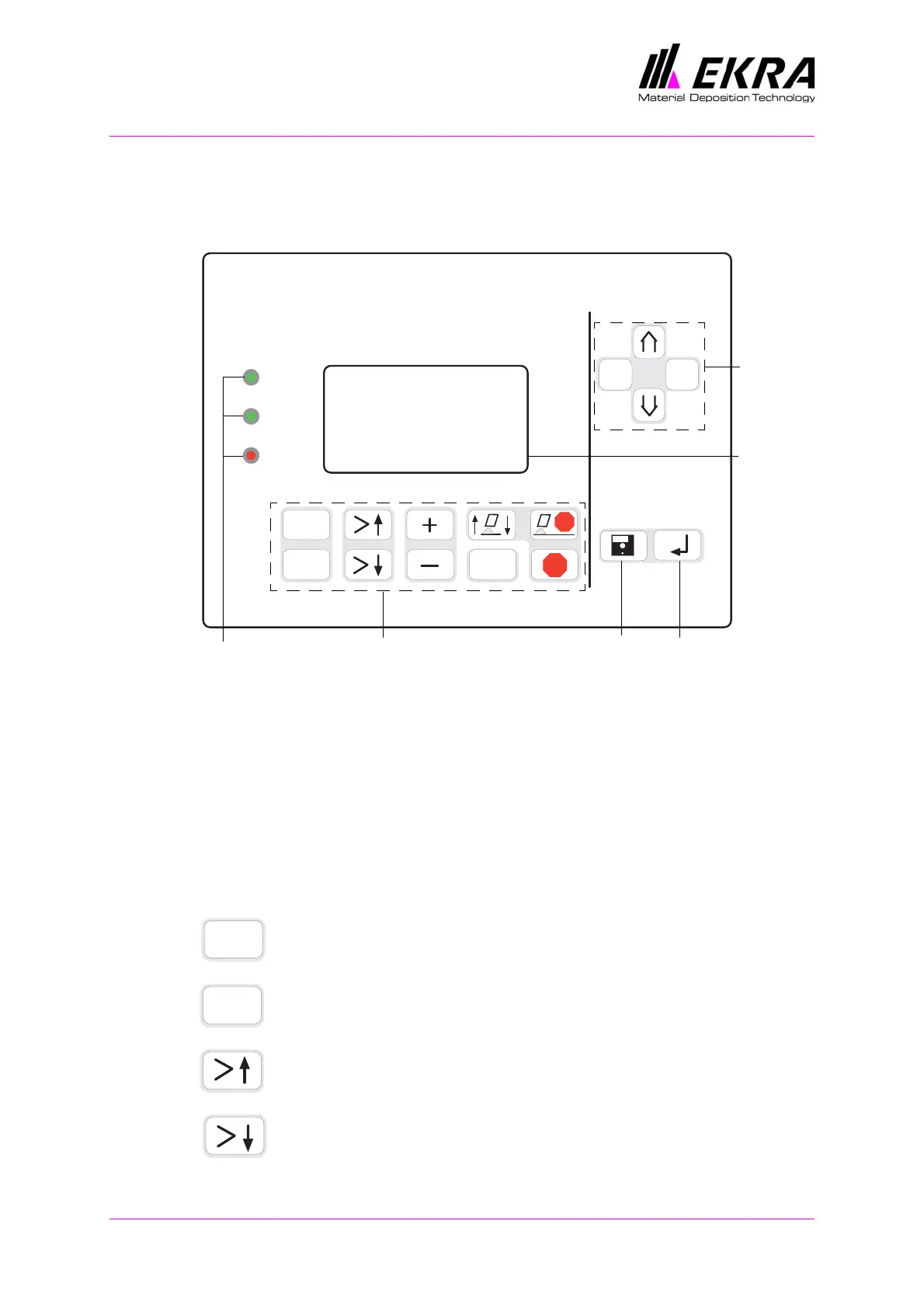
Control panel
Fig. 13. Control panel
Signal lamps
OK – This lamp showing a green light indicates that there are no hardware
faults present.
RUN – This lamp showing a green light indicates that the printer is in oper-
ation.
ERROR – This lamp showing a red light indicates that an error has
occurred.
Function keys
The ON button switches the control voltage on.
The OFF button switches the control voltage off.
Up: press this button to move up through the main menu on the
display.
Down: press this button to move down through the main menu
on the display.
E-1
OK
RUN
ERROR
ON
OFF
?
STOP
STOP
ABC
CBA
Cursor
keys
Enter key
File menu
Display
Signal lamps
Function keys Main menu
ON
OFF



 To Next Page