94 1019567 REV. 03
3. Connect the three air lines to the Pressure Regulator (Figure 5.18 Replacing the Pressure
Regulator).
4. Connect the main air supply.
5. Close the left side cover. See Section
5.3 Opening and Removing the Left Side Cover (EDP 100-
032-338).
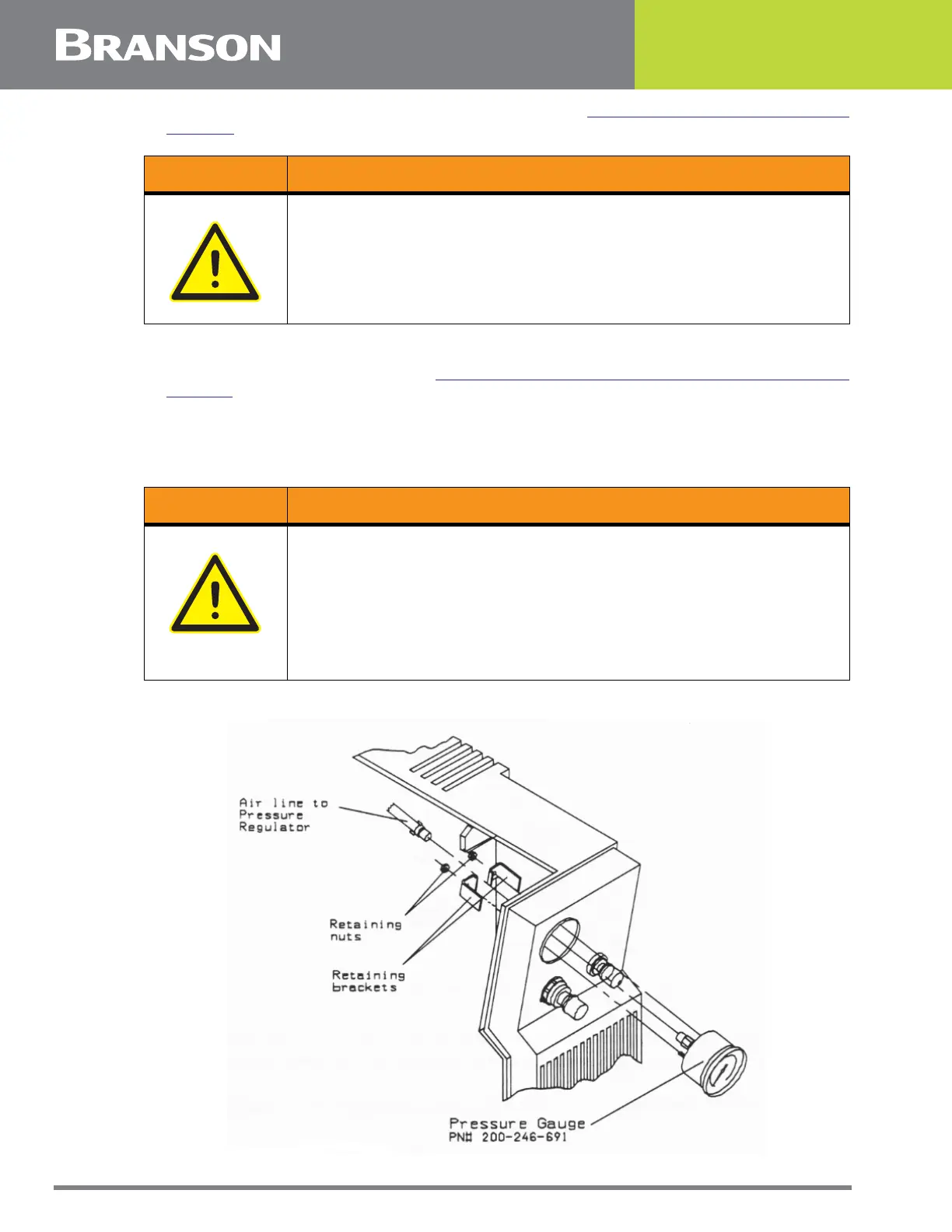
5.5.5 Pressure Gauge (EDP 100-246-691)
Figure 5.19 Removing the Pressure Gauge
WARNING General Warning
Make sure all air lines are securely connected. Failure to do this can
cause air pressure to disconnect an insecure air line when turning air
pressure on.
WARNING General Warning
Before servicing the welder, make sure to do the following:
1. Turn off the welder and unplug main power.
2. Turn air pressure to zero and disconnect your main air line connection.
Failure to do this leaves the welder under potentially dangerous air
pressure.
3. Wait approximately 2 minutes after unplugging the welder before touching
internal electrical components.



 To Next Page