1019567 REV. 03 91
5.5.3.2 Replacing the Keypad
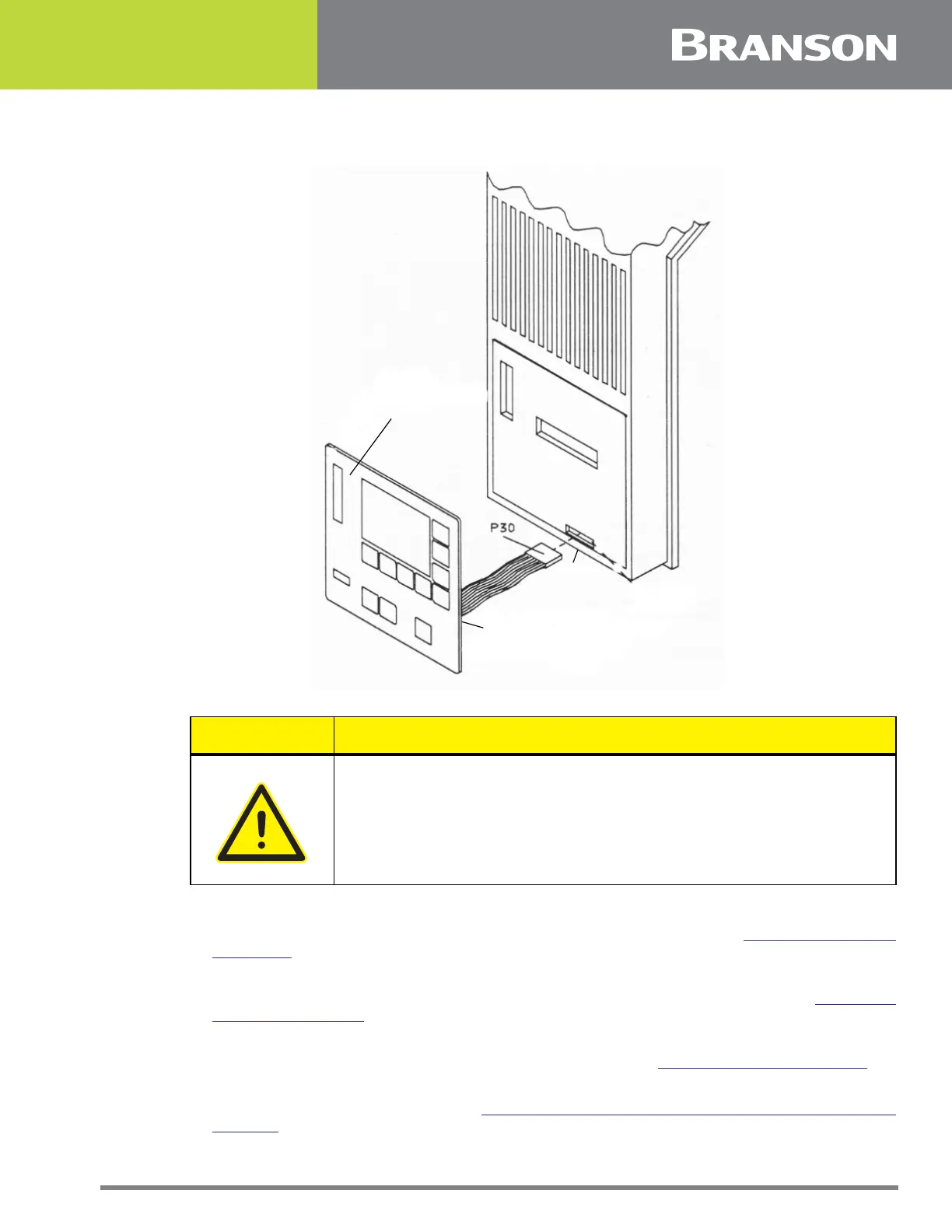
Figure 5.16 Replacing the Keypad
1. Bend the Keypad cable so it forms a right angle with the Keypad
2. Push the Keypad cable connector (P30) through the slot in the nose cover (
Figure 5.16 Replacing
the Keypad).
3. Peel the adhesive strip off the back of the Keypad.
4. Carefully align the bottom edge of the Keypad with the bottom of the Keypad inset (
Figure 5.16
Replacing the Keypad).
5. Press the Keypad evenly until firmly attached to the nose cover.
6. Plug the Keypad cable connector (P30) into the Control board (
5.5.3.1 Removing the Keypad).
7. Connect the main air supply.
8. Close the left side cover. See Section
5.3 Opening and Removing the Left Side Cover (EDP 100-
032-338).
CAUTION General Warning
Be careful when installing the new Keypad. You cannot attach the
Keypad to the nose cover more than once.
KEYPAD
SLOT
BEND RIBBON CABLE
AT RIGHT ANGLE TO
KEYPAD



 To Next Page