108 1019567 REV. 03
5.5.11.2 Replacing the Dynamic Trigger Mechanism
Replace the Dynamic Trigger Mechanism by reversing the instructions above - except for
closing the left side cover and installing the Trigger Guard. When finished, calibrate the
Dynamic Trigger mechanism. For instructions on calibrating the welder, contact Branson
Product Support.
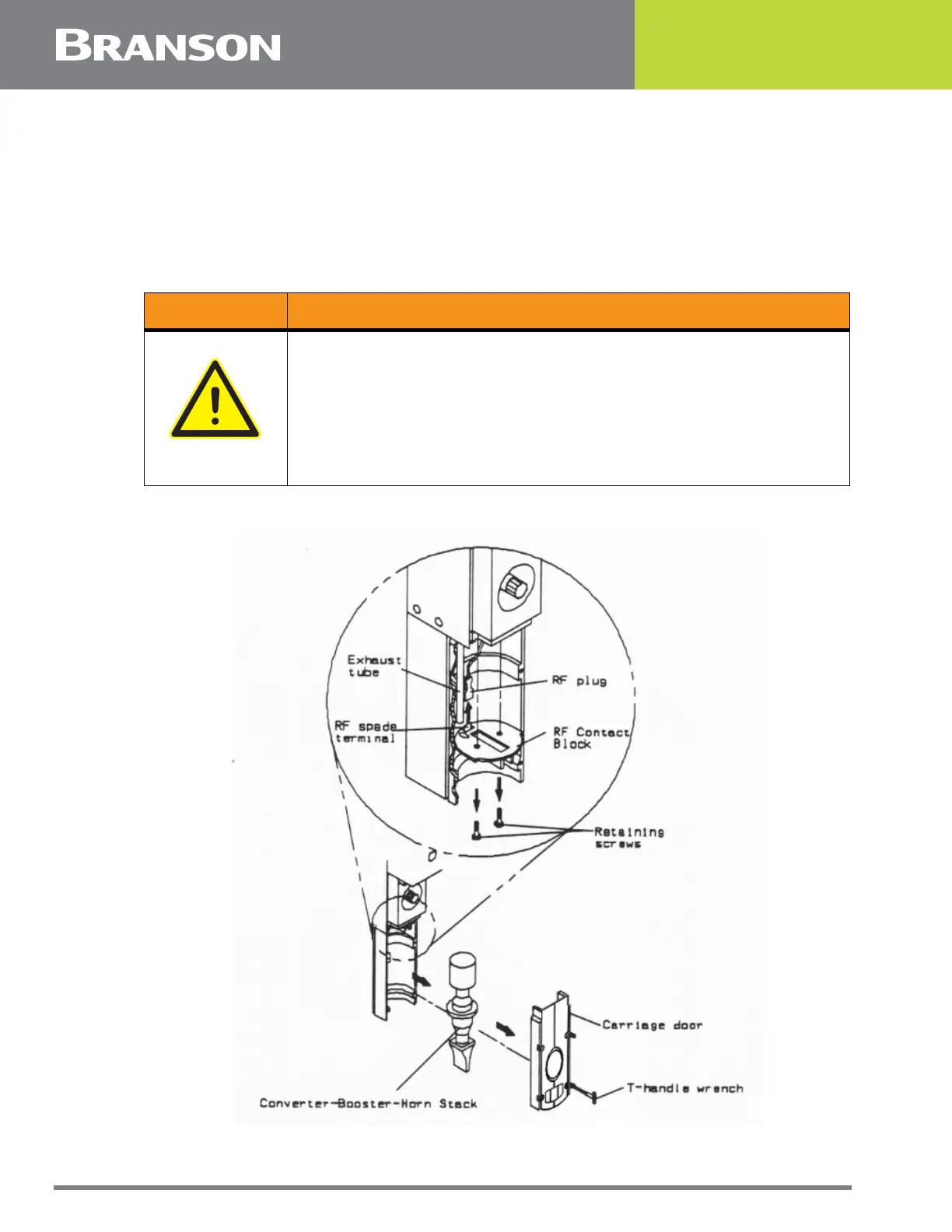
5.5.12 RF Contact Block
Figure 5.29 Removing the RF Contact Block
WARNING General Warning
Before servicing the welder, make sure to do the following:
1. Turn off the welder and unplug main power.
2. Turn air pressure to zero and disconnect your main air line connection.
Failure to do this leaves the welder under potentially dangerous air
pressure.
3. Wait approximately 2 minutes after unplugging the welder before touching
internal electrical components.



 To Next Page