110
Canceling jobs
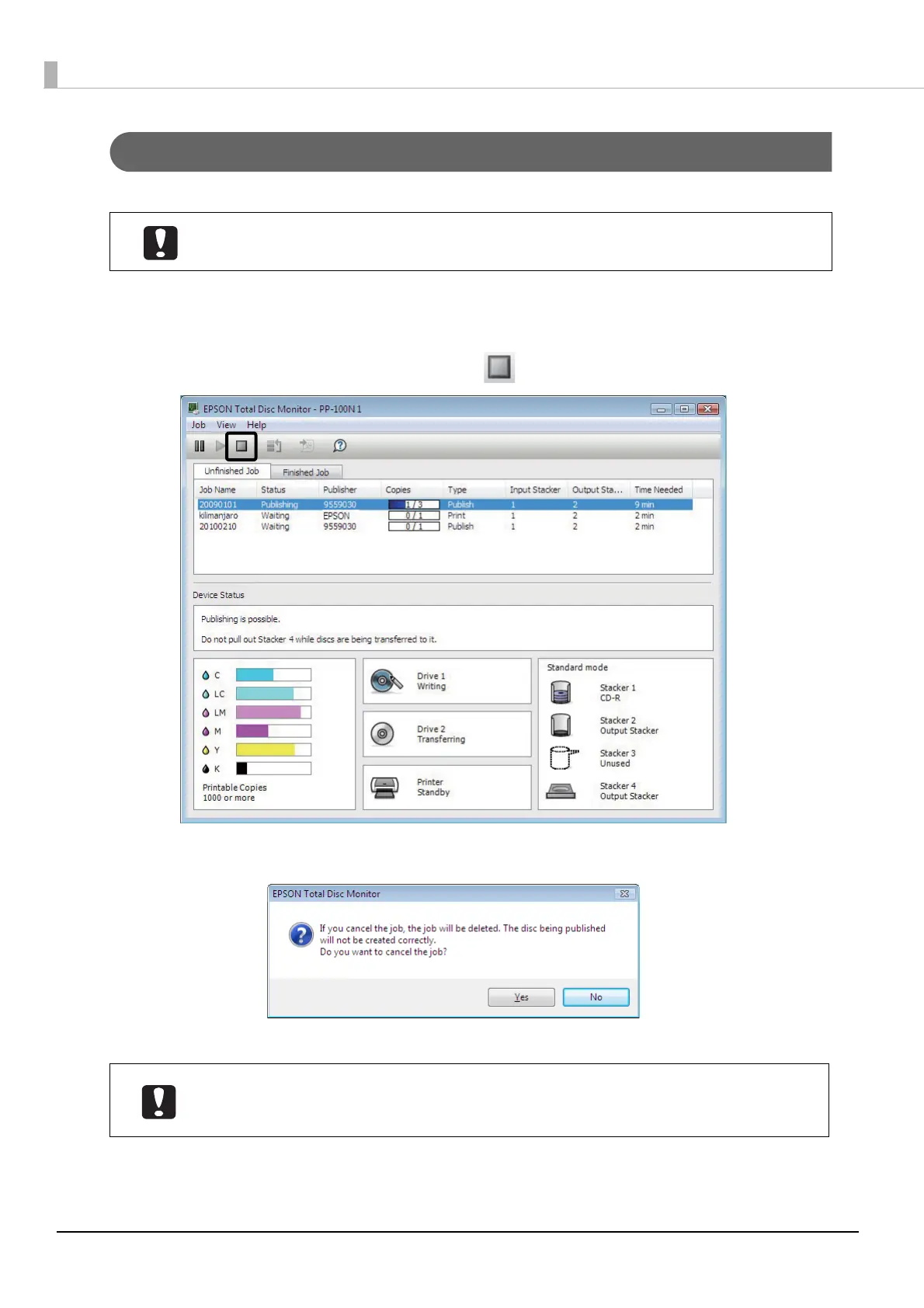
Use the following procedure to cancel processing of a job.
1
Start EPSON Total Disc Monitor.
See “Starting EPSON Total Disc Monitor” on page 50 in this guide for the start procedure.
2
Select the job you want to cancel, and click [Cancel].
3
Click [Yes].
When the job is canceled, the job display disappears from the [Unfinished Job] screen.
Only a job published by yourself for which the status is Waiting, Publishing, Paused,
Pausing, Standby, or Recovering can be canceled.
If a disc is being published, that processing is stopped, and the disc is output to the output
stacker. Be sure to take out the disc. See “Taking out discs” on page 104 in this guide for
the procedure to take out discs.



 To Next Page
 Loading...








