63
How to Use the Printer Driver
Setting up the printer driver
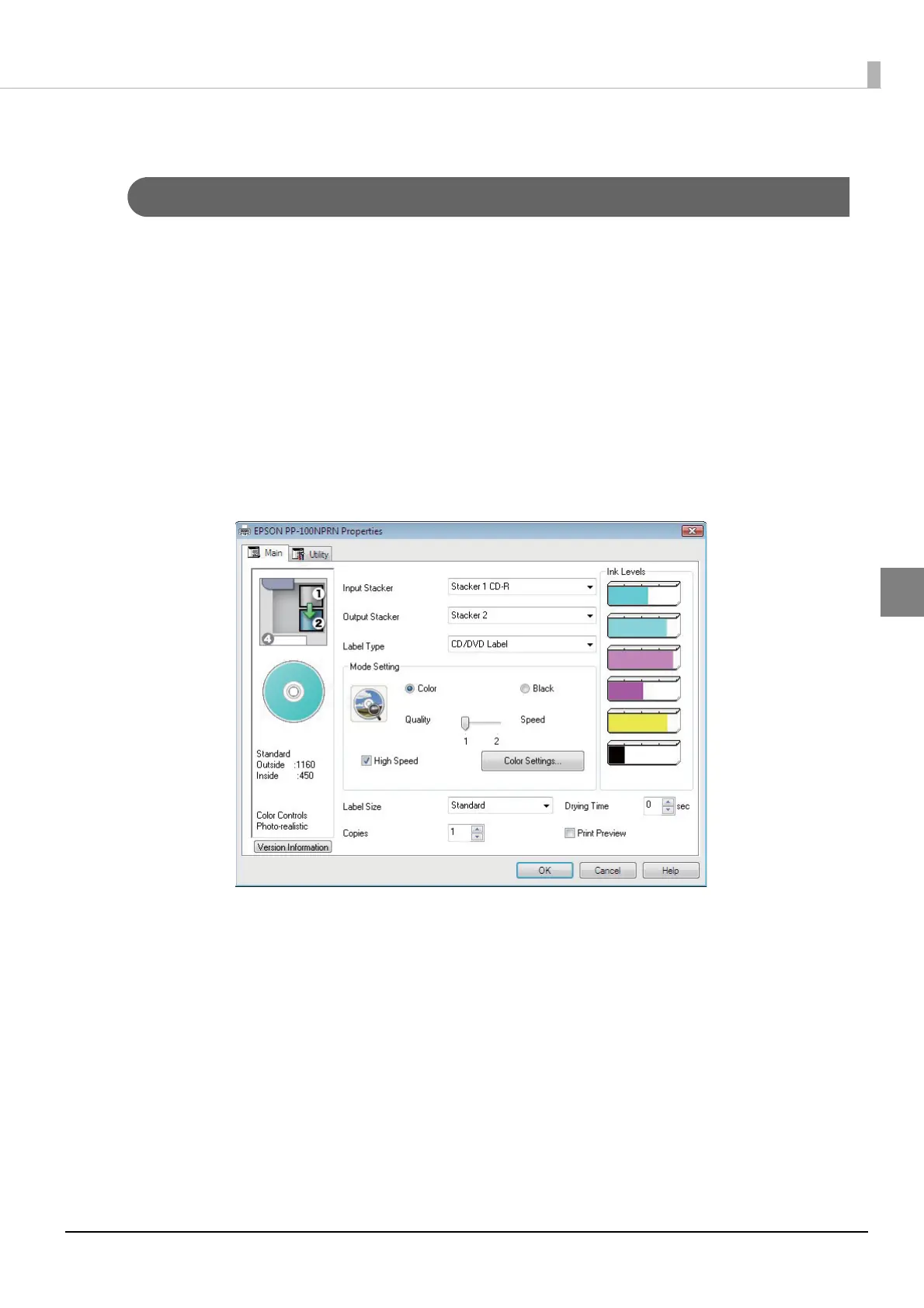
[Main] screen
Make basic label printing settings in the [Main] screen.
If displayed from EPSON Total Disc Maker:
The settings are only reflected in EPSON Total Disc Maker. The settings are lost when you exit EPSON Total Disc
Maker.
See “Displaying from EPSON Total Disc Maker” on page 60 in this guide for the printer driver displaying procedure.
If displayed from EPSON Total Disc Setup or the [Start] menu:
The information you set is saved as the printer driver settings, and after this, it is reflected in the EPSON Total Disc
Maker settings and other application print settings.
See “Displaying from EPSON Total Disc Setup” on page 61 in this guide or “Displaying from the [Start] menu” on
page 62 in this guide for the printer driver displaying procedure.



 To Next Page
 Loading...








