60
How to Use the Printer Driver
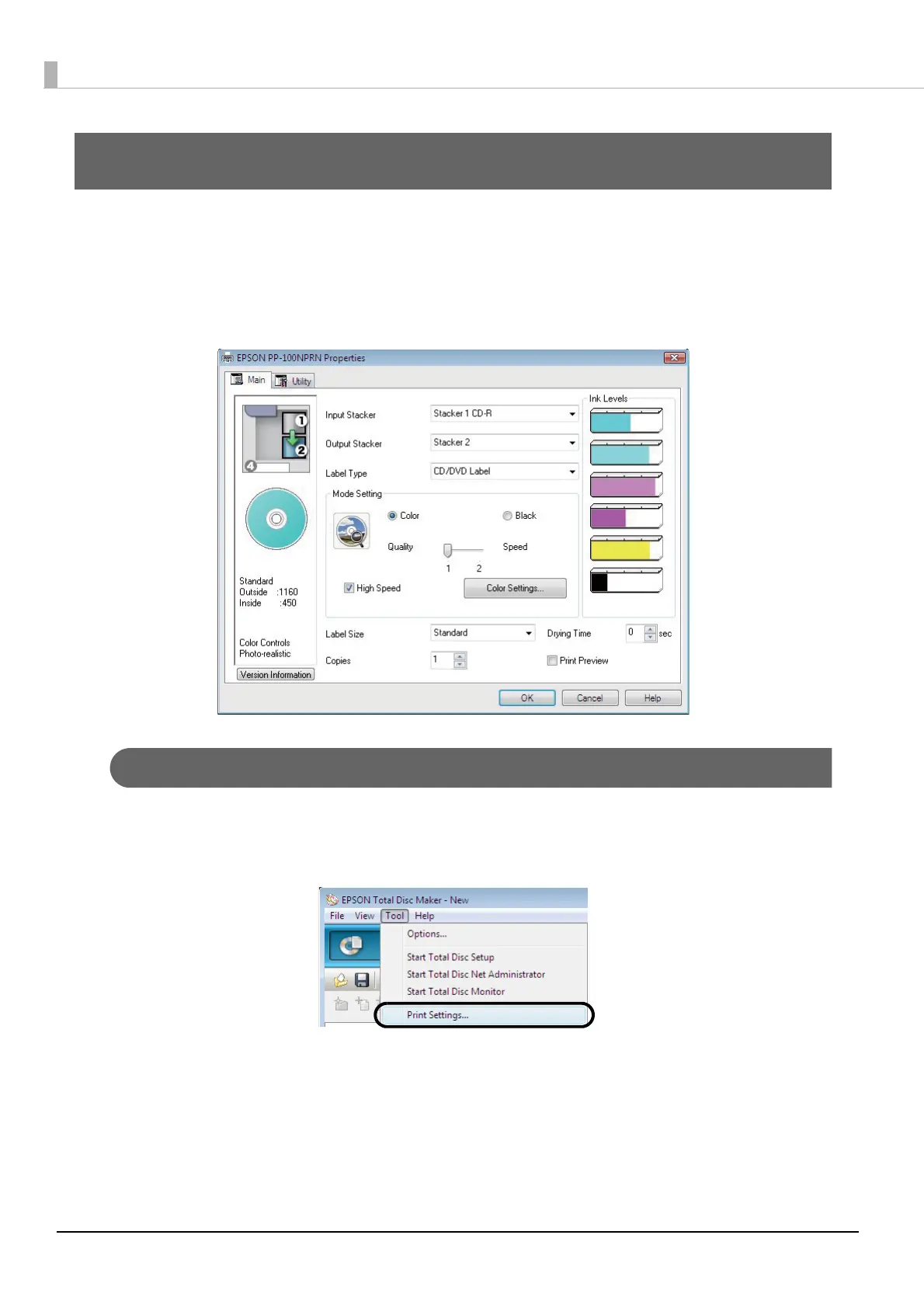
Displaying the printer driver screen
In the printer driver screen, you can change the printer driver settings and perform maintenance, such as running
nozzle checks and cleaning the print head.
The printer driver screen can be displayed from EPSON Total Disc Maker, EPSON Total Disc Setup, and the [Start]
menu.
Displaying from EPSON Total Disc Maker
1
Start EPSON Total Disc Maker.
See “Starting EPSON Total Disc Maker” on page 42 in this guide for the start procedure.
2
Click [Print Settings] in the [Tool] menu.
The printer driver screen appears.



 To Next Page
 Loading...








