49
Using Applications
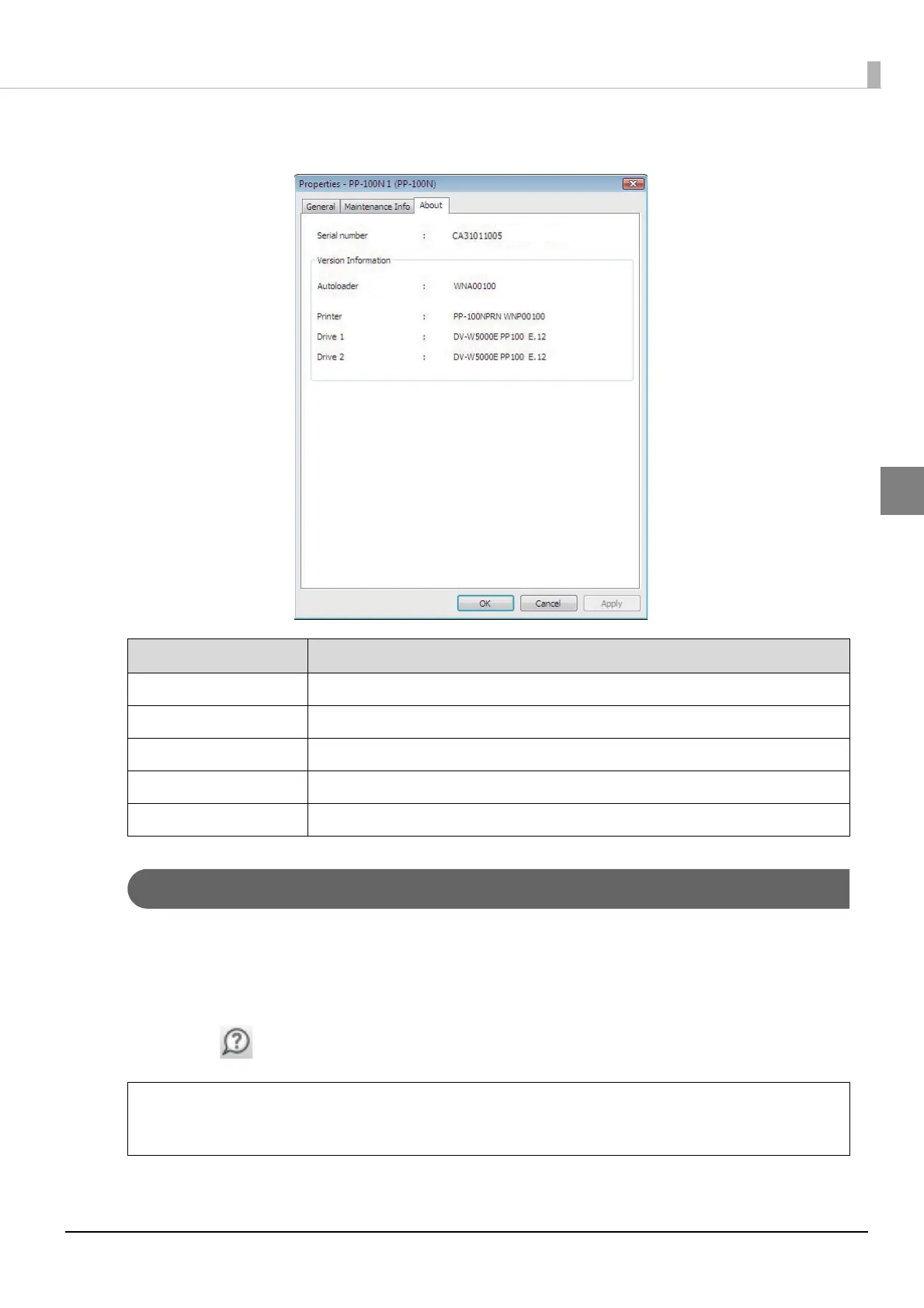
[About] screen
Displaying Help of EPSON Total Disc Setup
Help of EPSON Total Disc Setup contains the procedures for using and specifications of EPSON Total Disc Setup.
1
Start EPSON Total Disc Setup.
See “Starting EPSON Total Disc Setup” on page 45 in this guide for the start procedure.
2
Click [Help] on the toolbar.
Item Description
Serial number Displays the serial number of the product.
Autoloader Displays the firmware version of the product’s internal autoloader.
Printer Displays the firmware version of the product’s internal printer.
Drive 1 Displays the firmware version of the product’s internal CD/DVD Drive 1.
Drive 2 Displays the firmware version of the product’s internal CD/DVD Drive 2.
You can also display Help of EPSON Total Disc Setup in the following ways:
• Start EPSON Total Disc Setup, and press [F1].
• Start EPSON Total Disc Setup, and click [Help] on the [Help] menu.
Note



 To Next Page
 Loading...








