61
How to Use the Printer Driver
Displaying from EPSON Total Disc Setup
1
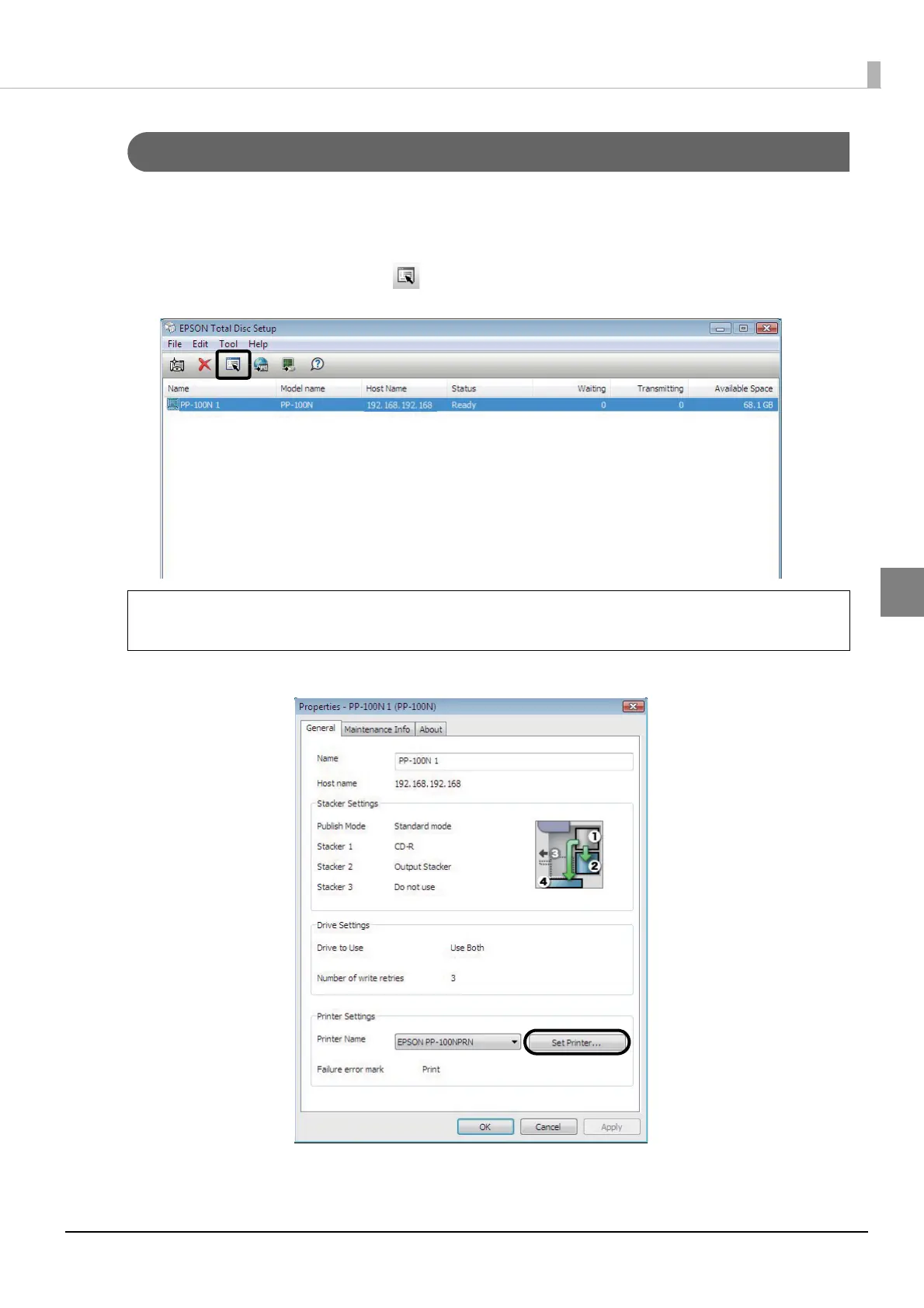
Start EPSON Total Disc Setup.
See “Starting EPSON Total Disc Setup” on page 45 in this guide for the start procedure.
2
Select this product, and click [Properties].
3
Click [Set Printer].
The printer driver screen appears.
You can also display the properties screen by clicking [Properties] in the [Edit] menu.
Note



 To Next Page
 Loading...








