36
Changing user information
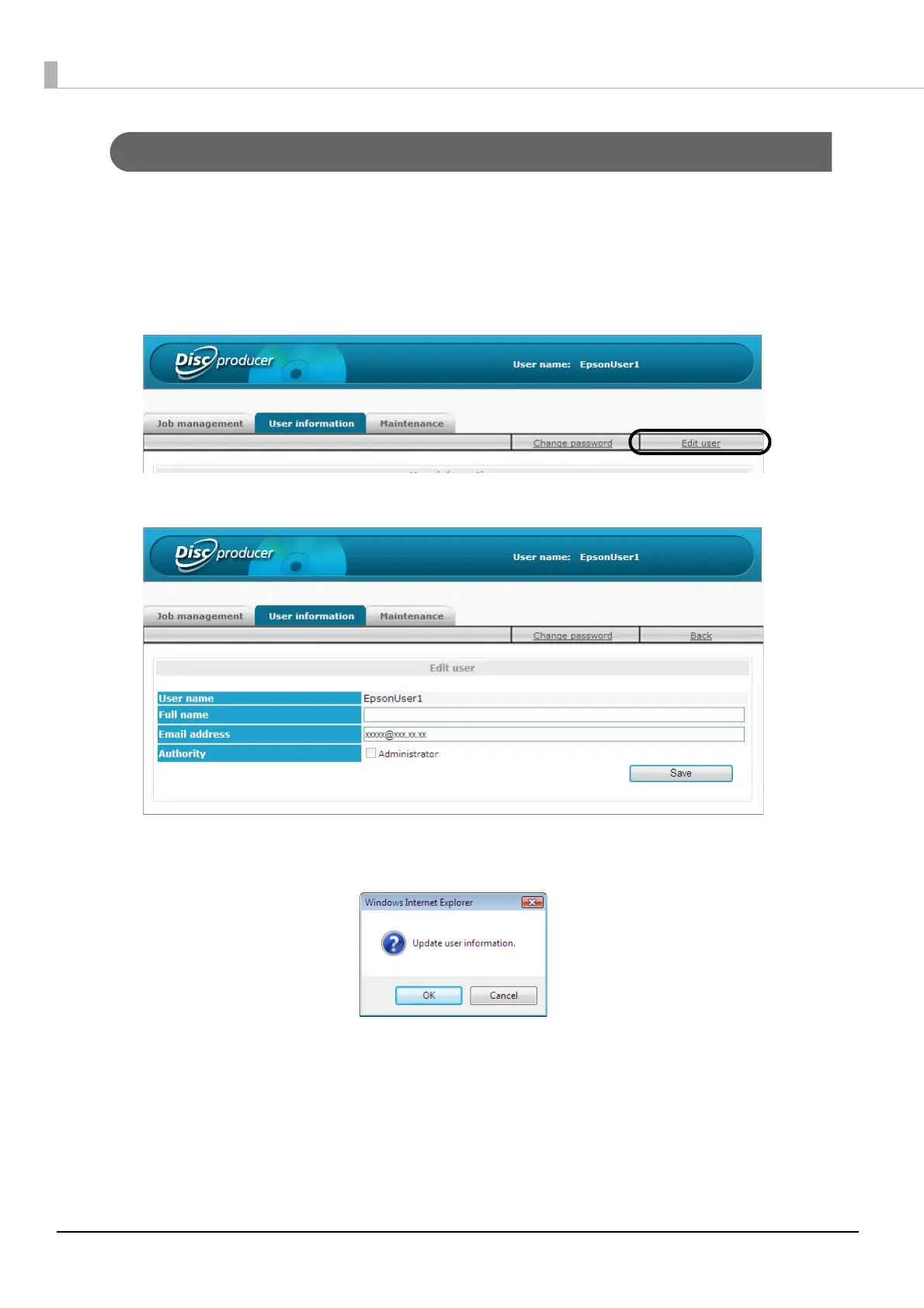
Use the procedure below to change the full name and email address of a user.
1
Log in to EPSON Total Disc Net Administrator.
See “Logging in to EPSON Total Disc Net Administrator” on page 54 in this guide for the login procedure.
2
Click [Edit user] in the [User information] screen.
3
Change the full name or email address, and click [Save].
4
Click [OK].
5
The [User information] screen appears.
Check that the modified information is correct.



 To Next Page
 Loading...








