33
Preparation
4
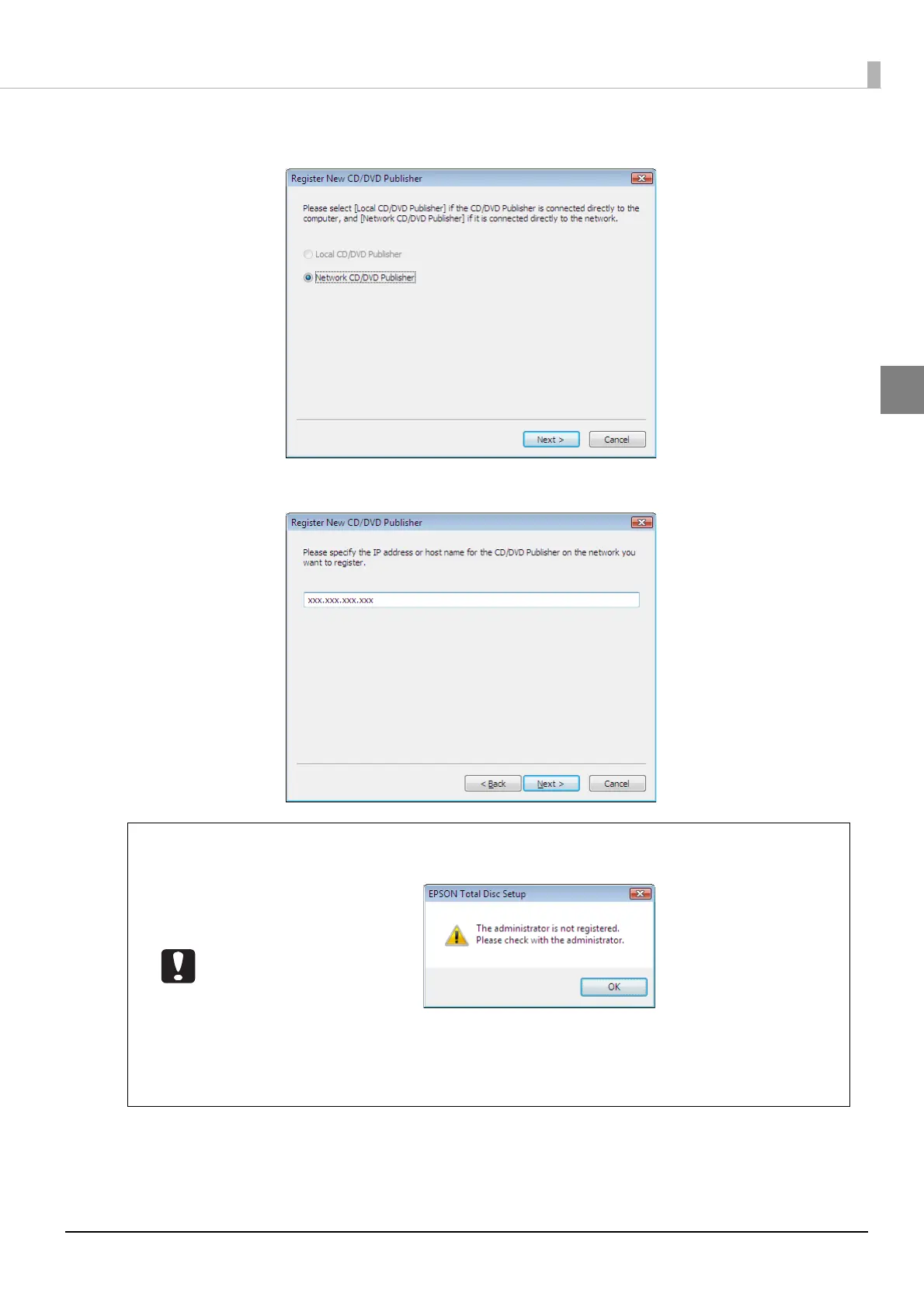
Select [Network CD/DVD Publisher], and click [Next].
5
Enter the IP address or host name of the product to be registered, and click [Next].
If the administrator is not already registered, the confirmation message shown below is
displayed.
Clicking [OK] continues with the registration process for the product, but this product
cannot be used until an administrator is registered. Ask the administrator to perform
administrator registration (see “Registering an administrator” in the PP-100N
Administrator’s Guide).



 To Next Page
 Loading...








