58
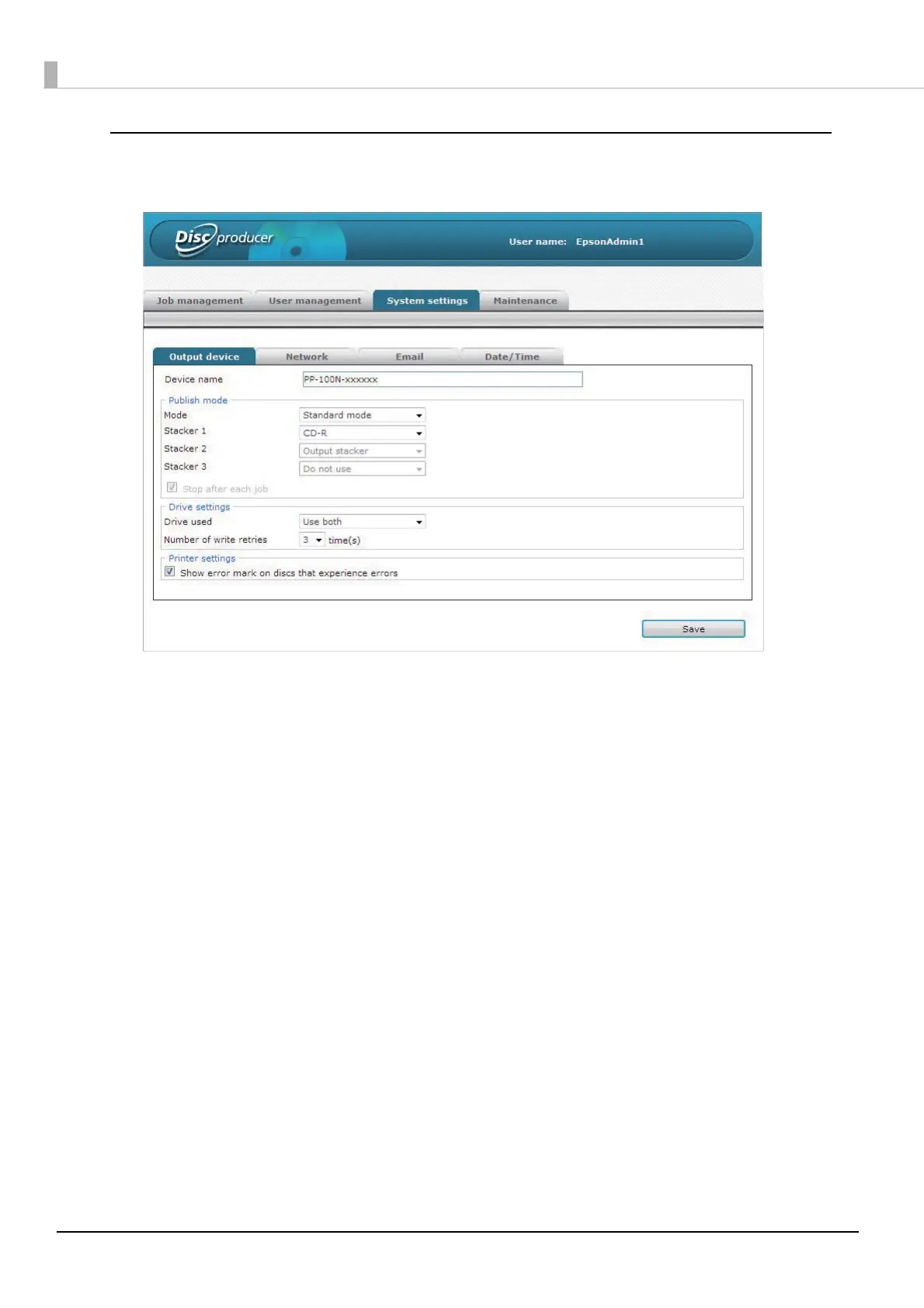
[System settings] screen (administrator only)
Click the [Output device] tab, [Network] tab, [Email] tab, and [Date/Time] tab to display each screen.
[Output device] screen
The [Output device] screen allows you to check and change the settings of this product such as the Publish Mode,
drive, and adding of error marks.
[Network] screen
The [Network] screen allows you to check and change the product’s network settings.
[Email] screen
The [Email] screen allows you to set notification email transmission related to, for example, disc publishing and ink
information.
[Date/Time] screen
The [Date/Time] screen allows you to set the product’s internal clock.



 To Next Page
 Loading...








