67
How to Use the Printer Driver
6
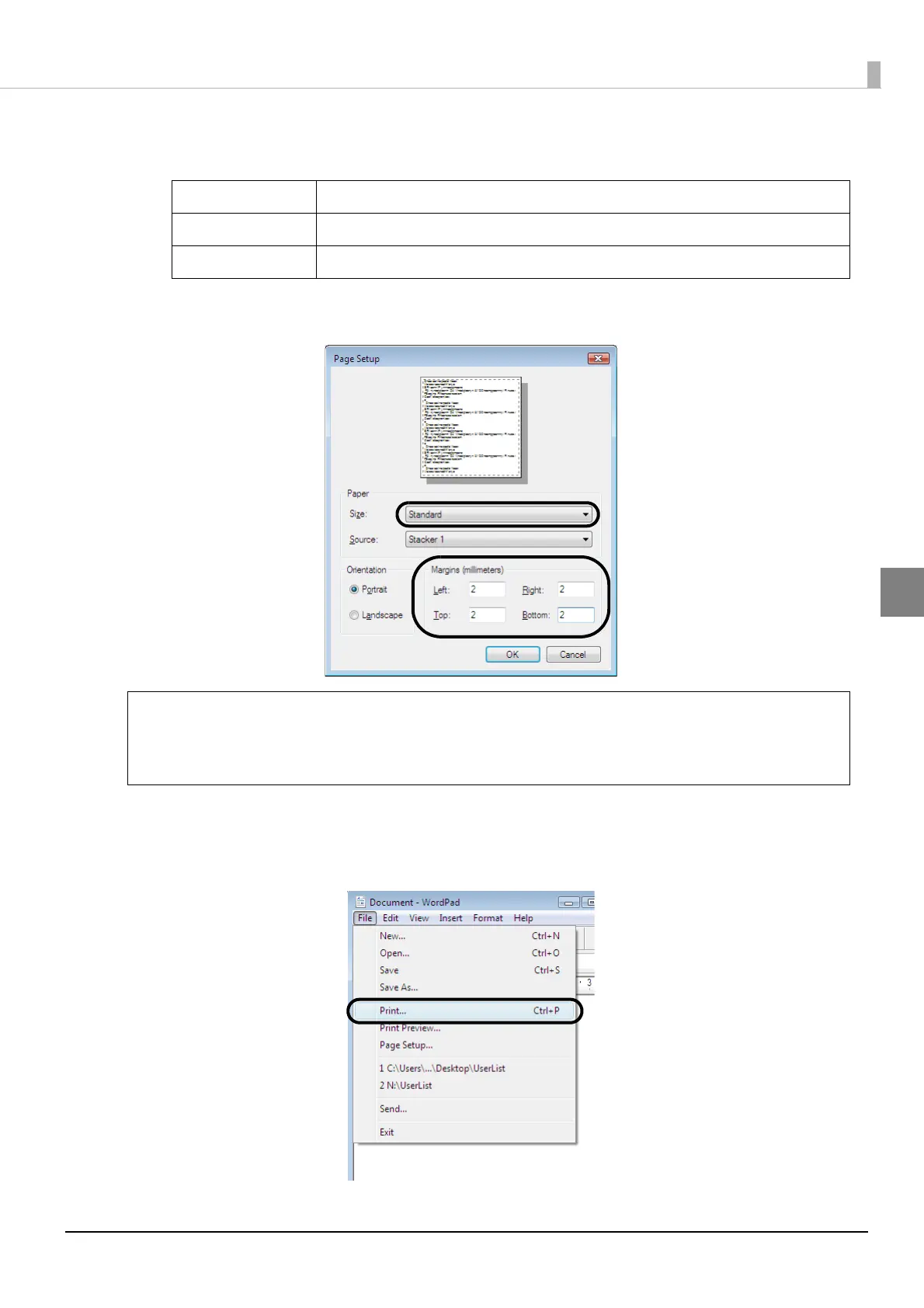
Set [Size] and [Margins] as shown below, and click [OK].
[Size] setting:
[Margins] settings:
Set each of [Left], [Right], [Top], and [Bottom] to 2 mm.
7
Create the data to be printed.
8
Click [Print] in the [File] menu.
Standard In [Width] and [Height], 124 x 124 mm are set.
Wide In [Width] and [Height], 124 x 124 mm are set.
Custom Size Allows you to set the values you want in [Width] and [Height].
When you print using software other than EPSON Total Disc Maker, create the print data
using the following settings.
Paper size: 124×124 mm
Top, bottom, left, and right margins: 2 mm.
Note



 To Next Page
 Loading...








