94
5
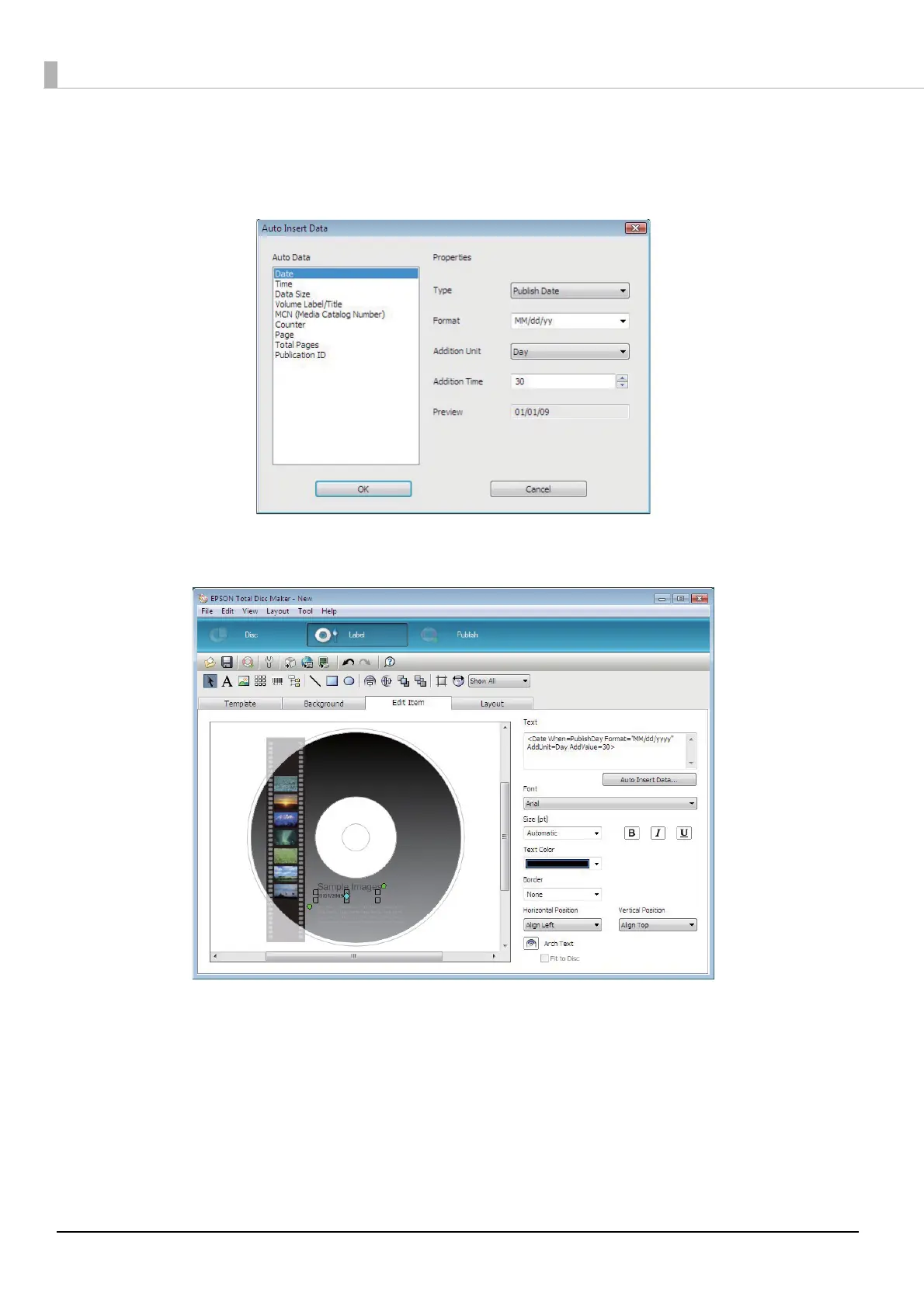
Set Auto Data and Properties, and click [OK].
For example, if today's date is December 2, 2008, and you want the date 01/01/2009 to appear, select “Date,”
and set [Addition Unit] to “Day” and [Addition Time] to “30,” which will add 30 days to today's date.
The date appears.



 To Next Page
 Loading...








