Actuation Configurations for ICC 300 • 8
15
11. Set ICC for CUT and COAG
CUT: Select effect and power limit in the AUTO CUT field for the electrode
handle at the CUT / COAG socket for finger switches. The ICC can be set
either for ARGON CUT or for CUT. The APC handle's and the electrode
handle's cutting modes both reference the AUTO CUT field.
Every time you switch between ARGON CUT and CUT, the AUTO CUT
field must be reset, unless you want to use the same parameters.
COAG: Select coagulation mode and power limit in the AUTO COAG
field for the electrode handle at the CUT / COAG socket for finger switches.
The ICC can be set either for APC or for COAG. The coagulation mode of
the APC handle and the electrode handle both reference the AUTO COAG
field.
Every time you switch between APC and COAG, the AUTO COAG field
must be reset, unless you want to use the same parameters.
WARNING!
WARNING!
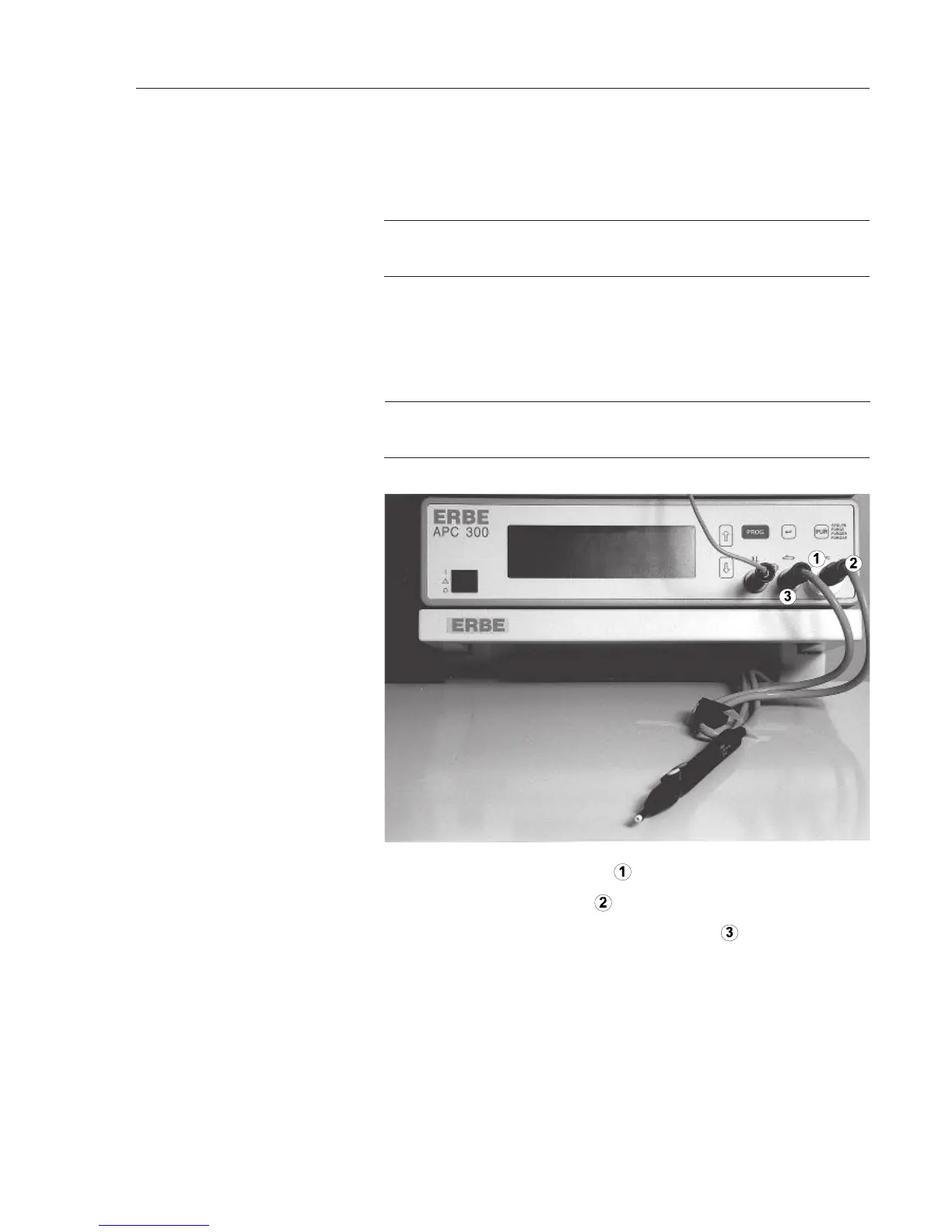
1. Screw the bacteriological filter to the argon socket .
2. Screw the argon connection
to the filter.
3. Plug the multiple plug into the multiple socket
of the APC 300.
Is the automatic setting of the COAG flow / CUT flow suitable for the
application?
Press P
UR key and rinse the applicator with argon.
Press the blue pedal or the blue finger switch.
12. Connect APC handle
13. Check flow
14. Rinse applicator
15. Actuate APC



 To Next Page